
Room 3D

The 3D room editor for GameMaker

Build 3D rooms the way you build 2D ones: paint levels from tiles, drop in rigged characters, play their animations, light a few torches, then save the whole room straight into your GameMaker project.

⬇ Free trial: coming soon See pricing 📘 User guide
  • macOS
  • Windows coming soon
  • Linux coming soon
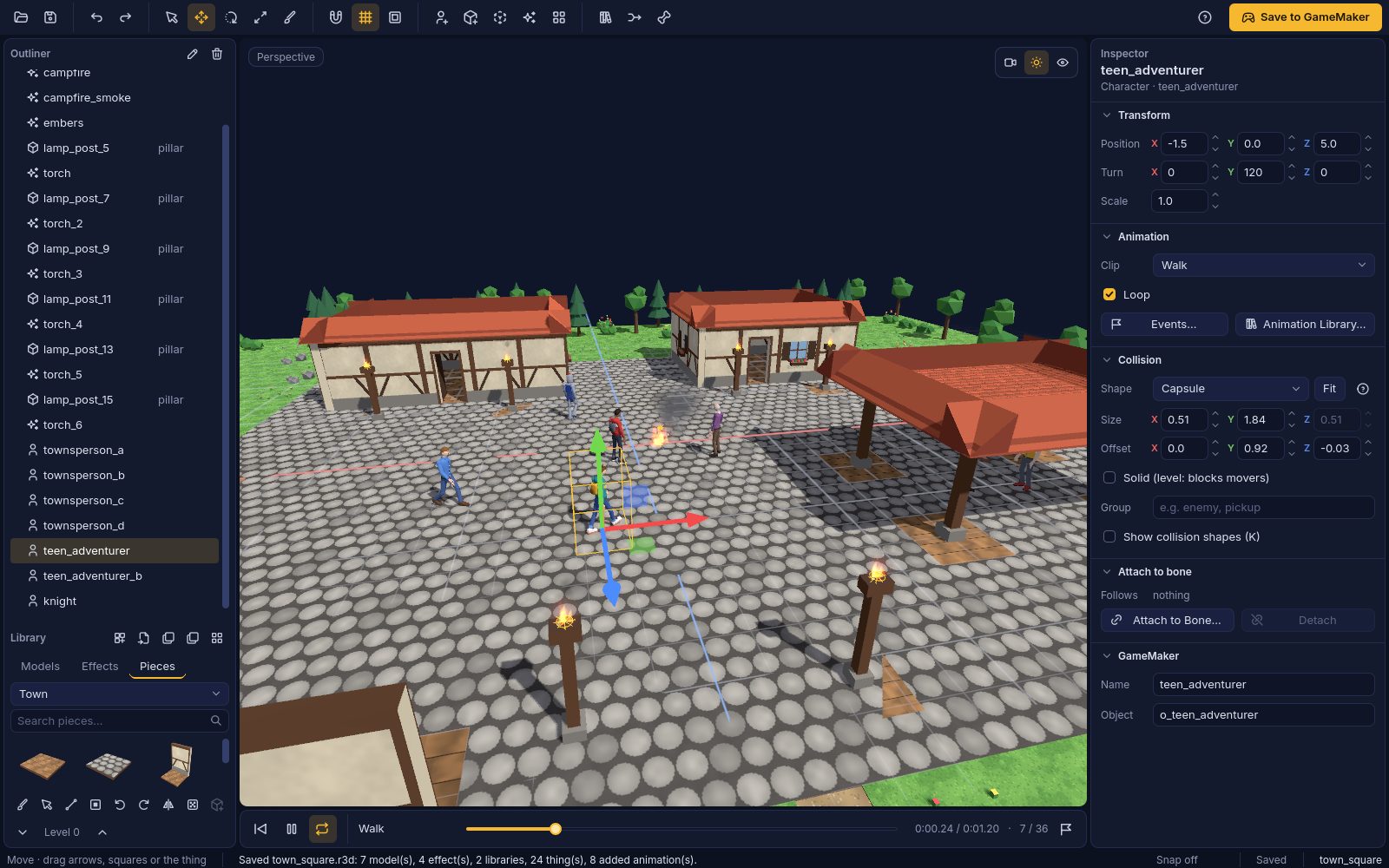
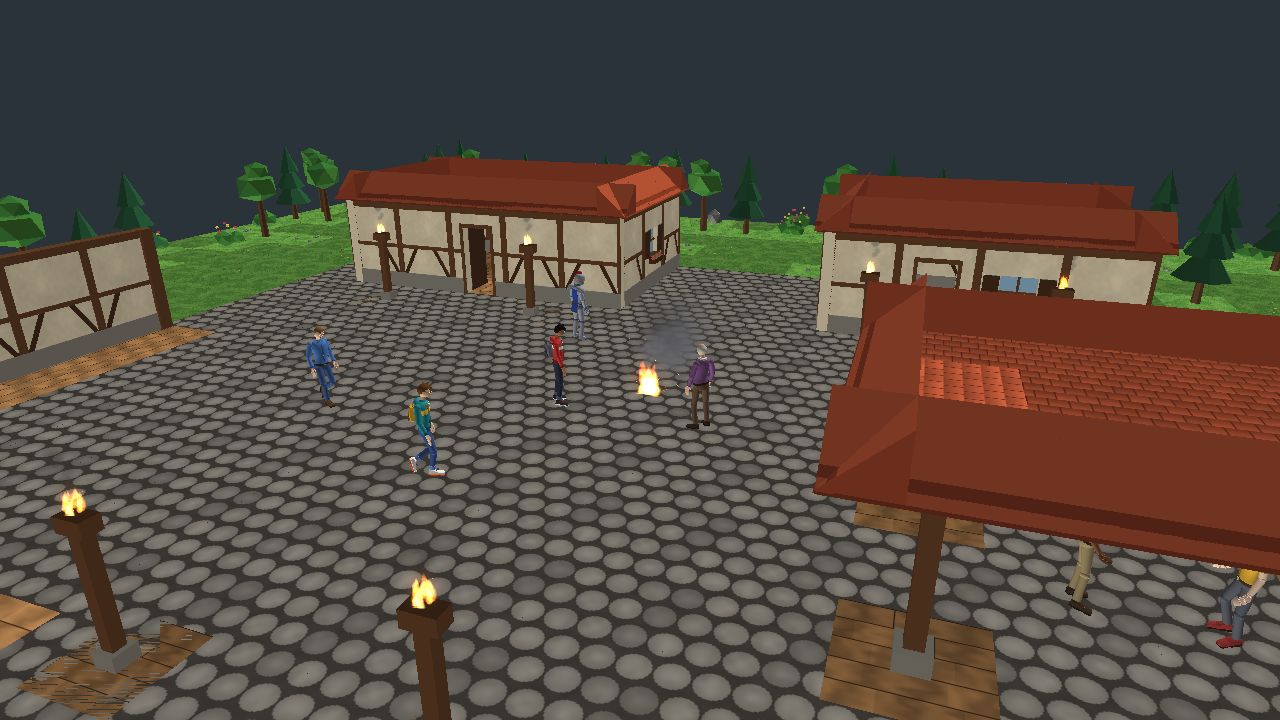
Room 3D: a town square painted from the Town library, with walking characters, a campfire and torches; the Outliner, Pieces and Inspector around the view

Build 3D rooms for GameMaker in minutes

GameMaker draws 3D well but has no 3D room editor. Room 3D is that editor, and it writes ordinary GameMaker rooms, objects and scripts.

  1. 1

    Import or paint

    Open GLB, glTF, FBX or OBJ models, or paint a level cell by cell from a mesh library.

  2. 2

    Animate and add effects

    Rigged characters, thousands of free Mixamo animations or your own, fire, smoke, sparks and more.

  3. 3

    Save to GameMaker

    One button writes the room, models, animations, effects and collision into your project.

The town square in Room 3D's view
Room 3D The town square as you build it
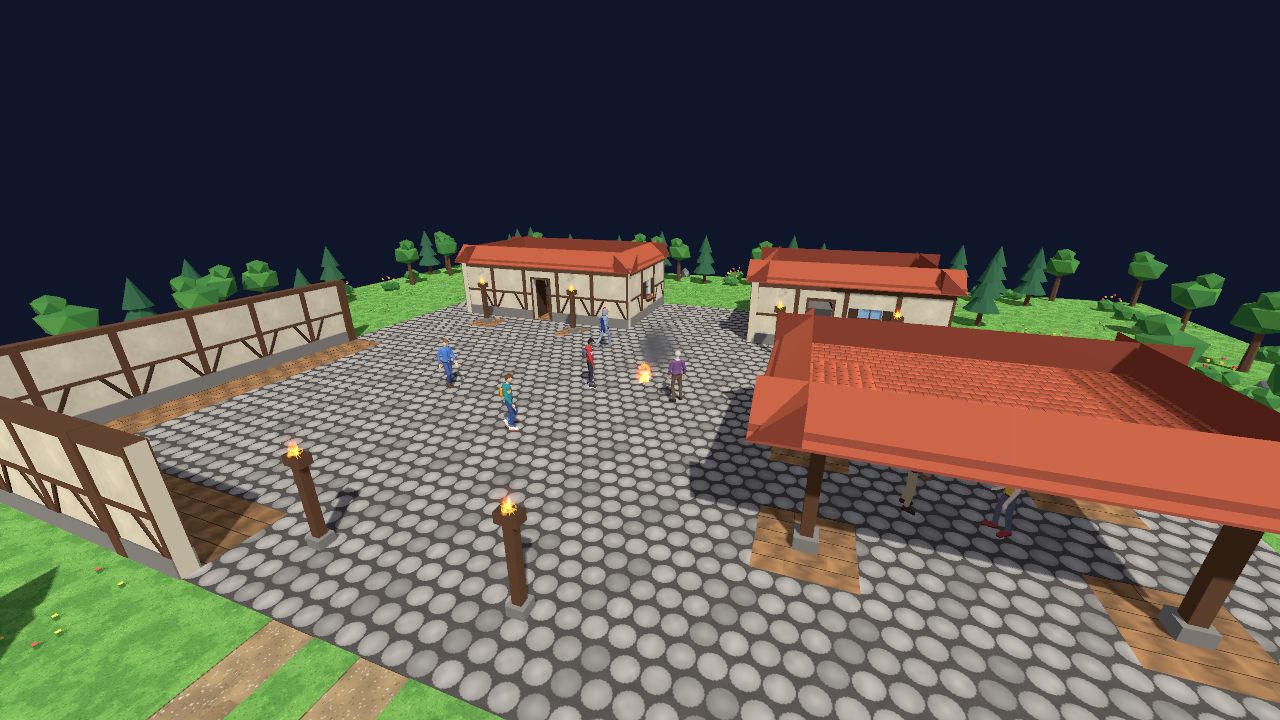
The same town square running in a GameMaker game
GameMaker The same room, saved and running in GameMaker
Painting a house in Room 3D: a box of cobbles, a line of walls, corners, windows, a door and the roof, cell by cell
Mesh libraries

Paint levels like tiles

Pick a piece in the Pieces tab and paint: click or drag, fill a line or a box, turn pieces with Q and E, go up a level with Page Up. Each stroke is one undo step, and rooms of 10,000 cells and more stay quick.

  • Four starter libraries made for Room 3D: Dungeon, Sci-fi base, Town and Nature.
  • Templates for buildings, dungeons and caves, platformer blocks and terrain, or your own.
  • A random brush for rocks, trees and floor tiles; select painted pieces and move, turn, copy or delete them.
  • Make a library from your own model files, or open a Godot MeshLibrary or GridMap.
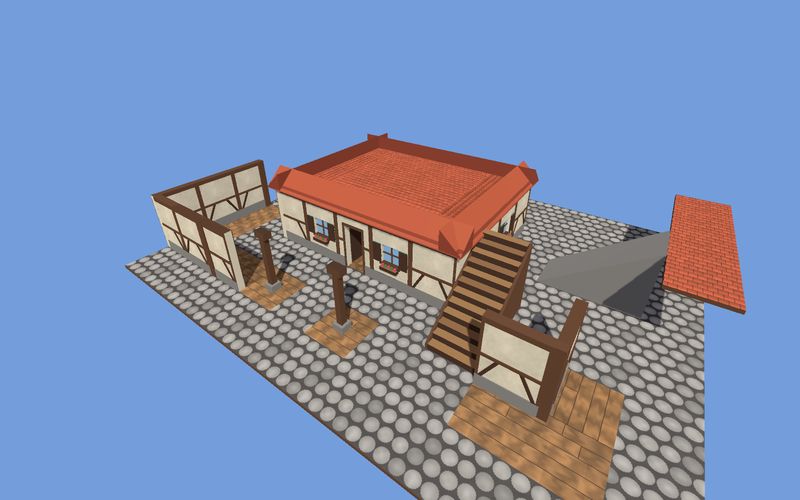
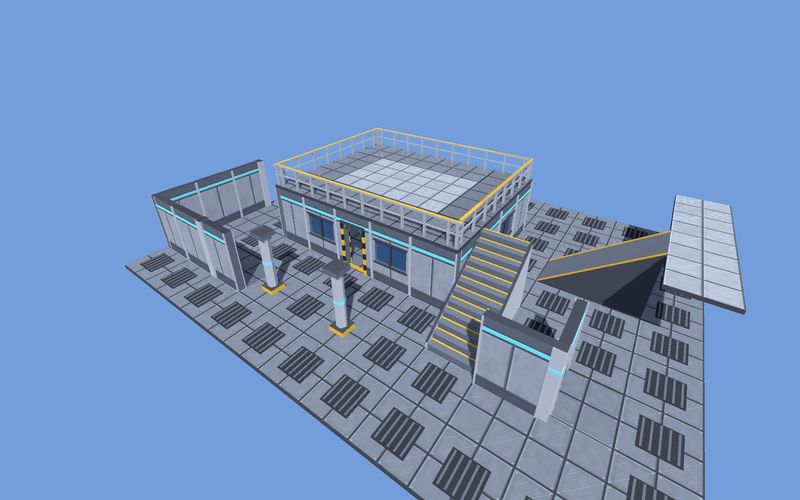
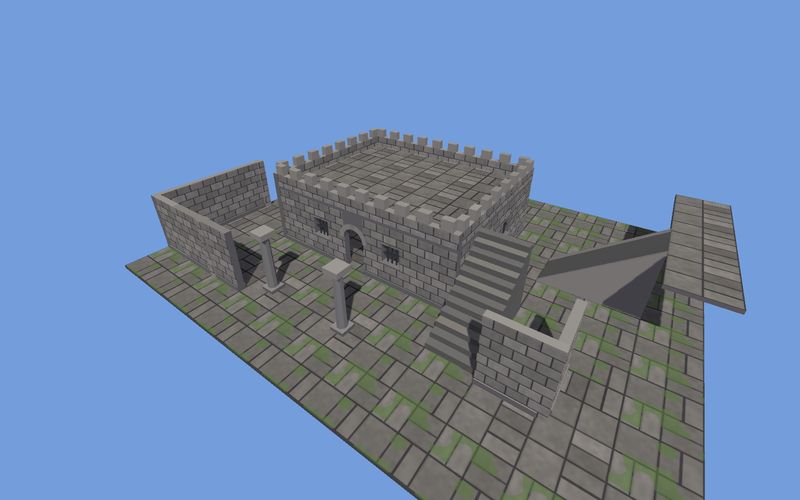
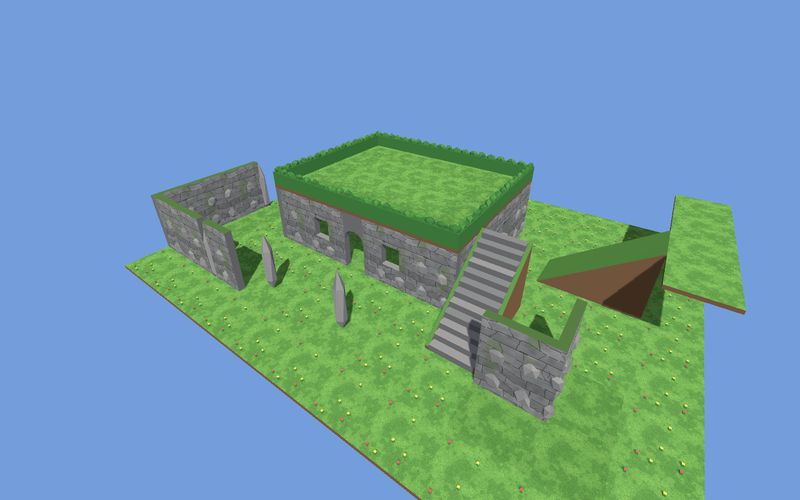
One painted house switched between the Town, Sci-fi base, Dungeon and Nature libraries
Town
Sci-fi base
Dungeon
Nature
One-click re-theme

Same house, four worlds

Libraries made from the same template fill the same slots: a wall is a wall, a doorway is a doorway. Switch a level to another library and every piece changes at once. Empty slots show a grey block, so a level is playable before its art is done.

Export a template as a GLB, model over its blocks in any 3D app, and your own art drops into the same slots.

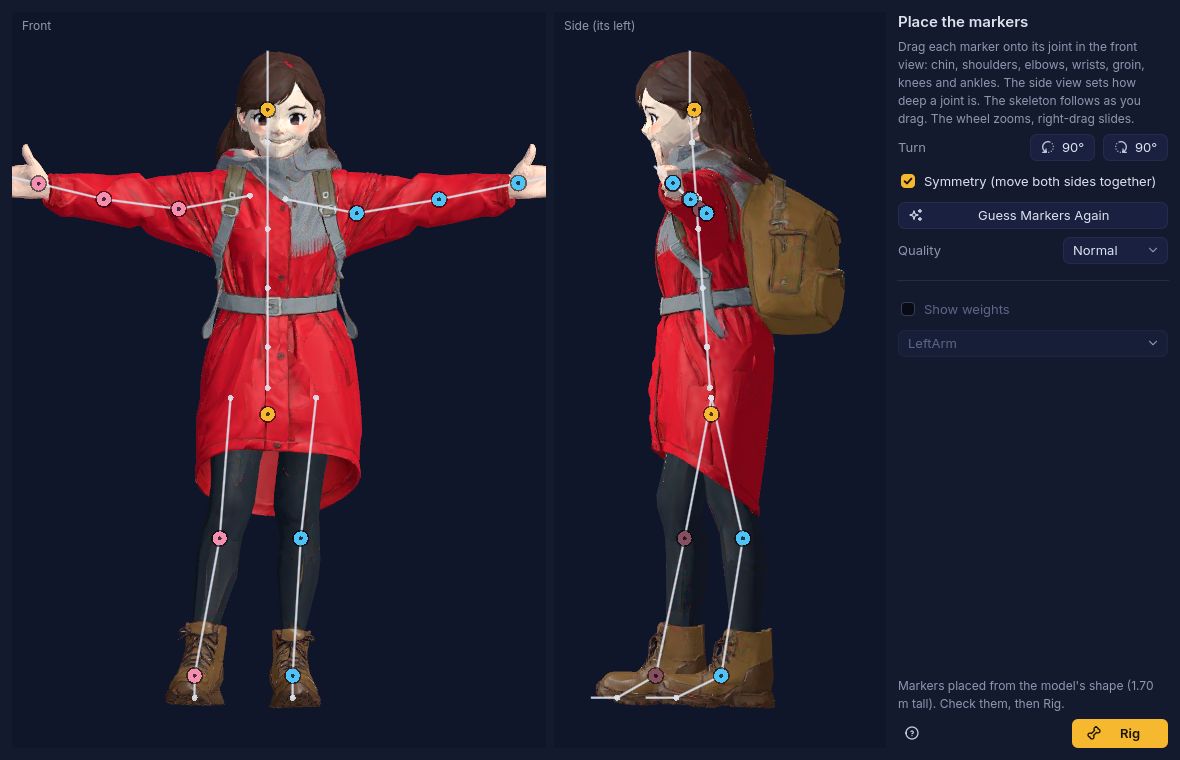
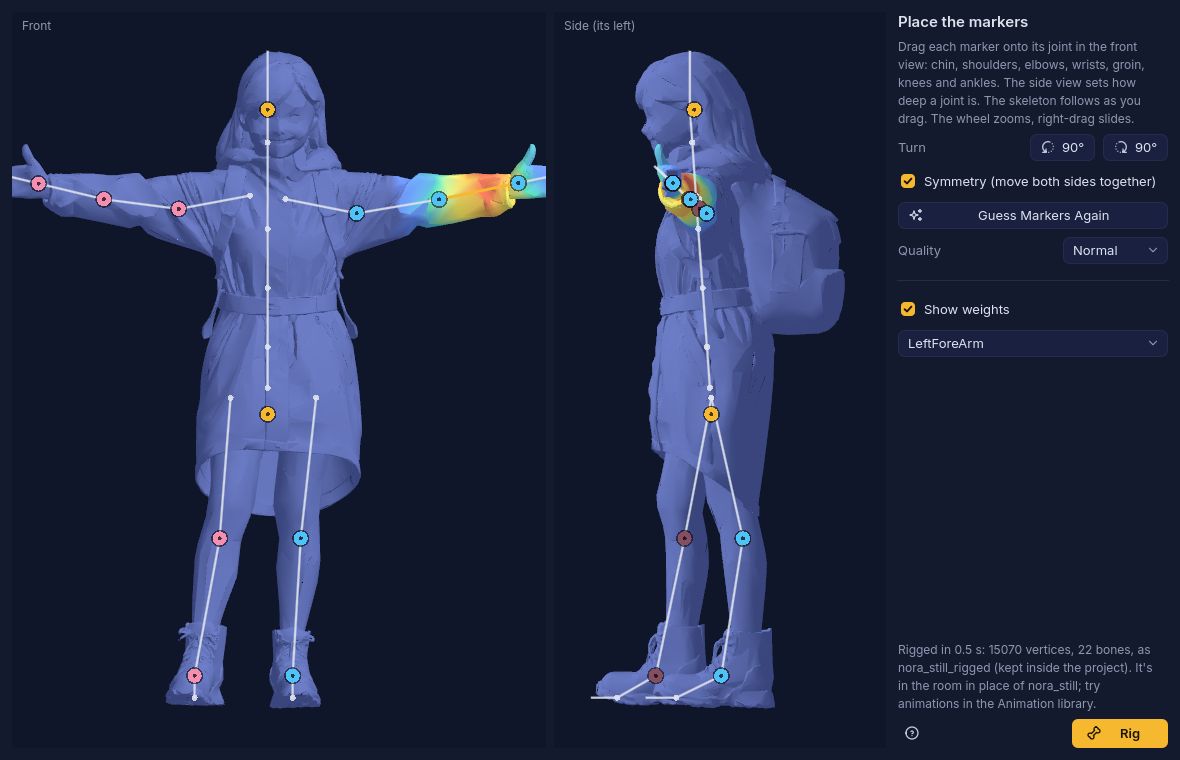
The Rig Character window: front and side views of a character with markers on the chin, shoulders, elbows, wrists, groin, knees and ankles Show weights: the same character coloured by the left forearm's skin weights after rigging
Rig Character

Still model in, moving character out

Animation › Rig Character gives a still humanoid model (GLB, FBX or OBJ with no skeleton) the same skeleton as the premade characters, so Mixamo animations, your own files and Meshy's all fit it.

  • Markers on the chin, shoulders, elbows, wrists, groin, knees and ankles are placed from the model's shape; drag any that are off.
  • Skin weights that cope with real models: clothes over the body, hair, backpacks and separate pieces follow the right bones.
  • A note when the model faces the wrong way or isn't in a T- or A-pose, with buttons to turn it.
  • Draft, Normal and High quality, done in seconds. No other software needed.
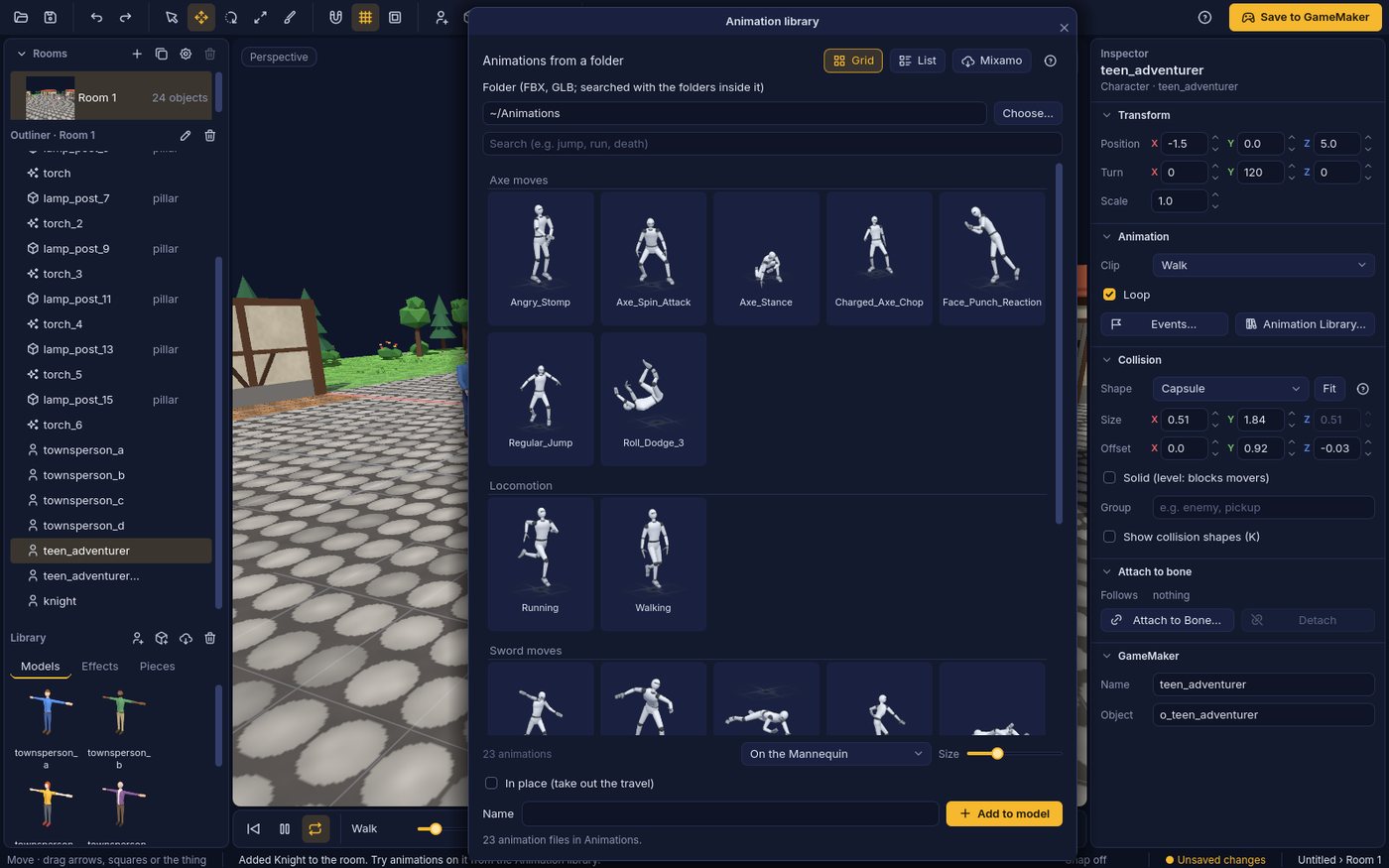
The Animation library open over the editor, reading a folder of animation files: a grid of moving thumbnails, shown on the Mannequin A premade teen character walking across the town square
Animation

Any animation, on any humanoid

Use thousands of free Mixamo animations, your own animation files, or Meshy's library, on any humanoid. Room 3D fits each one to your character's skeleton, so a move made for one rig plays on another.

  • The Mixamo Assistant: download from mixamo.com with your own free Adobe account and each animation lands on your character by itself.
  • The Animation library reads your own folders of FBX, GLB and glTF animations as a grid of moving thumbnails: search, click to try one on the selected character, double-click to add it.
  • Meshy's animation library, with your own Meshy account.
  • Retargeting between Mixamo, the premade characters, Character Creator 3, 4 and 5 and iClone, Unreal's Mannequin, Unity Humanoid and VRM, DAZ Genesis, Blender Rigify and VRoid.
  • Combine Animations puts clips from several files onto one character, and Rig Character gives a still model a skeleton so it can use them all.
A campfire with smoke and embers burning in the town square at night
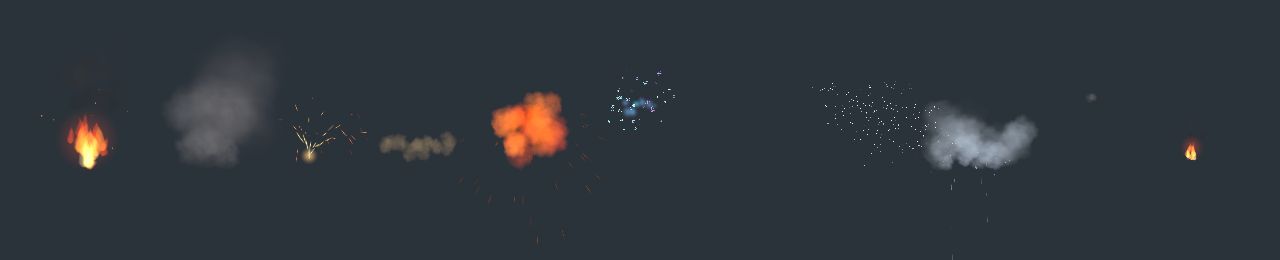
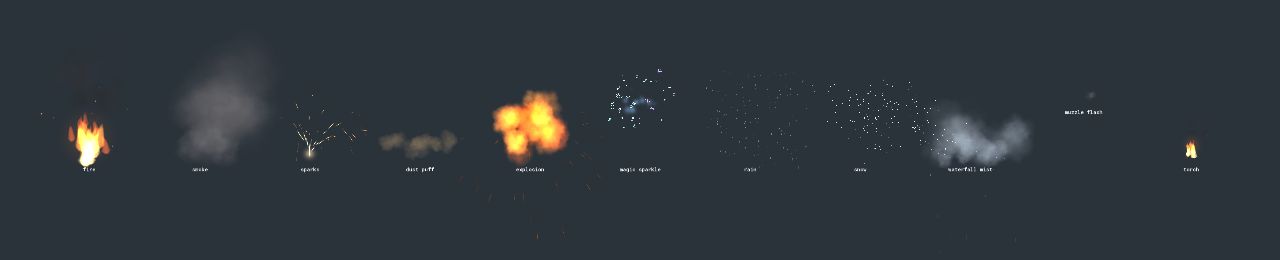
Eleven effect presets in Room 3D's preview
In Room 3D
The same eleven effects at the same moment in GameMaker
In GameMaker, at the same moment
Particle effects

3D effects that match in the game

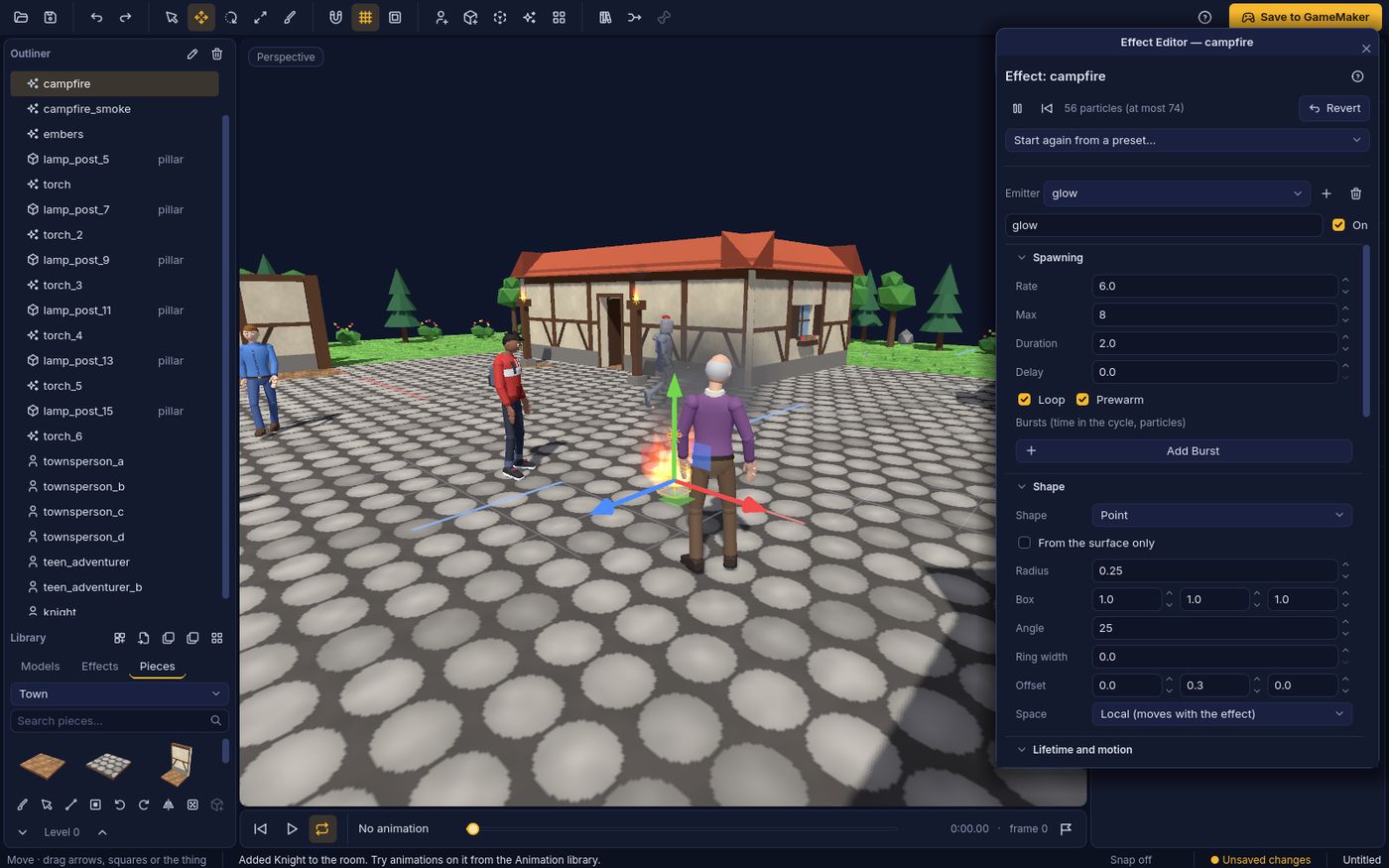
Fire, smoke, sparks, dust, explosions, magic, rain, snow, mist, muzzle flashes and torches, ready as presets. Put them in the room, size them, or attach one to a bone: a torch in a hand.

The Effect editor has every setting with a live preview: emitter shapes, bursts, speed, gravity, wind and swirl, flipbook textures, and size, colour and alpha over life. The editor and the GameMaker kit run the same sums on the graphics card, so what you see is what plays in your game.

See the Effect editor

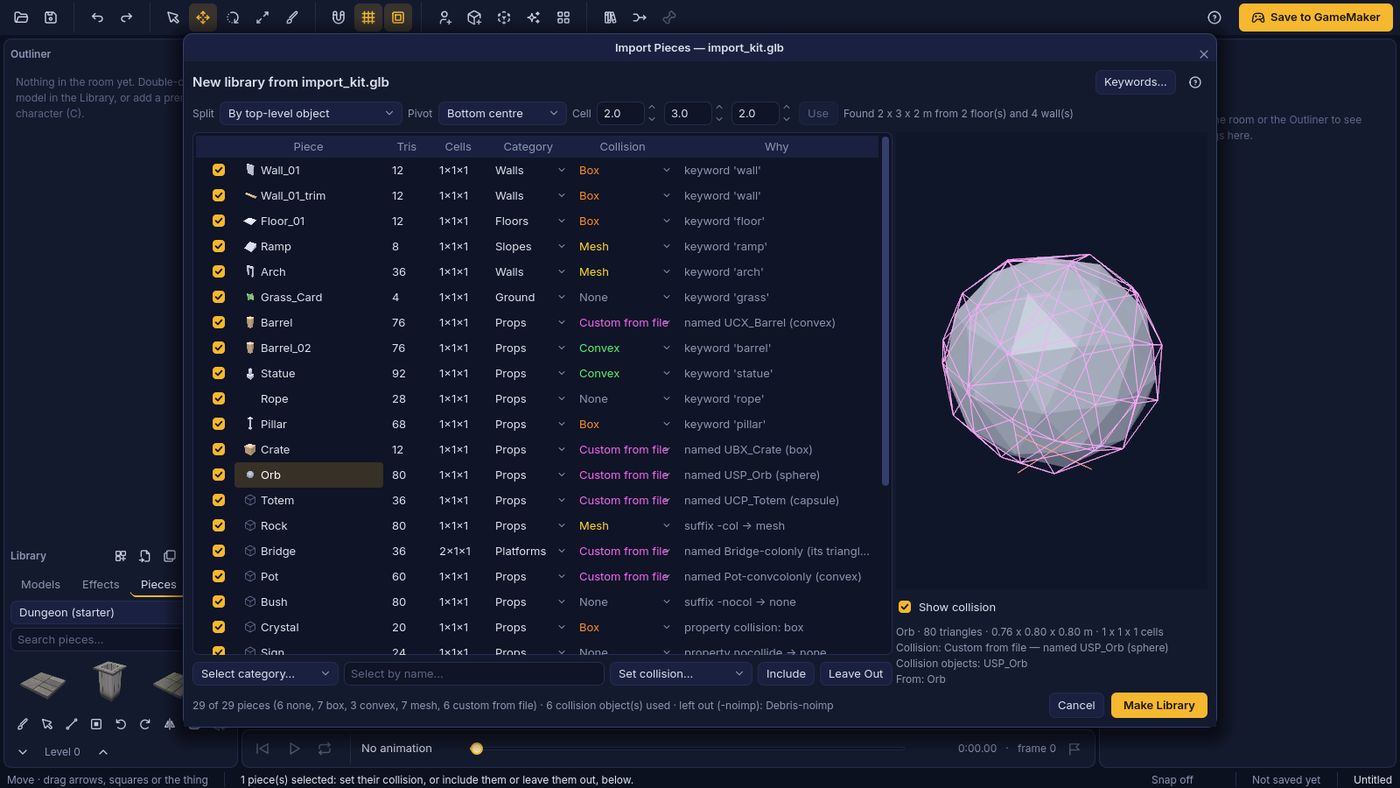
The Import Pieces window: each piece of a model file with its triangles, size in cells, category and collision, and the reason for each
Import Pieces

Your own kits, collision included

Bring in a modular kit as one file and Room 3D splits it into pieces: by object, by mesh, or grouped by name, so Wall_01 and Wall_01_trim stay together. Each piece gets a picture, a size in cells and a category, and the cell size is found from the floors and walls.

Collision is decided for you, with the reason shown: collision objects in the file (UCX_, UBX_, Godot's -col and friends), custom properties, keywords in the name (grass you walk through, walls as boxes, stairs and ramps you walk up, barrels as convex shapes), or the piece's shape. Change any of them; Reimport keeps your choices when the file changes.

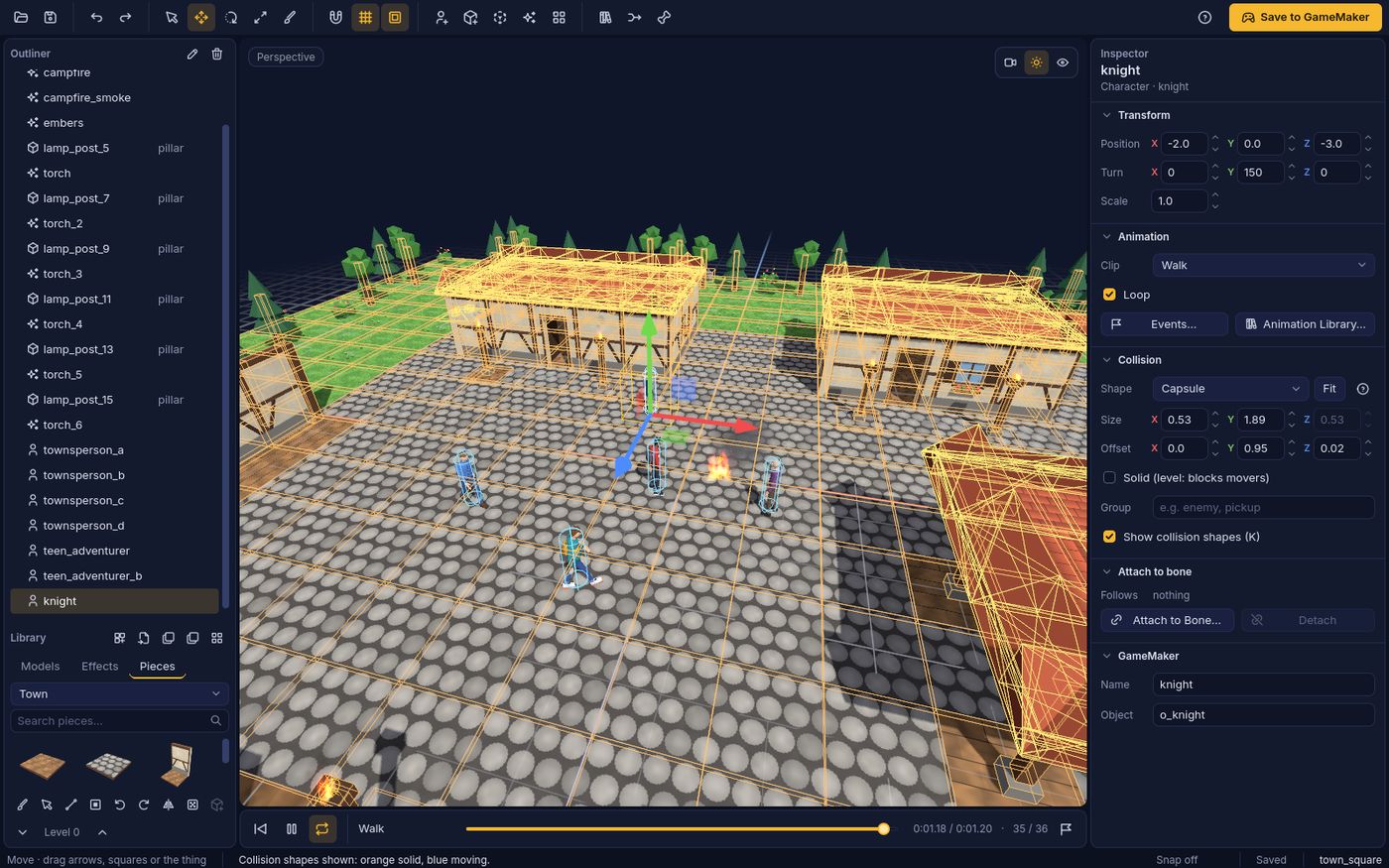
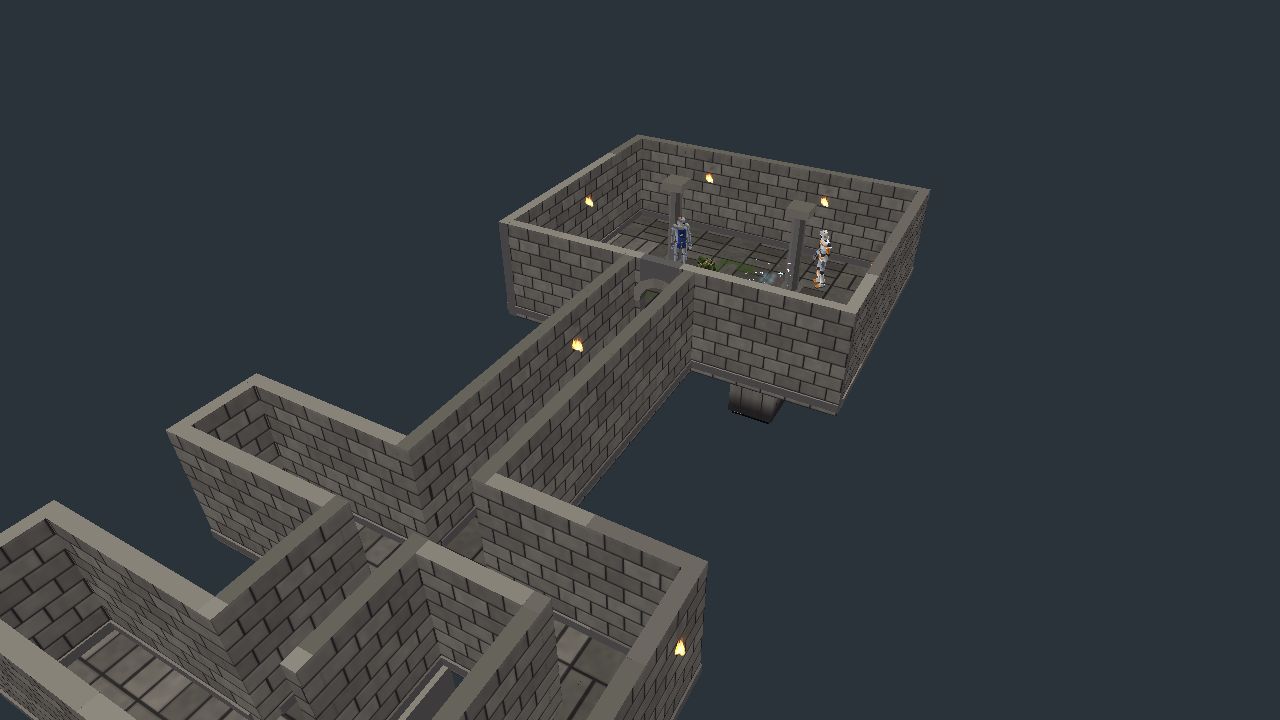
Collision shapes shown in the town square: boxes for the painted walls and capsules for the characters A painted dungeon room and corridors running in GameMaker, with torches
Collision

Ready for gameplay

Every thing gets a collision shape fitted to it: a box, sphere, capsule or its own mesh. Painted grids bring their pieces' collision along, so movers walk on painted floors, up stairs and ramps, and stop at walls. Press K to see it all.

The GameMaker kit has 3D collision in plain GML: moving and sliding with slopes and steps, ray casts and hit tests. No extensions.

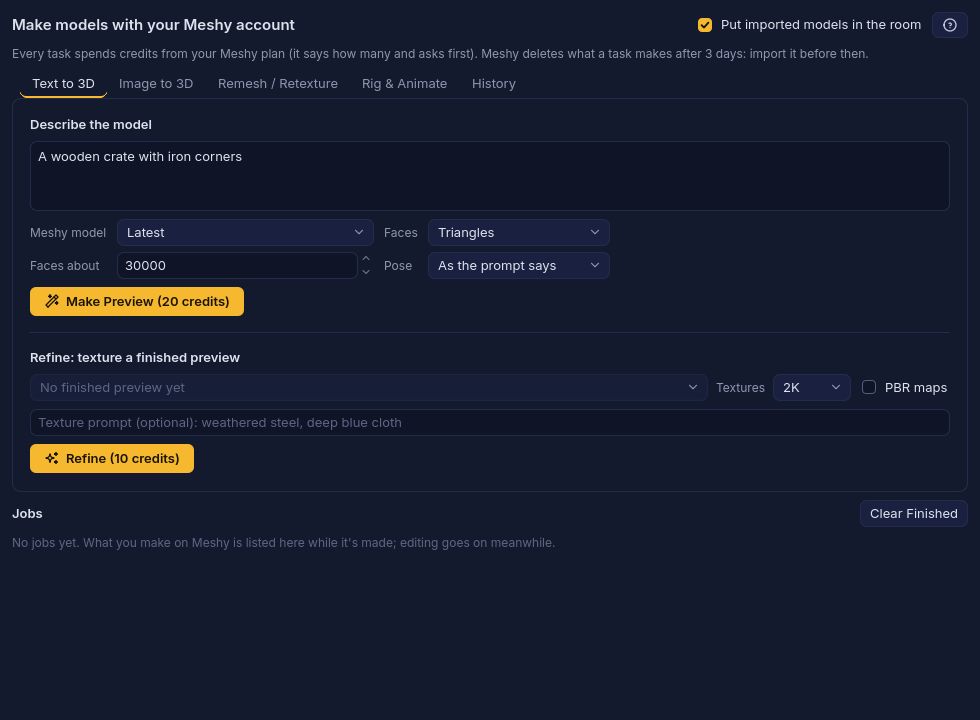
The Meshy window: describe a model, choose faces and pose, Make Preview, then refine with textures
Meshy

Connect your Meshy account

Have a Meshy account (meshy.ai)? Paste your API key once in Preferences and make models from inside Room 3D: Text to 3D, Image to 3D, Remesh and Retexture, Meshy's rigging and animations. Models arrive in your Library and your room, kept inside your project.

Every task says how many of your Meshy credits it costs and asks first. Jobs run in the background while you keep working. Your key stays in your computer's keychain and only ever goes to Meshy.

// o_player's Step (a child of o_r3d_thing)
event_inherited();
var _mx = keyboard_check(ord("D")) - keyboard_check(ord("A"));
var _my = keyboard_check(ord("S")) - keyboard_check(ord("W"));
zspeed -= 0.5;  // gravity (your own variable)
if (r3d_on_ground(id) && keyboard_check_pressed(vk_space)) {
    zspeed = 9;
}
// Move and slide: walls stop it, steps and slopes don't
var _hit = r3d_move(id, _mx * 4, _my * 4, zspeed);
if (_hit.on_ground) zspeed = 0;
// Blends from one animation to the next
r3d_play((_mx != 0 || _my != 0) ? "Walk" : "Idle");

// Sparks where a ray from the player hits
var _ray = r3d_raycast(x, y, z + 64, 1, 0, 0, 640, id);
if (_ray.hit) r3d_fx_burst("sparks", _ray.x, _ray.y, _ray.z);
Save to GameMaker

Real GameMaker rooms and code

The gold Save to GameMaker button writes into your project, adding to it and never removing anything of yours:

  • the room, with an instance for every thing and a camera where yours was;
  • models, textures and animations, baked for GameMaker, with bone attachments and animation events;
  • particle effects, painted grids in fast chunks, and collision;
  • a kit of scripts, shaders and objects with a GML API: r3d_play, r3d_move, r3d_raycast, r3d_fx_play, r3d_grid_set and more, plus lights, fog and distance culling.

Make your own objects children of o_r3d_thing; layers you add to the room in GameMaker are kept when you save again.

What's in the box

Everything else that makes building a room quick. The manual covers every window and key.

Opens your models

GLB, glTF, FBX and OBJ with their animations; older FBX, Collada and 3DS files too.

Premade characters

Low-poly and rigged: a mannequin, commando, zombie, teen adventurers, a knight, a robot and four townspeople.

Place, move, turn

Handles on the model, exact numbers in the Inspector, snapping, and front, side and top views.

Timeline

Play, pause, loop and scrub each thing's animation, and mark events on frames for your code.

Attach to bones

A sword in a hand, a torch on a belt: attached things follow the animation, in the game too.

Parts of a model

Select, move or hide one part of a model, or split it into separate things.

Projects

Save your room as a .r3d project with everything inside it, open it later, undo and redo everything.

Save as GLB

Save any model with its animations as a GLB: a handy way to turn old FBX and OBJ files into GLB.

Combine animations

Put animations from several files onto one character (uses Blender, if you have it).

Lights and fog

Sun, ambient, point and spot lights, fog and distance culling for the GameMaker side.

Help built in

Room 3D Help (F1) with a search, every keyboard shortcut, and tooltips on every button.

Updates

Room 3D checks for new versions once a day (you can turn it off) and shows what's new.

Pricing

Try everything free, then buy once and keep it. Checkout is handled securely by Stripe. Sign in first, then sign in to Room 3D with the same account: the licence arrives by itself.

Free trial

Everything works for 7 days of use: a day only counts when you open Room 3D.

Download coming soon

After the trial: free mode

Room 3D doesn't lock you out. Opening, editing and saving your projects is always free, with every tool: painting, rigging, the Animation library, effects, collision. Exporting needs a licence: Save to GameMaker, Save Model to GameMaker and Save Model as GLB.

A licence belongs to your Guidry Games account and works on two computers at once; manage them on your account page. Have a licence key? In Room 3D choose Help › Enter Licence Key…, or use it on your account page.

Windows, Linux and what's next

Get an email when Room 3D comes to Windows and Linux, and when a new version is out.

Questions

Which GameMaker versions does it work with?

Room 3D saves into projects for GameMaker LTS 2026, the version it's built and tested with. Support for GameMaker's new runtime (GMRT) will come later. The kit is plain GML and shaders, checked in Mac and HTML5 (WebGL) builds.

How does the trial work?

Every feature works for 7 days of use. A day counts only when you open Room 3D, so a week away doesn't use it up. Afterwards Room 3D keeps working in free mode: you can still open, edit and save your projects; saving to GameMaker and as GLB need a licence.

How many computers can I use?

Two at once, with your Guidry Games account. To move to a new computer, remove an old one on your account page.

Does it work offline?

Yes. Room 3D checks your licence in the background every few days; without the internet it keeps working for 30 days after the last check. Only the Meshy connection needs to be online.

What about updates?

Buying once includes every 1.x update. Room 3D tells you when a new version is out, and the release notes list what changed.

Does the Meshy connection cost extra?

Room 3D doesn't charge for it, but Meshy tasks use your own Meshy credits (API keys come with Meshy's paid plans). Each task shows its cost and asks before it starts. You don't need Meshy to use Room 3D.

Which file formats can I use?

GLB and glTF (best: one file with its animations), FBX and OBJ. Older text FBX, Collada (.dae) and .3ds files open through the free Assimp converter. Room 3D saves its own .r3d projects, .r3dlib mesh libraries and GLB models.

When are Windows and Linux coming?

Both are being worked on now. This page will say as soon as they're ready.

Can I get a refund?

See Refunds on our Support page.

Learn Room 3D

The illustrated user guide takes you from your first room to the code that runs it. The manual has every window, tool and shortcut, the same as Room 3D's own Help.