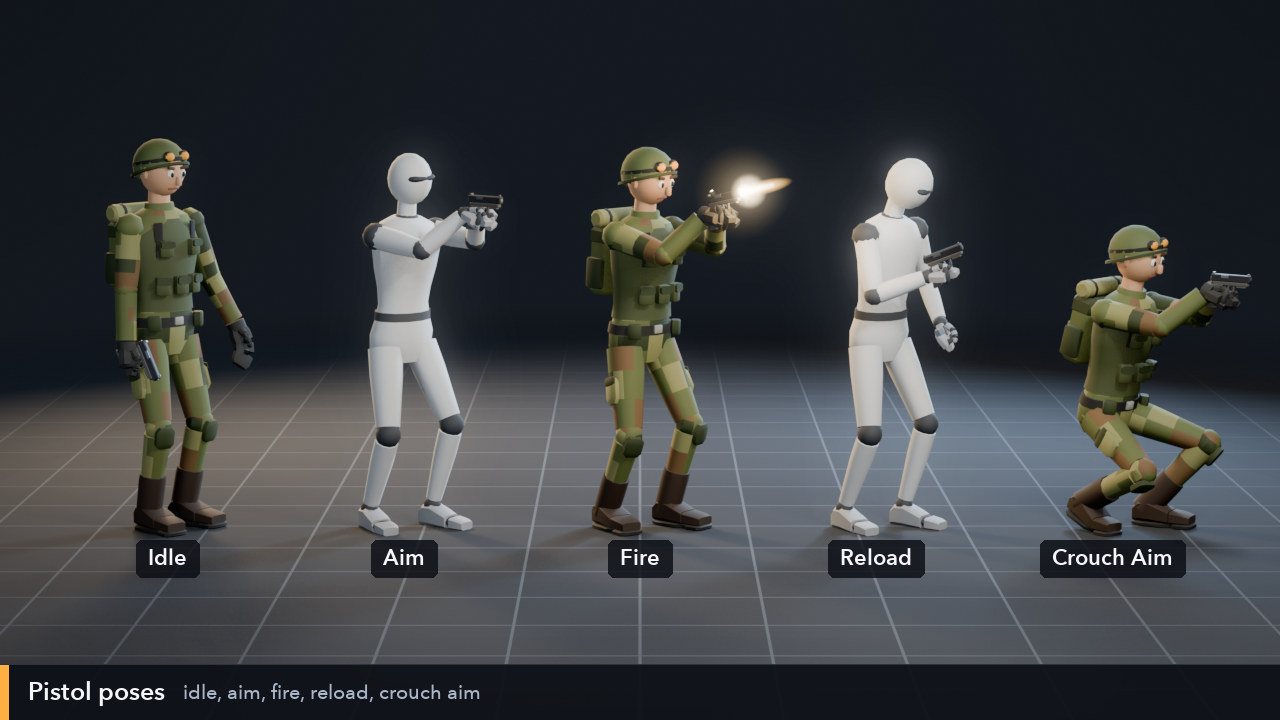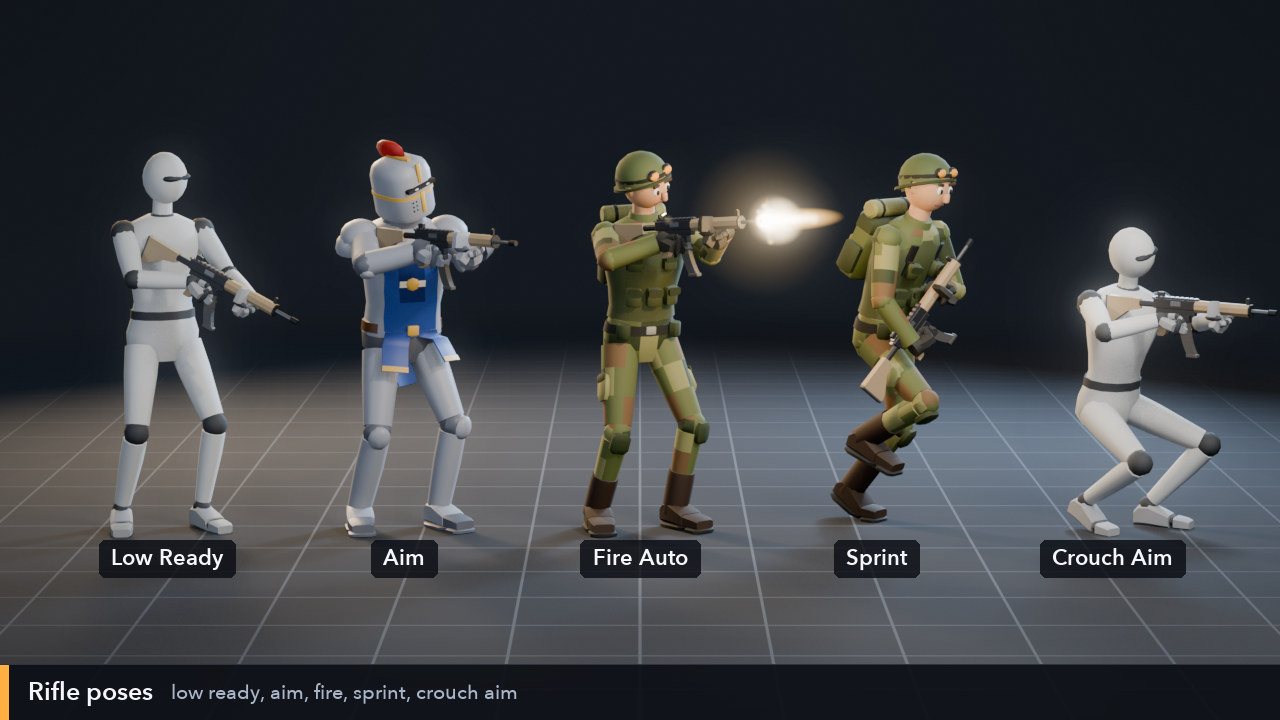
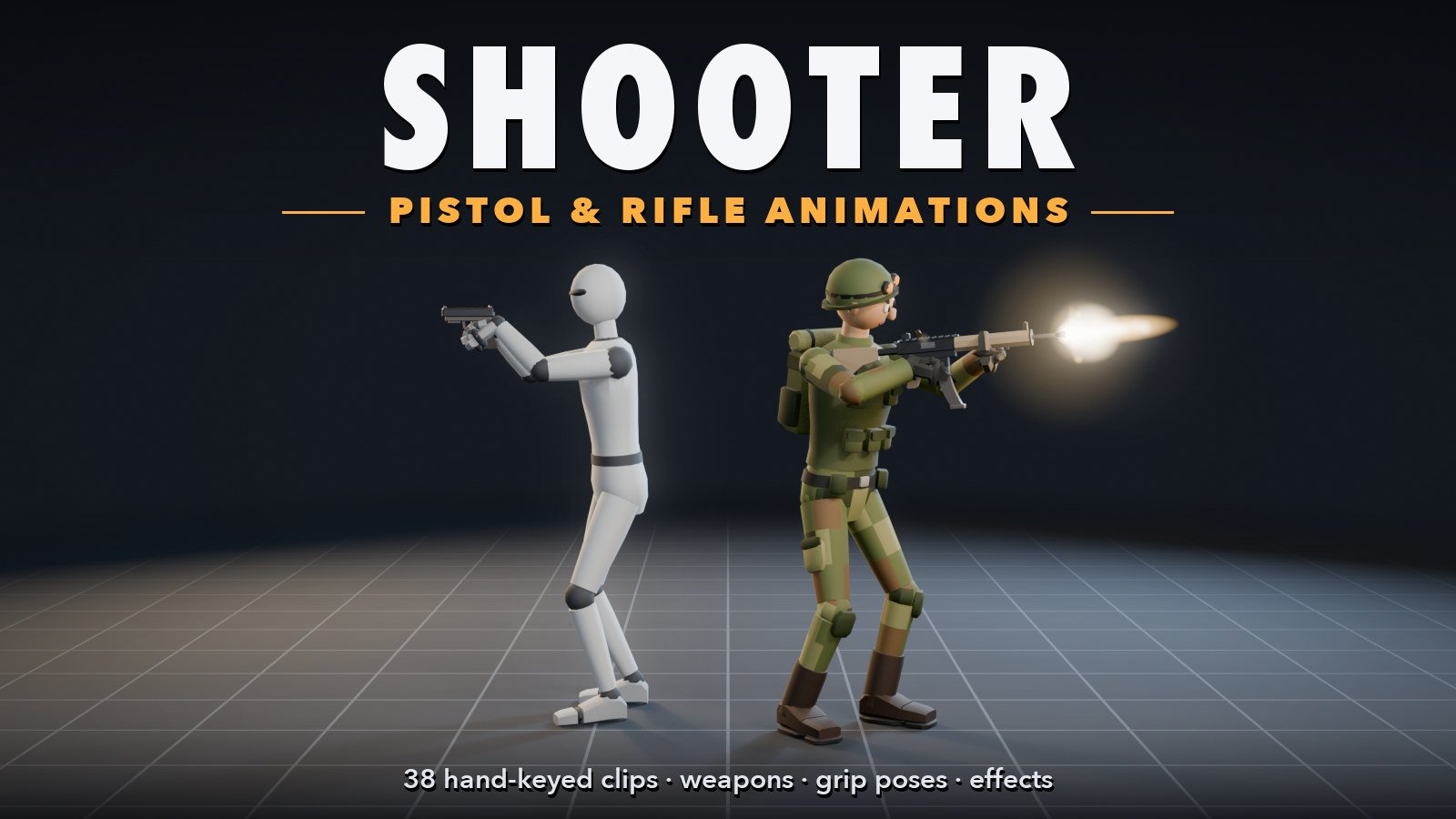
The Mannequin aiming a pistol and the commando firing a rifle, under the title Shooter: Pistol & Rifle Animations

Assets › 3D

Room 3D Shooter Animations: Pistol & Rifle

Everything a third-person shooter character needs, keyed by hand: 38 pistol and rifle animations, plus 13 moving versions with root motion. Idles, aiming, aimed walks in four directions, jogs and a sprint, single shots, rapid and full-auto fire with clear recoil, reloads, draw and holster, crouching, hits, deaths, weapon switches, a grenade throw and cover peeks. They come with a low-poly pistol and rifle with named points for the hands, muzzle and shells, five muzzle flash, smoke and brass effects for Room 3D, and finger grip poses. All on the standard humanoid skeleton of Room 3D's premade characters and the Low-Poly Characters, so they play on those as they are, and retarget to any humanoid by bone name.

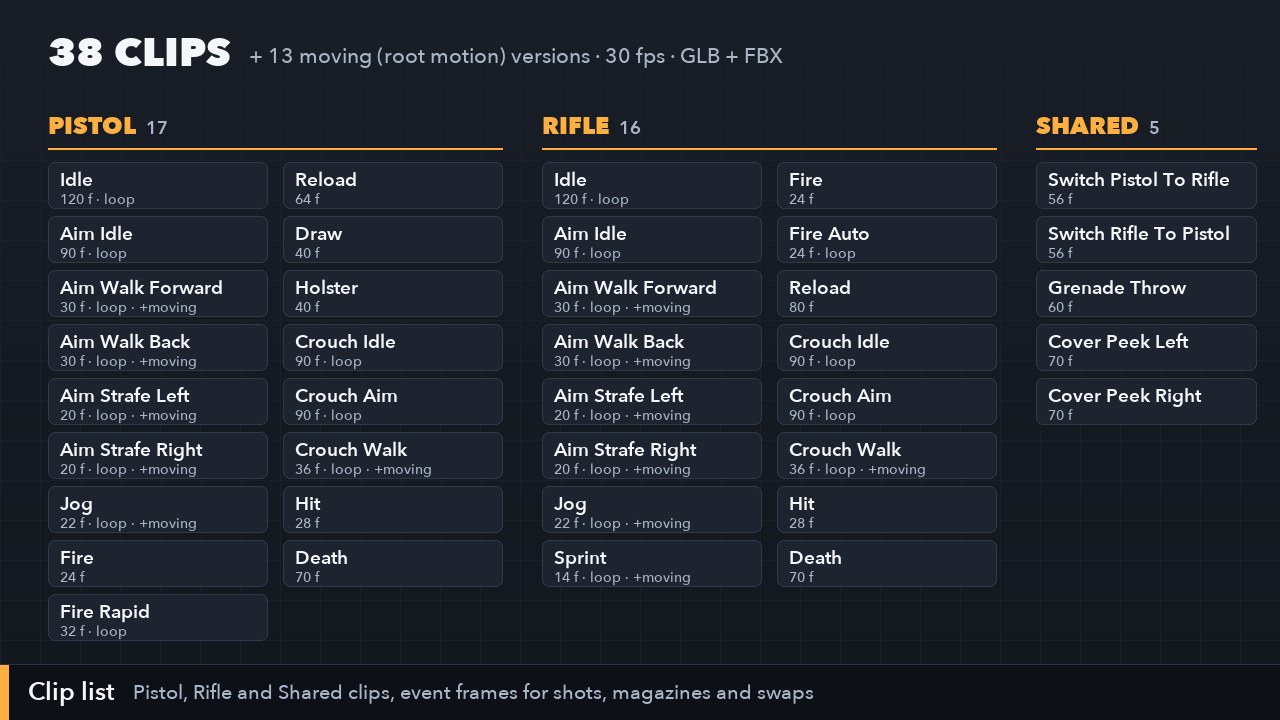
  • 38 hand-keyed clips: Pistol 17, Rifle 16, Shared 5, at 30 fps
  • 13 moving versions with root motion; every in-place clip lists its speed
  • Loops that close cleanly, and event frames for every shot, magazine and weapon swap
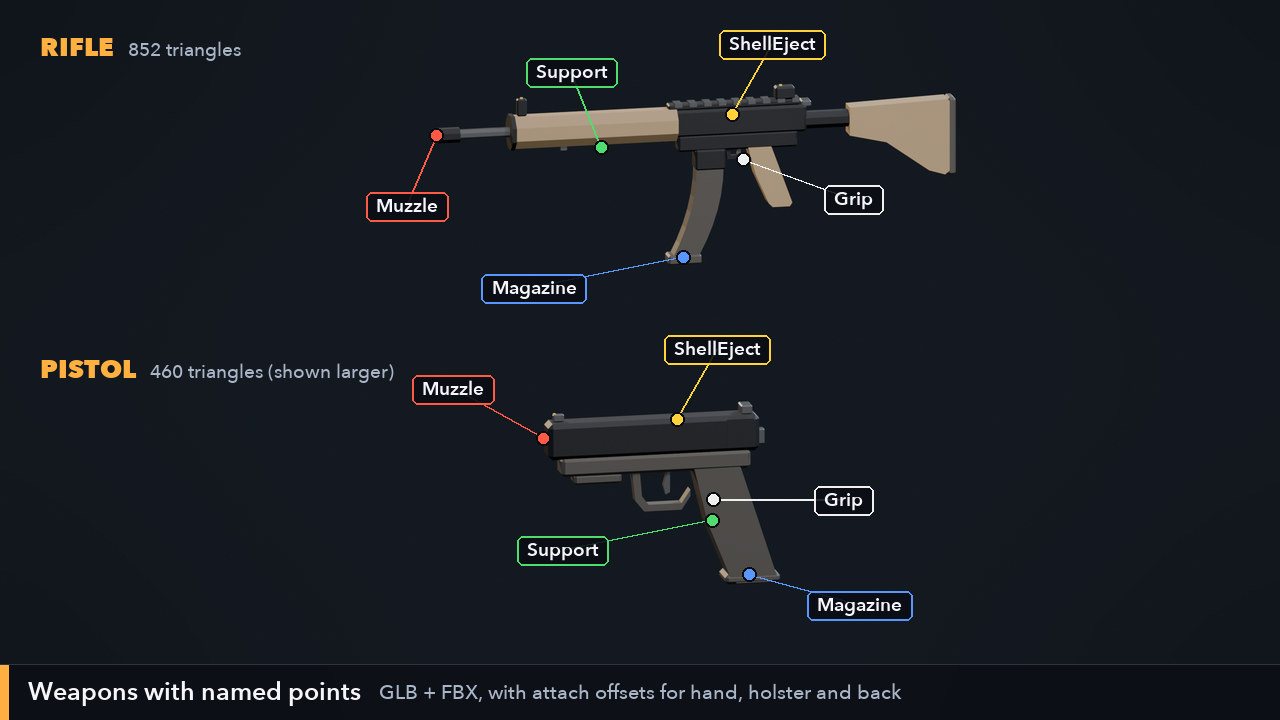
  • Pistol and rifle models with Grip, Support, Muzzle and ShellEject points
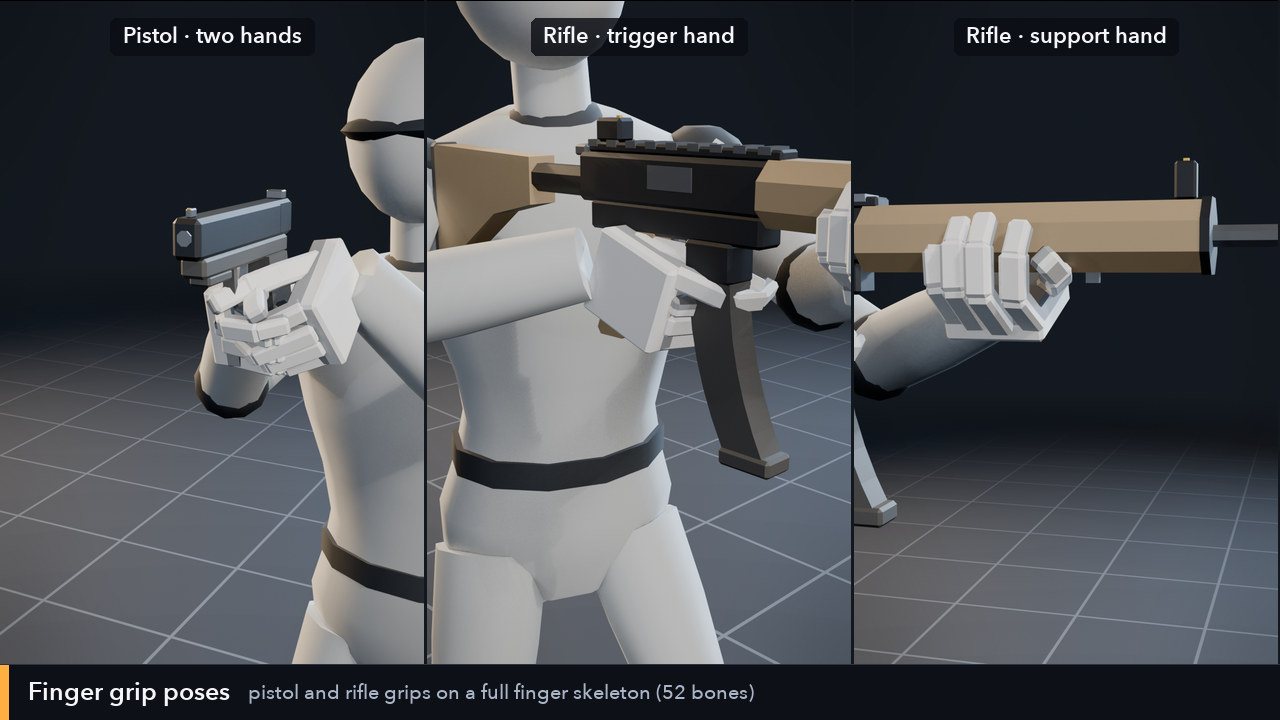
  • Finger grip poses on a 52-bone finger skeleton, and every clip with finger tracks
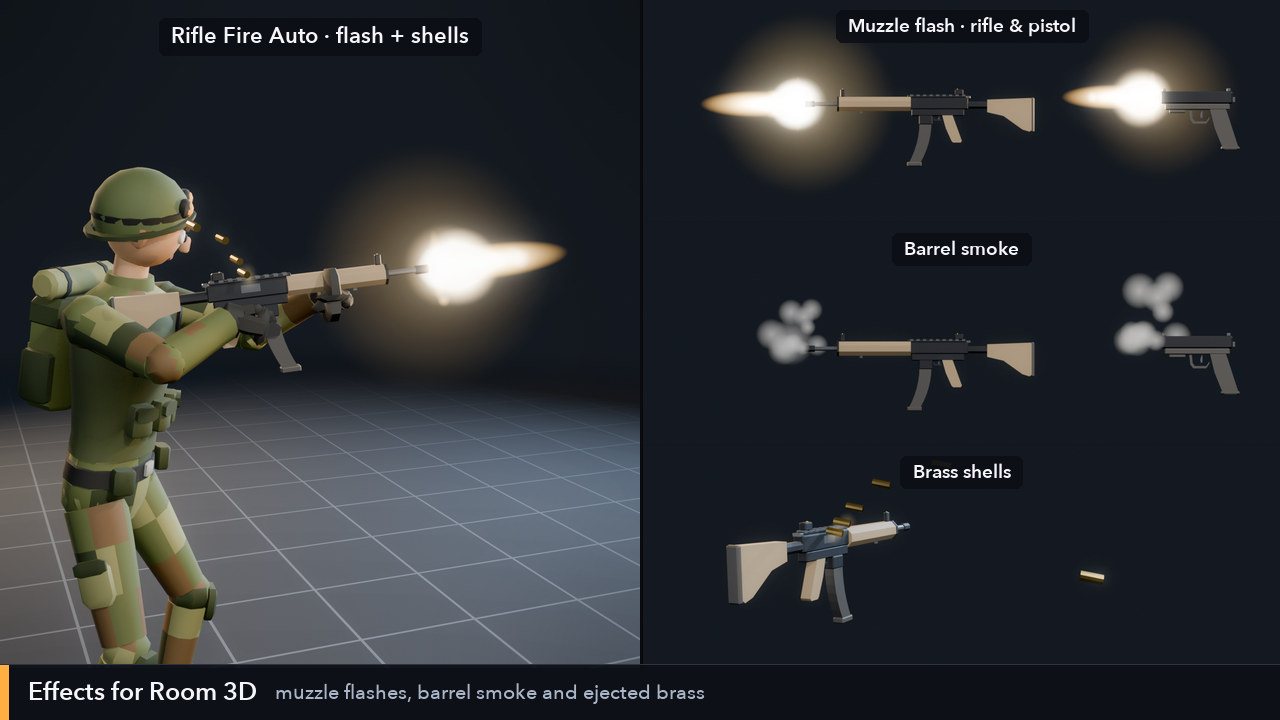
  • 5 Room 3D effects: muzzle flashes, barrel smoke and brass shells
  • GLB and FBX; for Room 3D, Godot, GameMaker and any engine

See them move

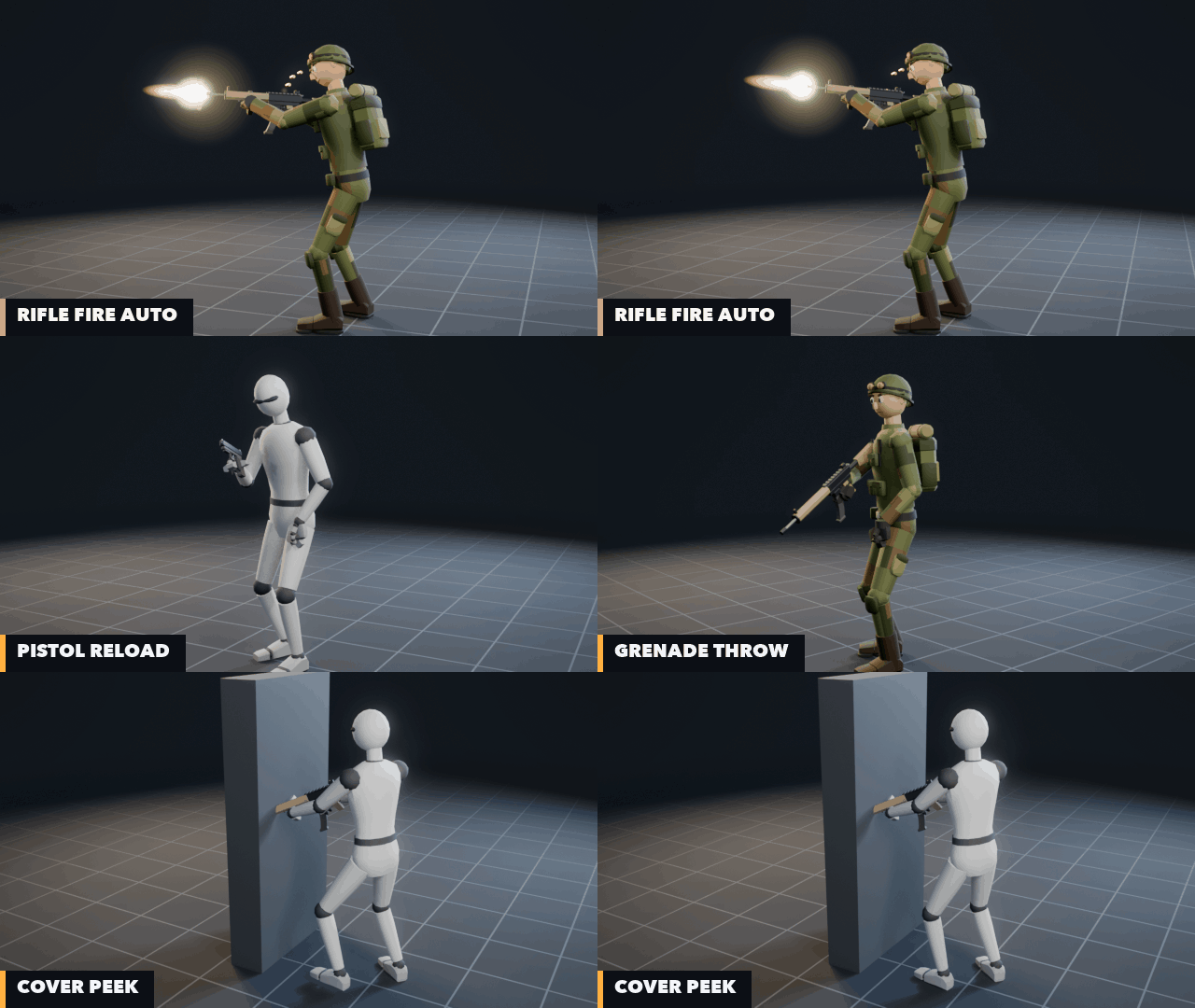
Rifle Fire Auto, Pistol Reload, Grenade Throw and Cover Peek

A few of the clips as they come: full-auto rifle fire with the muzzle flash and shells, a pistol reload, the grenade throw and a peek out from cover. The support hand is keyed onto the weapon's own grip point, so it stays on the gun through the recoil, the reloads and the walks.

Gallery

Click a picture to see it full size.

What's inside

38Clips
13Moving versions
2Weapons
5Effects
7Grip poses
30Frames a second
  • GLB (one file, every clip)
  • FBX (one clip a file)
  • clips.json
  • Weapons: GLB + FBX
  • Room 3D effects
  • Finger layer: GLB + FBX
  • Clip and finger guides

Pistol: 17 clips

idle, aim idle, aimed walks forward and back, strafes left and right, jog, single shot, rapid fire, reload, draw, holster, crouch idle, crouch aim, crouch walk, hit and death
Rifle: 16 clips

low-ready idle, aim idle, aimed walks in four directions, jog, sprint, single shot, full-auto loop, reload, crouch idle, crouch aim, crouch walk, hit and death

Shared: 5 clips

switch from pistol to rifle and back, a grenade throw, and peeking out from cover to the left and the right

13 moving versions

every clip that travels comes again as "(moving)" with root motion in the Hips; the in-place ones list the speed to move at so the feet stay planted

Pistol and rifle

low-poly models (460 and 852 triangles) with a separate magazine and named points: Grip, Support, Muzzle, ShellEject, Magazine and Rack; offsets for the hand, the hip holster and the back

Finger grip poses

relaxed, fist, pistol, rifle, pistol and rifle support and magazine, on a 52-bone skeleton with full fingers; each pose alone to lay over any clip, and every clip again with finger tracks

5 Room 3D effects

pistol and rifle muzzle flashes, a lingering barrel smoke and pistol and rifle brass shells, ready to fire on each clip's "fire" frames

Events

clips.json marks the frames for each shot, magazine out and in, weapon to hand, holster or back, grenade release, hit and hitting the ground

Guides

a README with the skeleton, attach offsets and engine setup, a full clip table (CLIPS.md) and the finger bones and poses (FINGERS.md)

The clips

"+ moving" means the clip also comes as a root-motion version. Loops end on the pose they start with; switch looping on in your engine for the ones marked loop.

Pistol (17)

  • Pistol Idle relaxed, pistol hanging in the right hand · loop
  • Pistol Aim Idle two-handed aim, a little sight sway · loop
  • Pistol Aim Walk Forward 1.0 m/s · loop · + moving
  • Pistol Aim Walk Back 0.85 m/s · loop · + moving
  • Pistol Aim Strafe Left 0.8 m/s · loop · + moving
  • Pistol Aim Strafe Right 0.8 m/s · loop · + moving
  • Pistol Jog 2.6 m/s, pistol tucked in · loop · + moving
  • Pistol Fire one shot with recoil
  • Pistol Fire Rapid four shots a loop · loop
  • Pistol Reload magazine out, new one in, racks the slide
  • Pistol Draw from the hip holster to the aim
  • Pistol Holster from the aim back into the holster
  • Pistol Crouch Idle crouched, low ready · loop
  • Pistol Crouch Aim crouched, two-handed aim · loop
  • Pistol Crouch Walk 0.8 m/s · loop · + moving
  • Pistol Hit hit in the chest, back on the aim
  • Pistol Death falls on the back, pistol still in hand

Rifle (16)

  • Rifle Idle low ready, stock in the shoulder · loop
  • Rifle Aim Idle shouldered, cheek on the stock · loop
  • Rifle Aim Walk Forward 1.0 m/s · loop · + moving
  • Rifle Aim Walk Back 0.85 m/s · loop · + moving
  • Rifle Aim Strafe Left 0.8 m/s · loop · + moving
  • Rifle Aim Strafe Right 0.8 m/s · loop · + moving
  • Rifle Jog 2.6 m/s at low ready · loop · + moving
  • Rifle Sprint 5.2 m/s, rifle across the chest · loop · + moving
  • Rifle Fire one shot, the stock drives into the shoulder
  • Rifle Fire Auto full auto, 10 shots a second · loop
  • Rifle Reload magazine pulled and dropped, new one in, bolt release
  • Rifle Crouch Idle crouched at low ready · loop
  • Rifle Crouch Aim crouched, shouldered · loop
  • Rifle Crouch Walk 0.8 m/s · loop · + moving
  • Rifle Hit hit in the chest, back on the aim
  • Rifle Death the left hand lets go, falls on the back

Shared (5)

  • Switch Pistol To Rifle holsters the pistol, takes the slung rifle
  • Switch Rifle To Pistol slings the rifle, draws the pistol
  • Grenade Throw overhand with the left hand, the rifle stays in the right
  • Cover Peek Left leans out from cover and aims
  • Cover Peek Right the same to the right

Engine notes

  • Room 3D: open the GLB and add the clips to any premade or rigged character; attach the pistol or rifle with Attach to Bone using the offsets in the README, and fire the effects on the clips' events.
  • Godot 4: import the GLB; every clip is an animation in the AnimationPlayer. Set Loop Mode on the looping clips in the import settings; attach the weapon with a BoneAttachment3D on RightHand.
  • GameMaker: bring the clips onto your character in Room 3D and save the room into your project; the weapons follow the hand and the effects play with Room 3D's kit functions.
  • Unity, Unreal and others: import the FBX (Rig: Humanoid in Unity, Loop Time on the loops; in Unreal, the Mannequin's skeleton once, then the clips onto it). Blender reads the GLB, one action a clip.

License

  • One purchase covers one buyer: one person, or one company and the people working on its projects.
  • Use the animations, weapons and effects in any number of games, apps and other projects, free or commercial, on any platform.
  • Change them as much as you like: retime, retarget, recolor. No credit required.
  • Ship them inside your games and their project files; don't sell or share them on their own, or as an animation pack, asset pack, library or template.

The full terms: the Guidry Games Animation Pack License, LICENSE.txt in the download, on the same lines as our asset license.

Coming soon

Leave your email and we'll tell you when Room 3D Shooter Animations: Pistol & Rifle is out, with a launch discount.

Questions

Do I need Room 3D?

No. The clips and weapons are plain GLB and FBX files that work in Godot, Unity, Unreal, Blender and any engine that reads them. The five effects are in Room 3D's own format, and Room 3D is the easy way to get 3D animated characters into GameMaker.

Does it work on characters rigged with Room 3D?

Yes. Rig Character gives a model the same skeleton as the premade characters, and the clips play on it as they are. The finger grip poses need a character with finger bones (the 52-bone finger skeleton in FINGERS.md); on a character without them the finger tracks are simply ignored.

Will it work on Mixamo characters?

Through retargeting by bone name. The skeleton uses Mixamo's bone names without the "mixamorig:" prefix, so Unity's Humanoid rig, Godot's BoneMap, Unreal's IK Retargeter and Room 3D's retargeting can map them. Proportions and rest poses differ between characters, so check that the hands sit on the weapon after retargeting and adjust the weapon's offset if they don't.

Do the hands stay on the gun?

Yes, on the skeleton they're made for: with the weapon attached to the right hand at the given offset, the left hand stays on the weapon's Support point (within 2 cm, in most clips exactly) wherever it holds it.

Can I use them in a game I sell?

Yes, in as many games and projects as you like, free or commercial. You can't resell or share the animations, weapons or effects themselves. See LICENSE.txt in the download.

How do I get it after paying?

Sign in before you buy. Right after checkout, the download appears on your account page, and it stays there.

Something's wrong with my download.

Write to us from the About page and we'll sort it out.