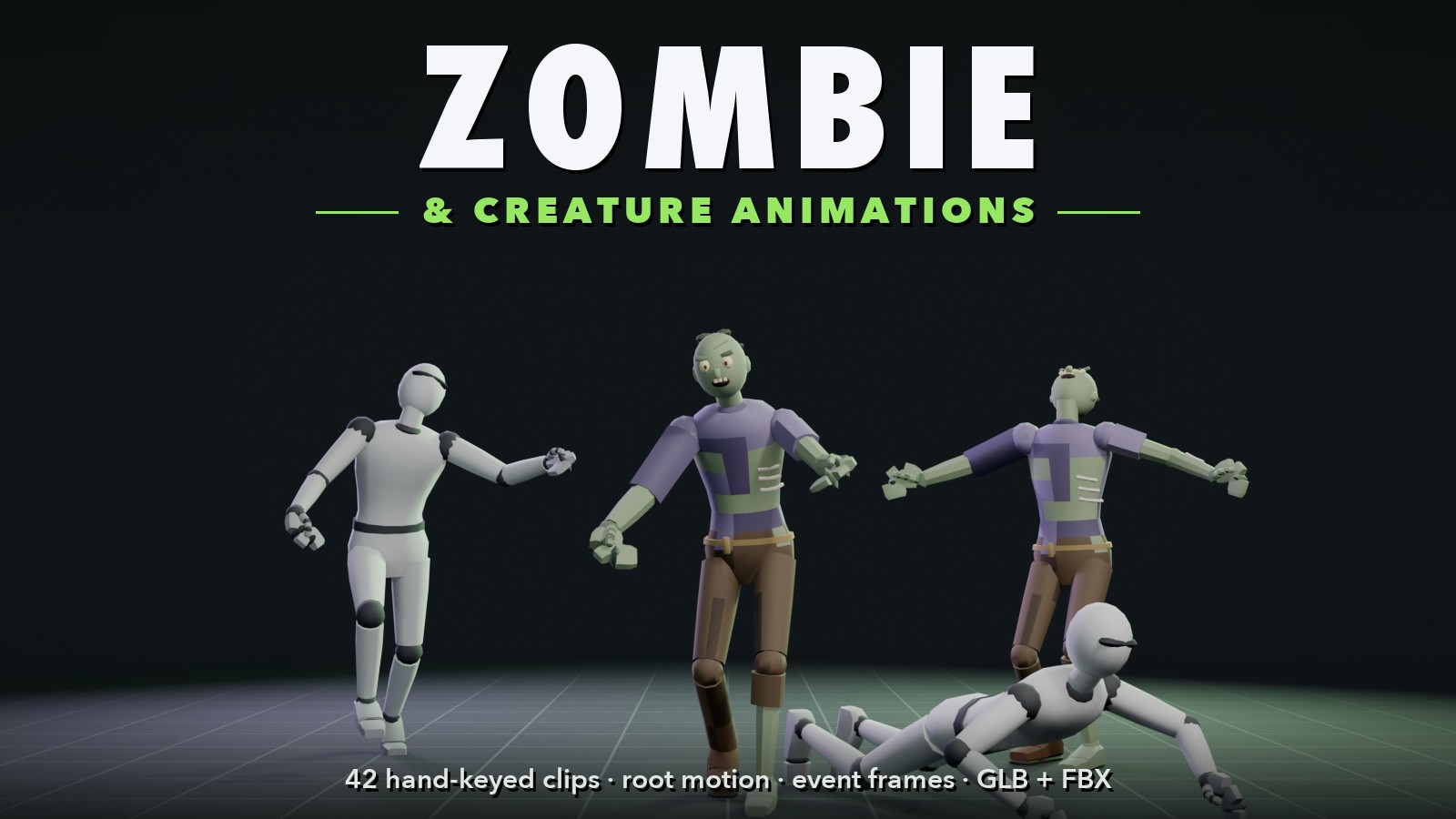
Two zombies and two mannequins shambling, sprinting, screaming and crawling, under the title Zombie & Creature Animations

Assets › 3D

Room 3D Zombie & Creature Animations

Everything a horde needs, keyed by hand: 42 zombie and creature animations, plus 8 moving versions with root motion. Shambling walks with dead arms, reaching arms and a dragging limp, a lurching run and a fast-zombie sprint, shuffling turns, claw swipes with either hand, grabs and bites, a lunge, banging on a door, hits from the front, back, left and right, a stagger, a knockdown and getting back up, three deaths, rising from the ground, a scream, feeding, and a crawler that drags itself along on its arms. All on the standard humanoid skeleton of Room 3D's premade characters and the Low-Poly Characters, so they play on those as they are, and retarget to any humanoid by bone name. Perfect with Shooter Animations for a zombie shooter.

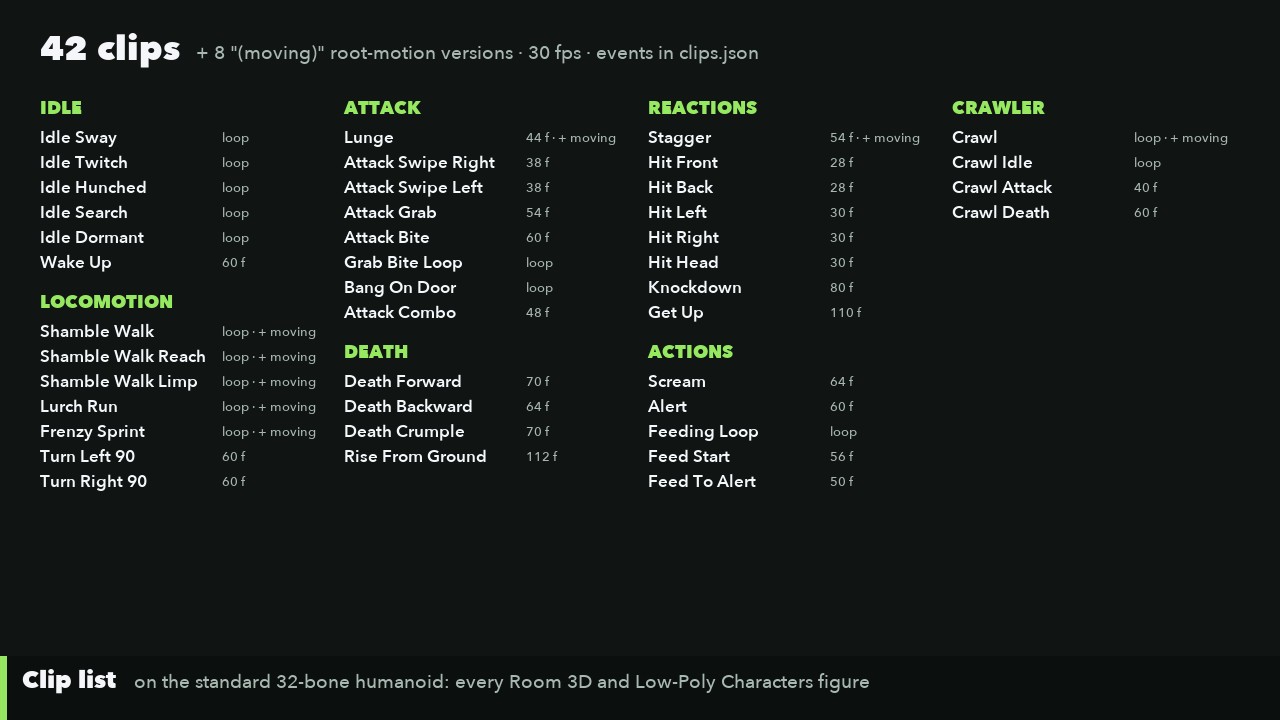
  • 42 hand-keyed clips: Idle 6, Locomotion 7, Attack 8, Reactions 8, Death 4, Actions 5, Crawler 4, at 30 fps
  • 8 moving versions with root motion; every in-place clip lists its speed
  • Loops that close cleanly, and event frames for footsteps, swipes landing, grabs, bites, hits and falls
  • Checked clip by clip: no foot sliding, no pops at the loop seams, nothing through the floor
  • Clips that chain: Knockdown into Get Up, Death Crumple into Rise From Ground, feeding in and out
  • GLB and FBX; Room 3D library files for a one-step import; GameMaker through Room 3D

See them move

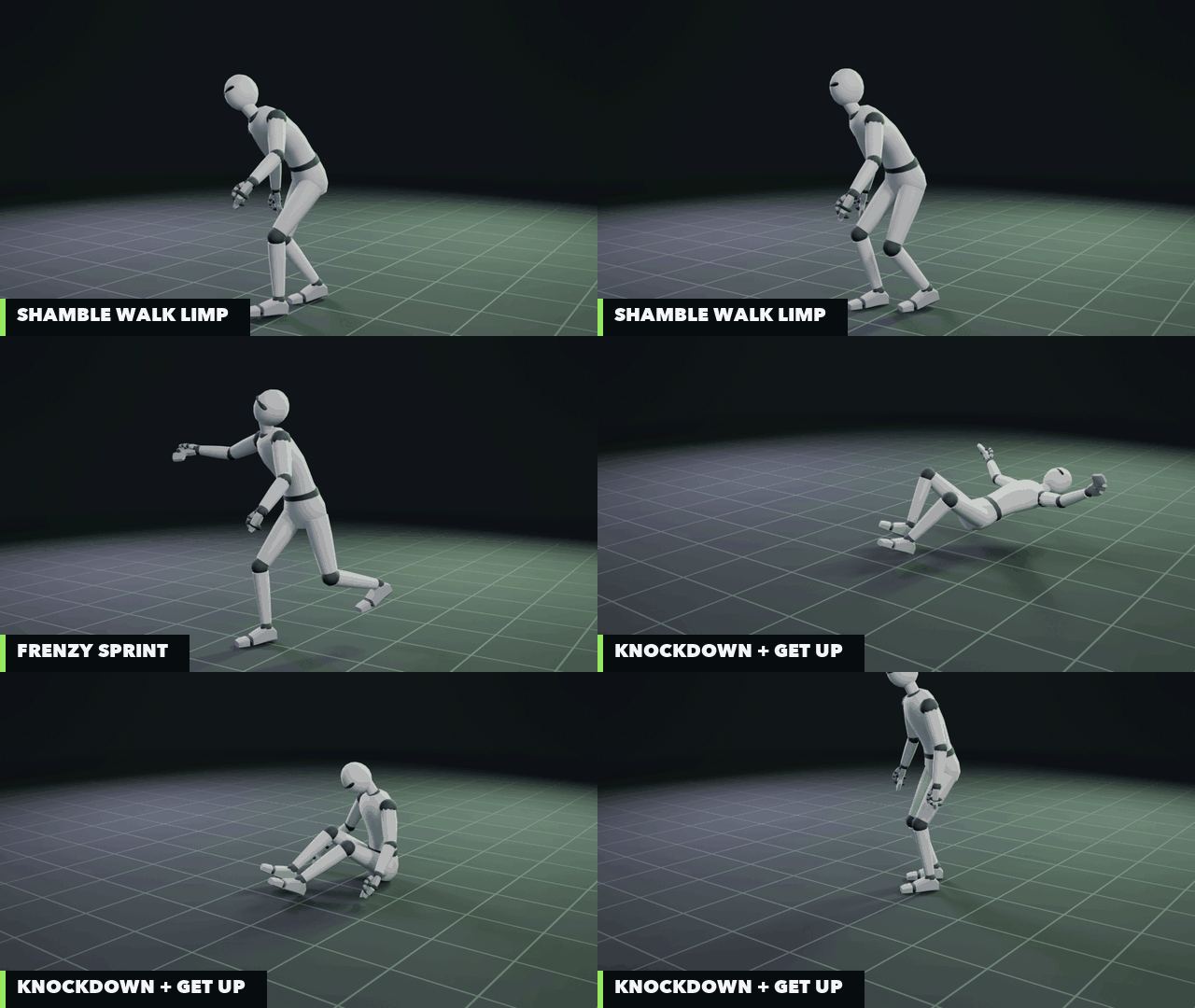
Shamble Walk Limp, Attack Combo, Frenzy Sprint and Knockdown into Get Up

A few of the clips as they come, on the plain Mannequin: the limping shamble with its dragging foot, a two-swipe combo, the fast zombie's sprint, and a knockdown that won't stay down.

Gallery

Click a picture to see it full size.

What's inside

42Clips
8Moving versions
15Loops
14Event types
30Frames a second
  • GLB (one file, every clip)
  • FBX (one clip a file)
  • Room 3D library folder
  • clips.json with events
  • Clip and integration guides

Idle: 6 clips

sway, a twitchy head-snap idle, hunched and rasping, searching and sniffing, dormant, and waking up from dormant
Locomotion: 7 clips

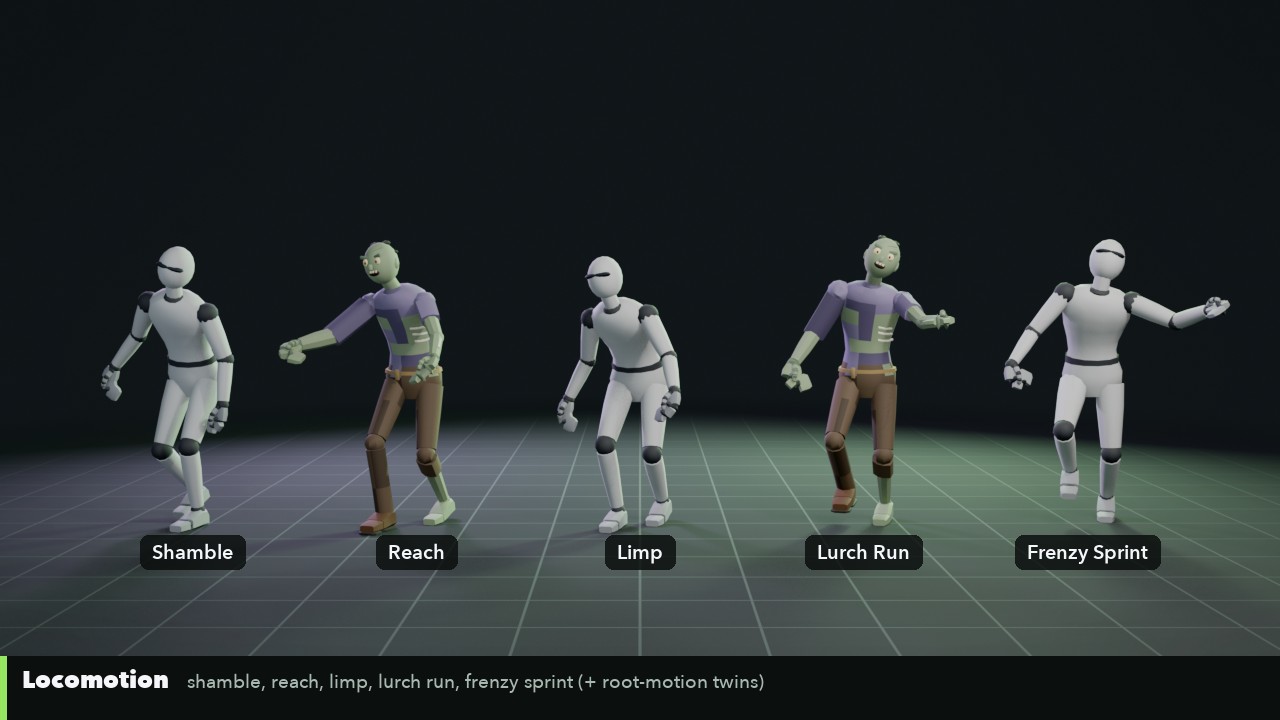
three shambling walks (dead arms, reaching arms, a dragging limp), a lurching run, a fast-zombie frenzy sprint, and shuffling turns left and right

Attack: 8 clips

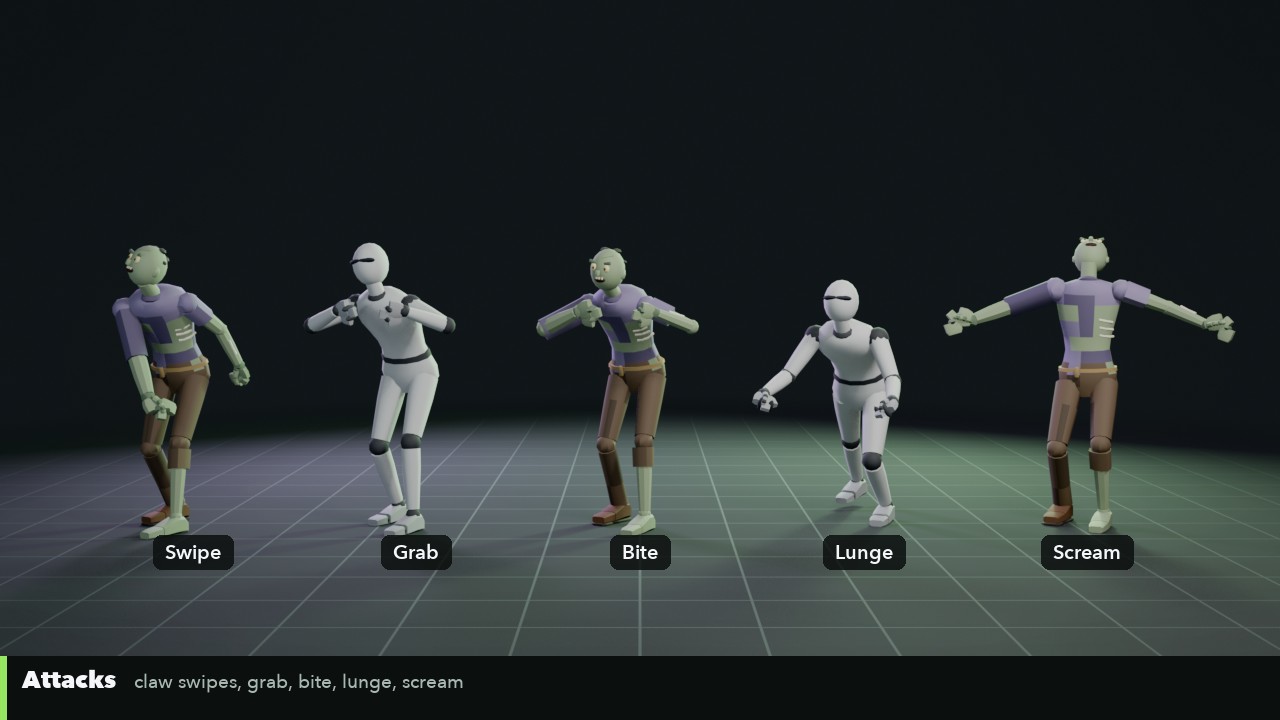
claw swipes with the right and the left hand, a two-swipe combo, a two-hand grab, grab and bite, a biting loop to hold on with, a lunge and banging on a door

Reactions: 8 clips

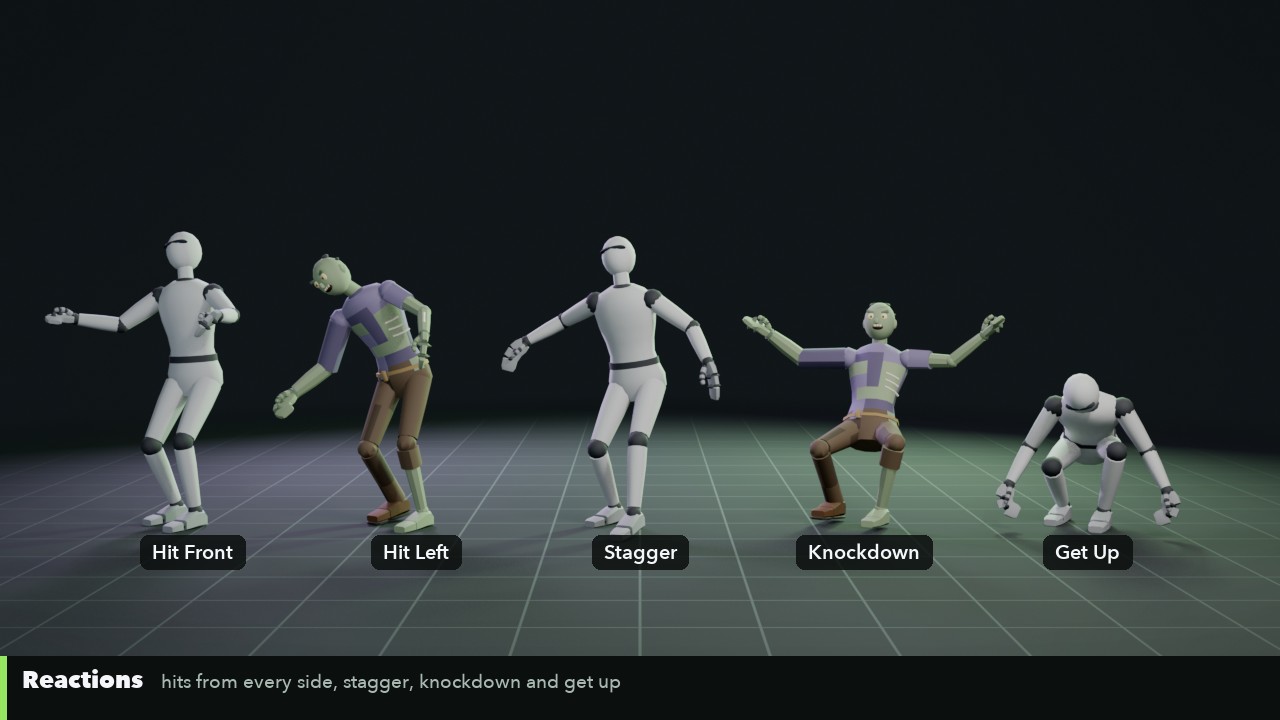
hits from the front, back, left and right and to the head, a stagger, a knockdown and getting back up

Death: 4 clips

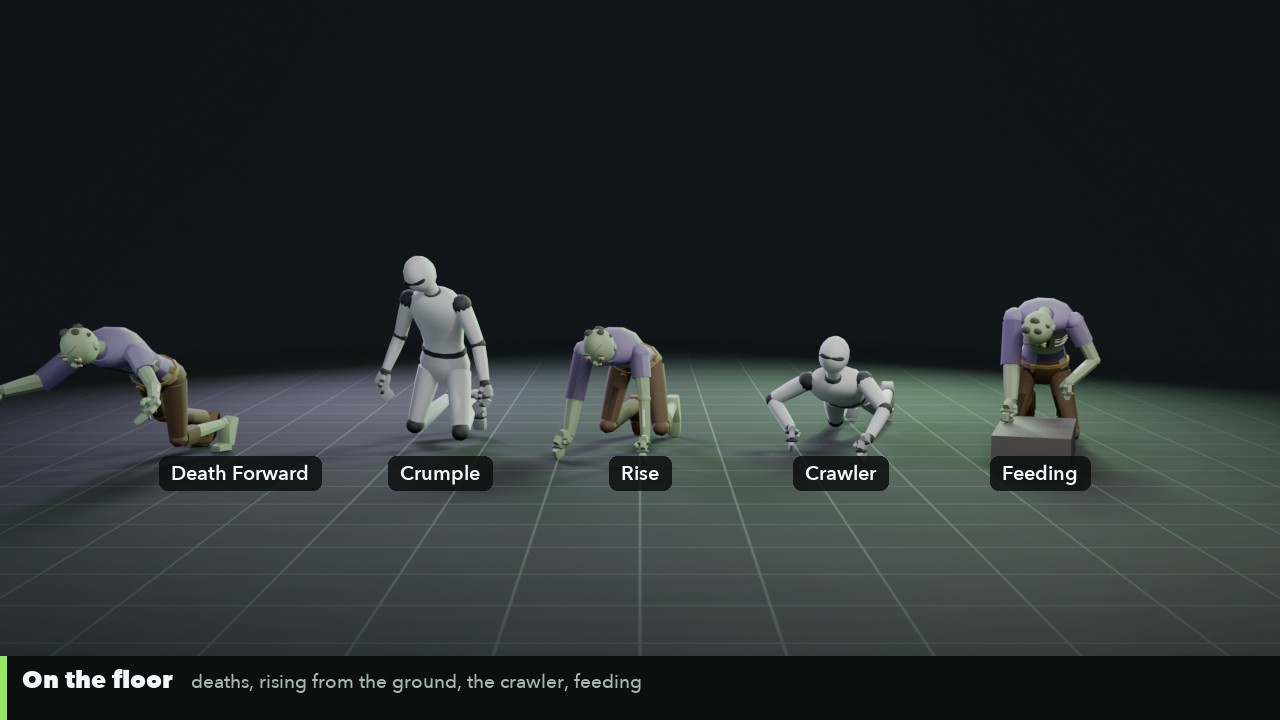
falling forward, blown backward, collapsing to the knees, and rising from the ground afterwards

Actions: 5 clips

a scream, an alert, kneeling to feed, a feeding loop and snapping up from feeding

Crawler: 4 clips

a legless-style crawl on the arms, its idle, a grab-and-bite from the floor and its death

8 moving versions

every clip that travels comes again as "(moving)" with root motion in the Hips; the in-place ones list the speed to move at so the feet stay planted

Events

clips.json marks footsteps, the crawler's hand plants, swipes landing, grabs, bites, door bangs, hits, knees and body hitting the ground, the scream and the alert

Guides

a README, a full clip table (CLIPS.md) and INTEGRATION.md for Room 3D, Godot, GameMaker, Unity and Unreal, with event code for Godot and GameMaker

The clips

"+ moving" means the clip also comes as a root-motion version. Loops end on the pose they start with; switch looping on in your engine for the ones marked loop.

Idle (6)

  • Idle Sway stooped, swaying, head lolling · loop
  • Idle Twitch still, then sudden head snaps and spasms · loop
  • Idle Hunched bent over, rasping breaths · loop
  • Idle Search head swings left and right, sniffing · loop
  • Idle Dormant chin on the chest, almost still · loop
  • Wake Up from dormant: the head jerks up

Locomotion (7)

  • Shamble Walk 0.55 m/s, dead arms, a dragging leg · loop · + moving
  • Shamble Walk Reach 0.65 m/s, both arms reaching, lurching · loop · + moving
  • Shamble Walk Limp 0.4 m/s, a bad limp, one foot dragged · loop · + moving
  • Lurch Run 2.3 m/s, a broken, lurching run · loop · + moving
  • Frenzy Sprint 4.4 m/s, fast zombie at full tilt, clawing ahead · loop · + moving
  • Turn Left 90 three dragging steps
  • Turn Right 90 three dragging steps

Attack (8)

  • Lunge throws itself forward arms first · + moving
  • Attack Swipe Right claw swipe with a step in
  • Attack Swipe Left the same with the left hand
  • Attack Grab both arms seize and drag in
  • Attack Bite grab, bite, let go
  • Grab Bite Loop holding on, biting · loop
  • Bang On Door fists on a door in turn · loop
  • Attack Combo right then left swipe

Reactions (8)

  • Stagger three stumbling steps back · + moving
  • Hit Front snaps back
  • Hit Back thrown forward
  • Hit Left thrown to the right, steps out
  • Hit Right thrown to the left, steps out
  • Hit Head head whipped round
  • Knockdown flat on its back, still moving
  • Get Up stiff sit-up, rocks up onto its feet

Death (4)

  • Death Forward pitches forward face down
  • Death Backward blown back flat
  • Death Crumple drops to its knees, slumps
  • Rise From Ground from face down up to its feet

Actions (5)

  • Scream head back, arms flung wide
  • Alert head snaps round, sniffs
  • Feeding Loop tearing and biting · loop
  • Feed Start drops to its knees over a body
  • Feed To Alert jerks up from feeding

Crawler (4)

  • Crawl 0.35 m/s, dragging itself on its arms · loop · + moving
  • Crawl Idle propped up, scanning · loop
  • Crawl Attack seizes an ankle, bites
  • Crawl Death rears up, drops flat

Engine notes

  • Room 3D: Animation > Add Animation Pack Folder... and choose the pack's room3d folder; the clips show under Zombie in the Animation library. Events from clips.json... puts the event frames onto your clips.
  • Godot 4: import the GLB; every clip is an animation in the AnimationPlayer. Set Loop Mode on the looping clips; INTEGRATION.md has a small node that turns the event frames into signals.
  • GameMaker: bring the clips onto your character in Room 3D and save the room into your project; r3d_play plays them and on_anim_event gets the footsteps, swipes and bites.
  • Unity, Unreal and others: import the FBX (Rig: Humanoid in Unity, Loop Time on the loops; in Unreal, the T-Pose's skeleton once, then the clips onto it). Blender reads the GLB, one action a clip.

License

  • One purchase covers one buyer: one person, or one company and the people working on its projects.
  • Use the animations in any number of games, apps and other projects, free or commercial, on any platform.
  • Change them as much as you like: retime, retarget, combine. No credit required.
  • Ship them inside your games and their project files; don't sell or share them on their own, or as an animation pack, asset pack, library or template.

The full terms: the Guidry Games Animation Pack License, LICENSE.txt in the download, on the same lines as our asset license.

Coming soon

Leave your email and we'll tell you when Room 3D Zombie & Creature Animations is out, with a launch discount.

Questions

Do I need Room 3D?

No. The clips are plain GLB and FBX files that work in Godot, Unity, Unreal, Blender and any engine that reads them. Room 3D is the easy way to get 3D animated characters into GameMaker, and the pack includes a folder Room 3D adds in one step.

Which characters do they fit?

Every Room 3D premade character (the Zombie suits them best) and every Low-Poly Characters figure, as they are, and any character rigged with Room 3D's Rig Character. Other humanoids take them through retargeting by bone name: the skeleton uses Mixamo's bone names without the "mixamorig:" prefix.

Do they work with the Shooter Animations?

Yes: the same skeleton, frame rate and conventions. Put the Shooter Animations on the player and these on the horde for a zombie shooter. The Shooter + Zombie bundle has both for $24.99.

Is it gory?

No. The motion is exaggerated and creepy (lurching, twitching, grabbing and biting) but there's no blood or gore in the clips or the pictures; how your own game looks is up to you.

Can I use them in a game I sell?

Yes, in as many games and projects as you like, free or commercial. You can't resell or share the animations themselves. See LICENSE.txt in the download.

How do I get it after paying?

Sign in before you buy. Right after checkout, the download appears on your account page, and it stays there.

Something's wrong with my download.

Write to us from the About page and we'll sort it out.