 Guidry
- Free to make
- For GameMaker projects
- Native on Mac
Studio Beta
Make GameMaker games in an app that feels at home on your Mac.
Studio opens your GameMaker projects and gives them a native editor for Mac and Windows: code and blocks, 2D and 3D rooms, sprites, skeletal animation, shaders, a debugger and Git, then builds with GameMaker's own runtimes.
- GML code and GML Visual blocks, one click apart
- Built-in collision: bodies, slopes, one-way platforms and
move_and_slide() - 2D rooms, and with Studio Pro 3D rooms with Room 3D's tools and VR for Meta Quest
- Your projects stay GameMaker projects, saved byte for byte
Free to make. Pay when you're ready to ship. Everything GameMaker's own IDE does is free with a free Guidry Games account, no credit card. Studio Pro adds publishing, VR and the extra tools.
Get Studio free, today
Everyone with a free Guidry Games account can make games in Studio for free, with no time limit: code, rooms, sprites, objects and sounds, run and debug on this computer. When you're ready to ship, Studio Pro publishes your game.
- Create a free account (just an email address and a password) and confirm your email.
- Download Studio here. On a Mac, open the disk image and drag Studio to Applications; on Windows, run the installer.
- Sign in inside Studio with the same account. That's it. (The early Windows version doesn't ask you to sign in yet.)
Create a free account to download Studio.
Free to make · No credit card · Studio Pro to publish
Free to make. Pay when you're ready to ship.
Make your game in Studio for free, for as long as you like. Buy Studio Pro once when it's ready to go out: $29.99 during the beta (then $39.99), and $19.99 if you own Room 3D.
Everything GameMaker's own IDE does
- Code: GML and GML Visual blocks, the debugger and Performance Doctor
- Rooms, sprites, objects, sounds, fonts, tile sets and sequences
- Run and debug on this computer
- A look at the rest: open the Pro windows to see what you'd get
Ship it
- Publishing: Create Executable, release exports and store builds
- VR for Meta Quest: Add VR, Play in Headset, VR Simulator, the VR kit and game permits
- 3D and Room 3D tools: 3D rooms, Character Maker, Rig, Animation Library, Hold Item, Effects, grids, vehicles, Text 3D, Sound Maker, Font Library extras
- Talk and voices, Motion from Video and the game level editor
- Asset Store downloads
Bought once, two computers. Already have Room 3D? The checkout takes $10 off for your account by itself. Our first Room 3D buyer's Studio for life and the VR Founders have Studio Pro already.
What's inside
Make with all of it on a free account; publishing, VR and the 3D, voice and motion tools come with Studio Pro.
- Code editor for GML with completion, checks, rename and live errors
- GML Visual blocks: 300+ actions as readable blocks, one click from the code
- Sprite and image editor with layers, frames, onion skin and a palette
- 2D room editor: layers, tiles, instances and multi-select
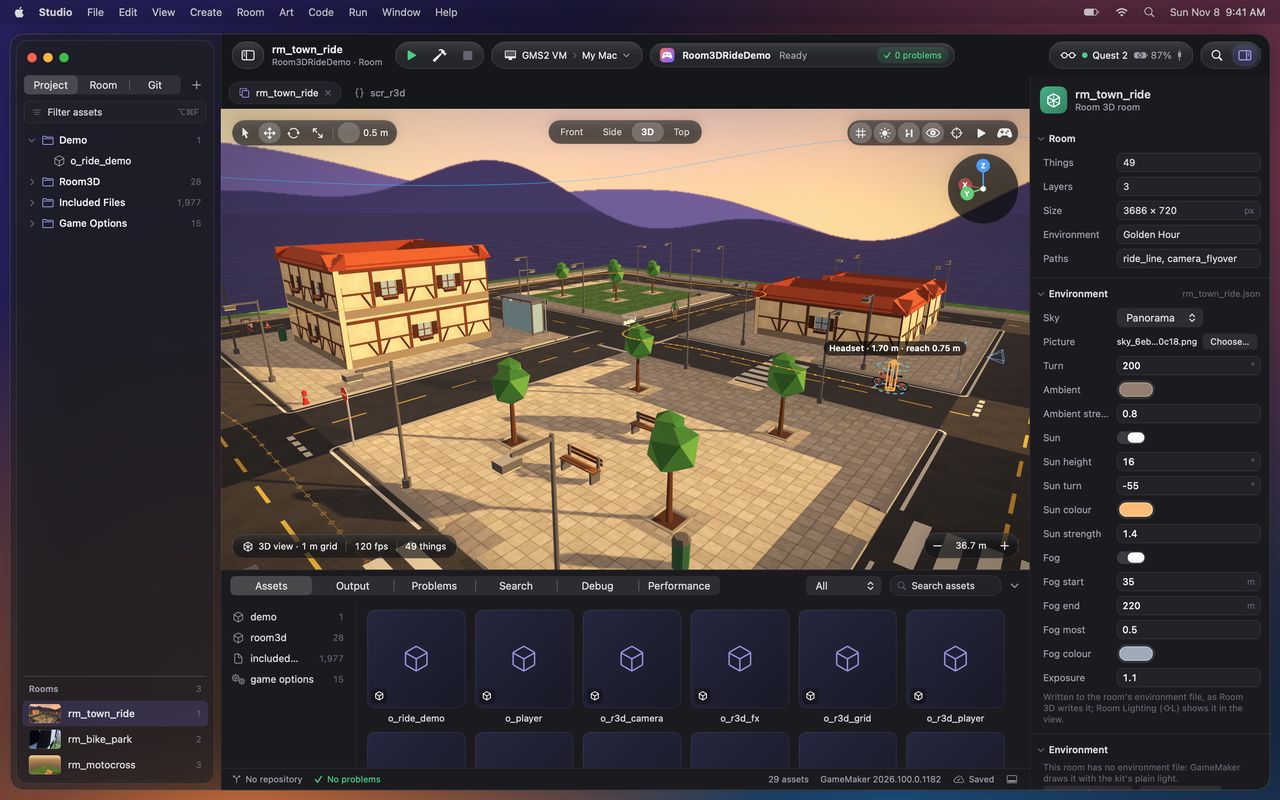
- 3D room editor with models, lights, skies, effects and characters
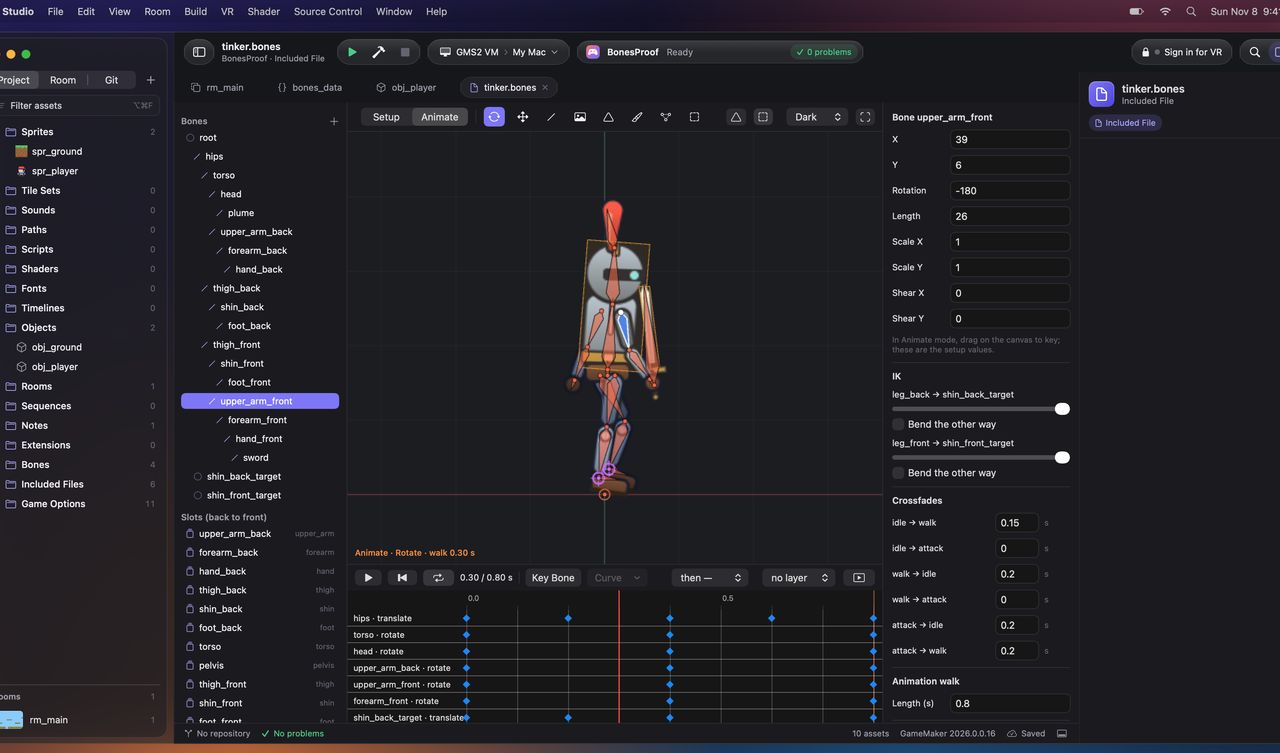
- Bones: 2D skeletal animation, with IK and Split Character
- Collision layer: bodies, slopes, one-way platforms and
move_and_slide() - VR for Meta Quest with Studio Pro: headset preview and one-key runs
- Web builds, plus Mac, iPhone and iPad, Apple TV, Android and Raspberry Pi
- Debugger, Performance Doctor and Git with visual diffs
Talking characters, voices, motion from video, and your game's own levels
- Talking 2D characters: Art > Bones > Talk… makes a Bones character talk, from a recording or a typed line, with blinks and nods
- Recorded and character voices: seven recorded voices and 28 character voices with moods; the voice goes into your project so the game can say new lines
- Motion from Video: a video, an animated GIF or a folder of pictures becomes an animation on your skeleton, cartoons and pixel art too
- Edit your game's own levels: with a small editor profile, Studio opens a game's levels in the 3D view with its own pieces and settings
- Free to make: everything GameMaker's own IDE does is free with an account; Studio Pro to publish
And Character Maker, Hold Item, Animation Library, menu and VR fixes, with Room 3D 1.7's kit. Every change is in the release notes.
More for 3D rooms, and a Windows version
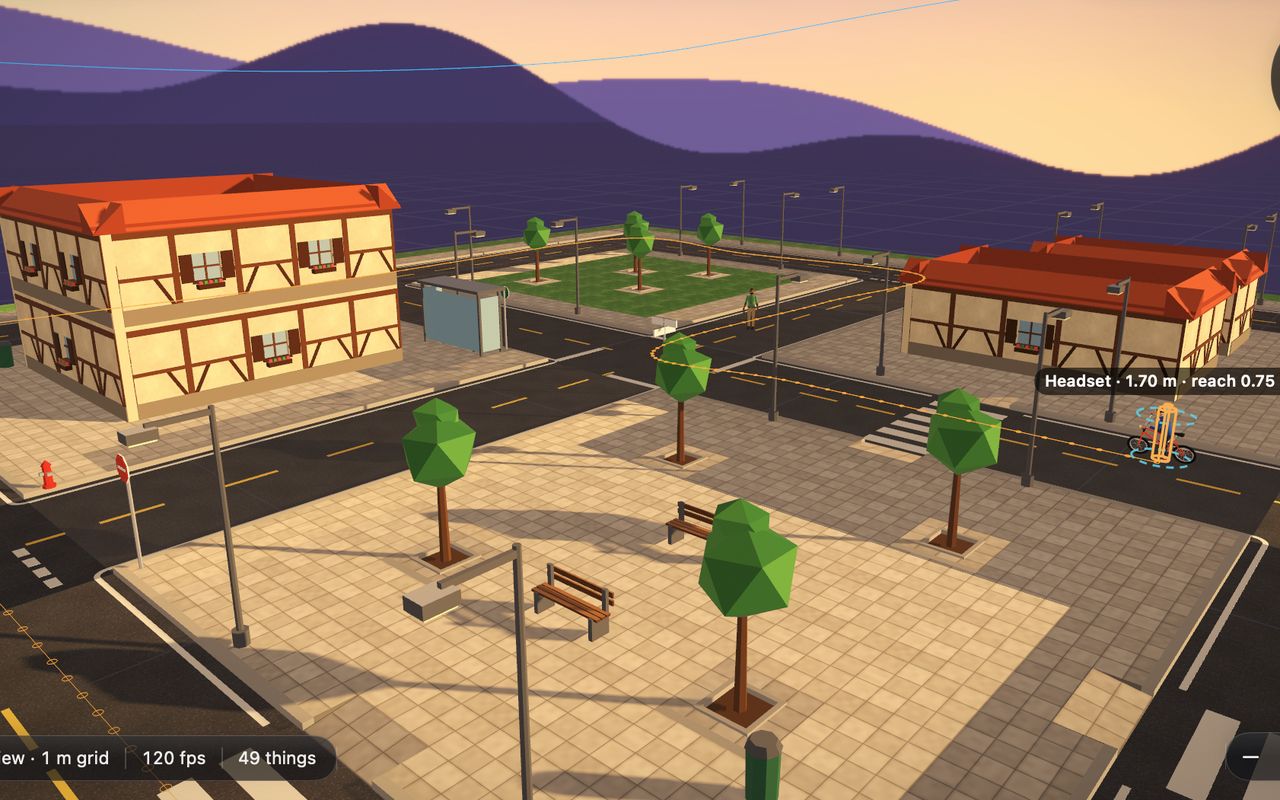
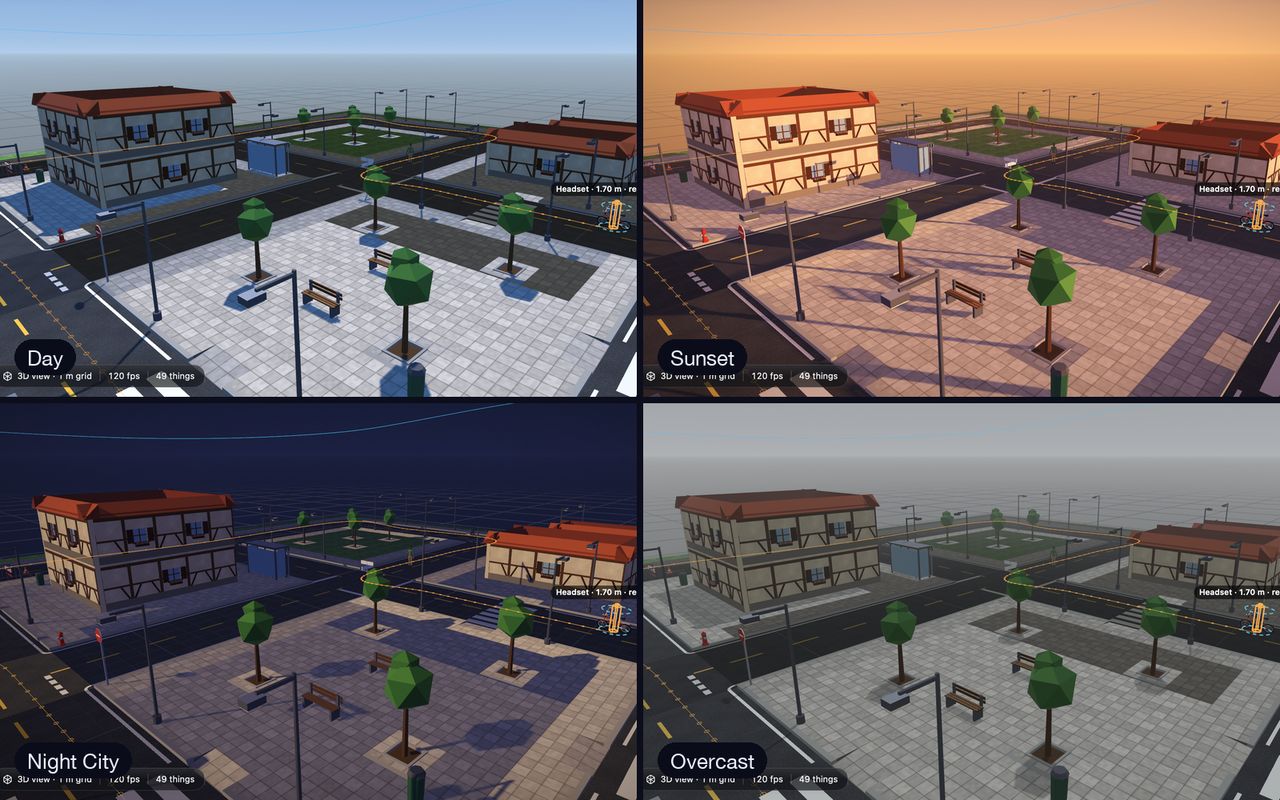
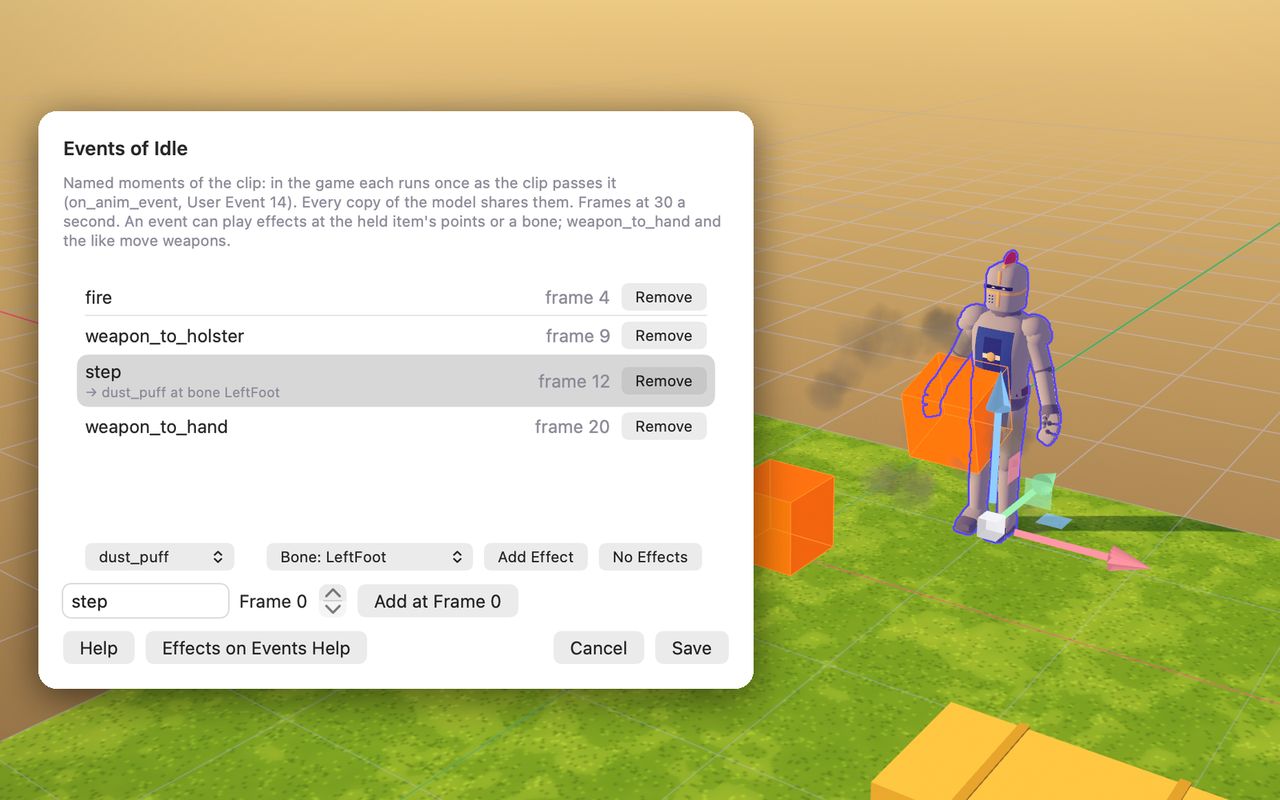
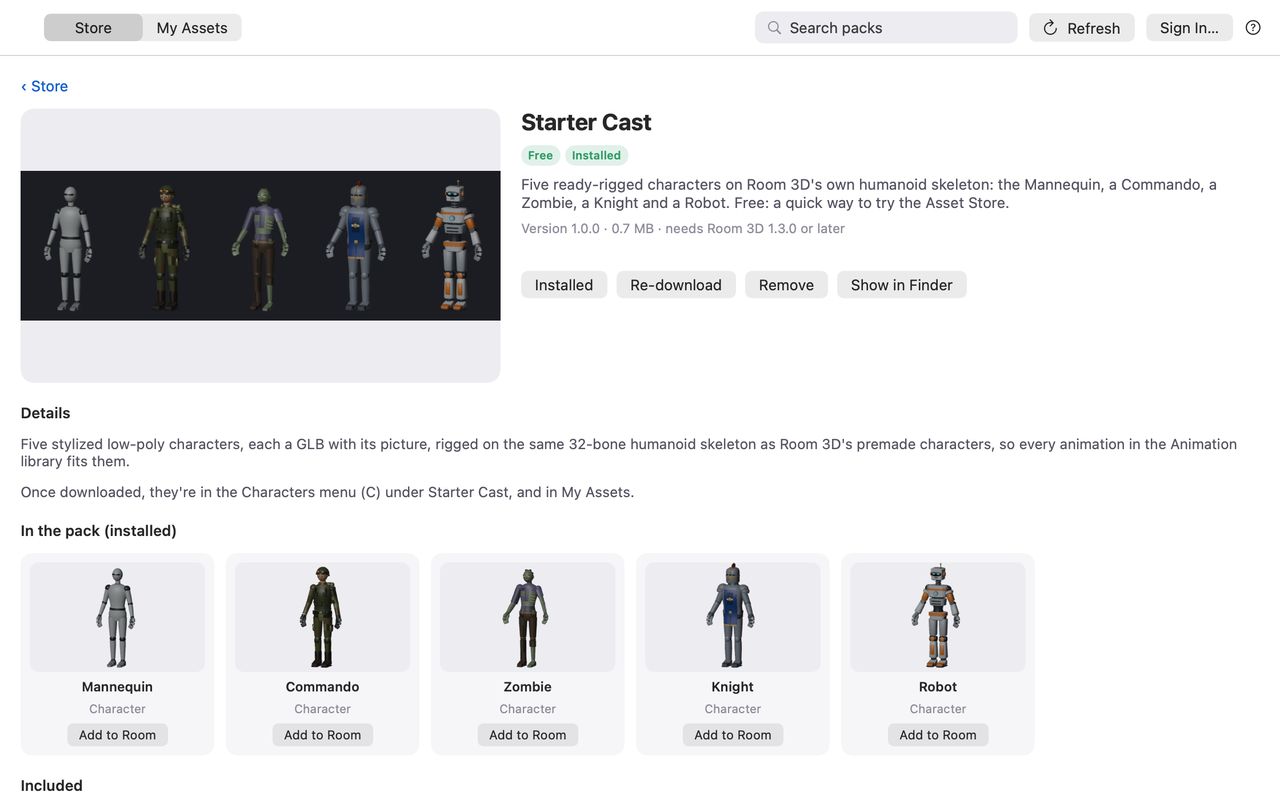
Also new: hold items and weapons, vehicles you can ride, pickups and doors, 3D text and sounds, model tools, and the first Windows version.
Screenshots
System requirements
- Mac: macOS 26 or later, on a Mac with Apple silicon (M1 or newer).
- GameMaker doesn't need to be installed on the Mac: the first time you build, Studio downloads GameMaker's own build tools and runtime (GMS2 or the new GMRT) once, after you accept GameMaker's terms. No GameMaker sign-in needed. Already have GameMaker? Studio can use it instead.
- For VR: a Meta Quest headset in developer mode.
- A free Guidry Games account, and an internet connection once every 30 days to renew the licence.
- Two Macs per account.
Windows
Out now, as an early version: Windows 10 (version 2004 or later) or Windows 11, 64-bit. It opens GameMaker projects, edits code, shows 2D and 3D rooms, and builds and runs games with GameMaker's own tools, so GameMaker needs to be installed. Most of the newest tools are on the Mac first and come to Windows in later updates.
About the Windows warning: the Windows installer isn't code-signed yet, so Windows may show a blue SmartScreen box, "Windows protected your PC", naming an unknown publisher. To install, click More info, then Run anyway.
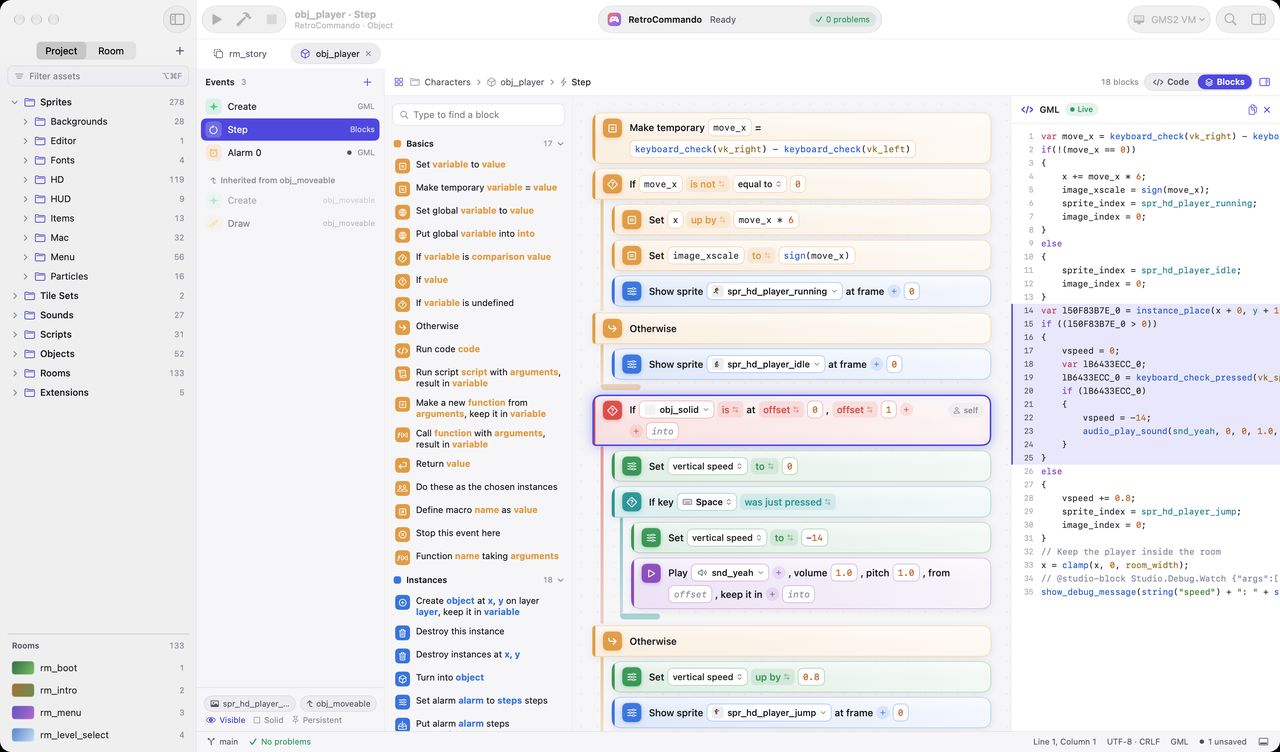
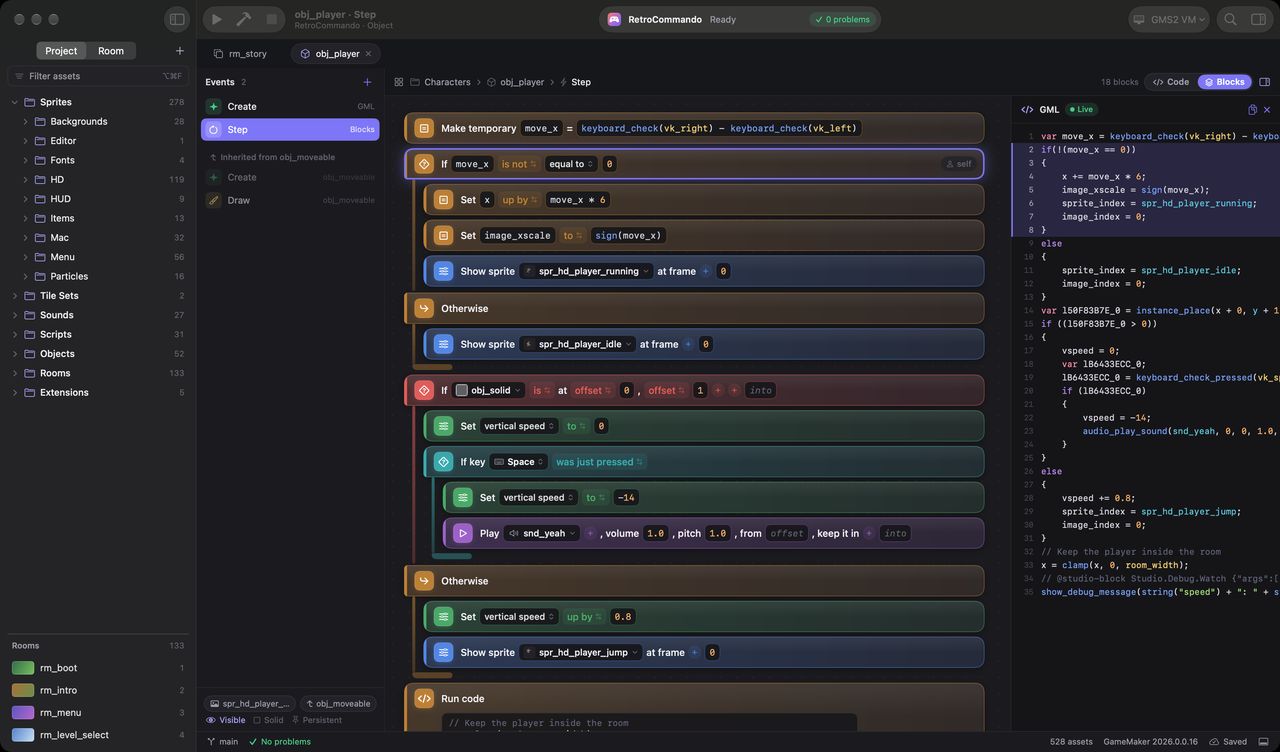
Write GML, or snap blocks, and switch any time
Every event and script opens as code or as blocks. Blocks turn into code every time, and code turns back into blocks; anything blocks can't show becomes a code block, so nothing is lost.
- Blocks that read like sentences, coloured by group: the 300 GML Visual actions plus Studio's own, with search to add, drag and drop, and the live GML beside them.
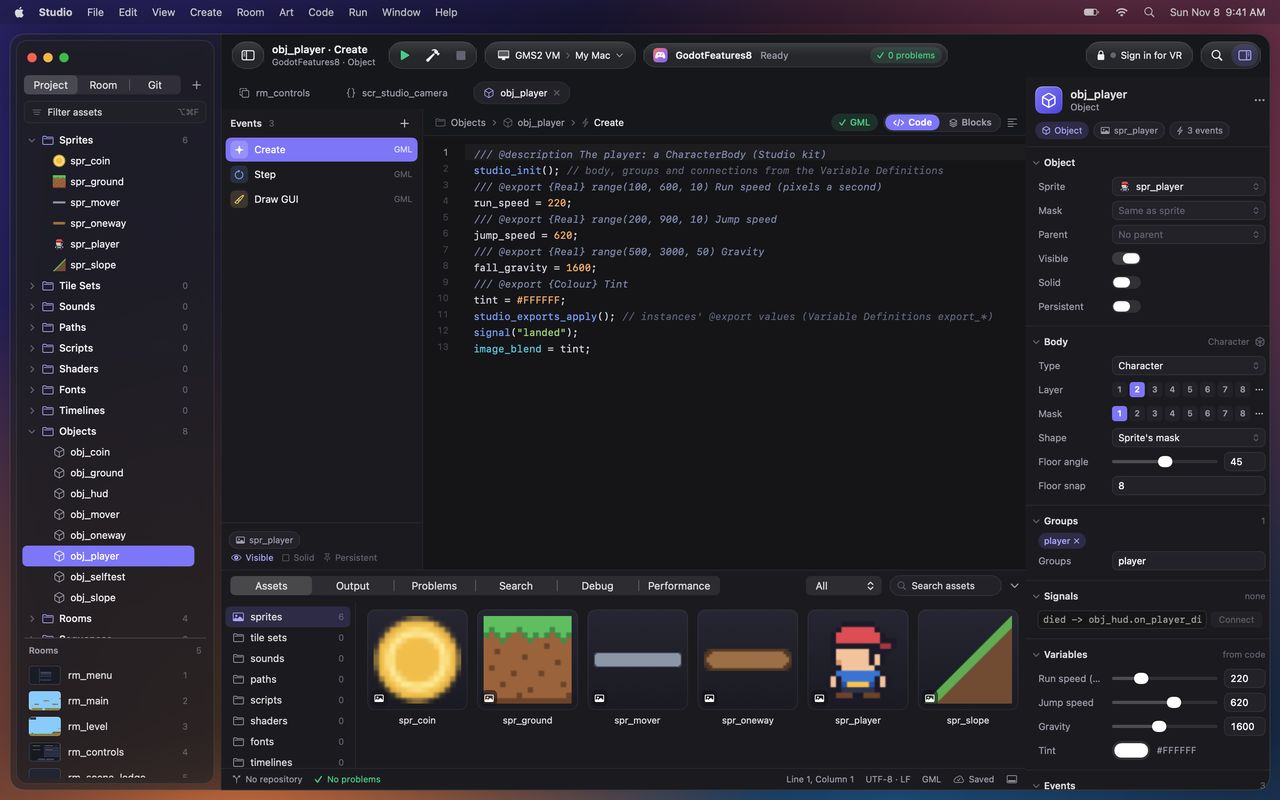
- A code editor that knows GML: colours, completion, hover help, go to definition, problems as you type and Find in Project.
- Command palette (⌘K) for assets, code, commands and help; Run (⌘R), Build (⌘B) and errors linked to the line.
- Both runtimes: GameMaker's VM and the new GMRT, picked per project.
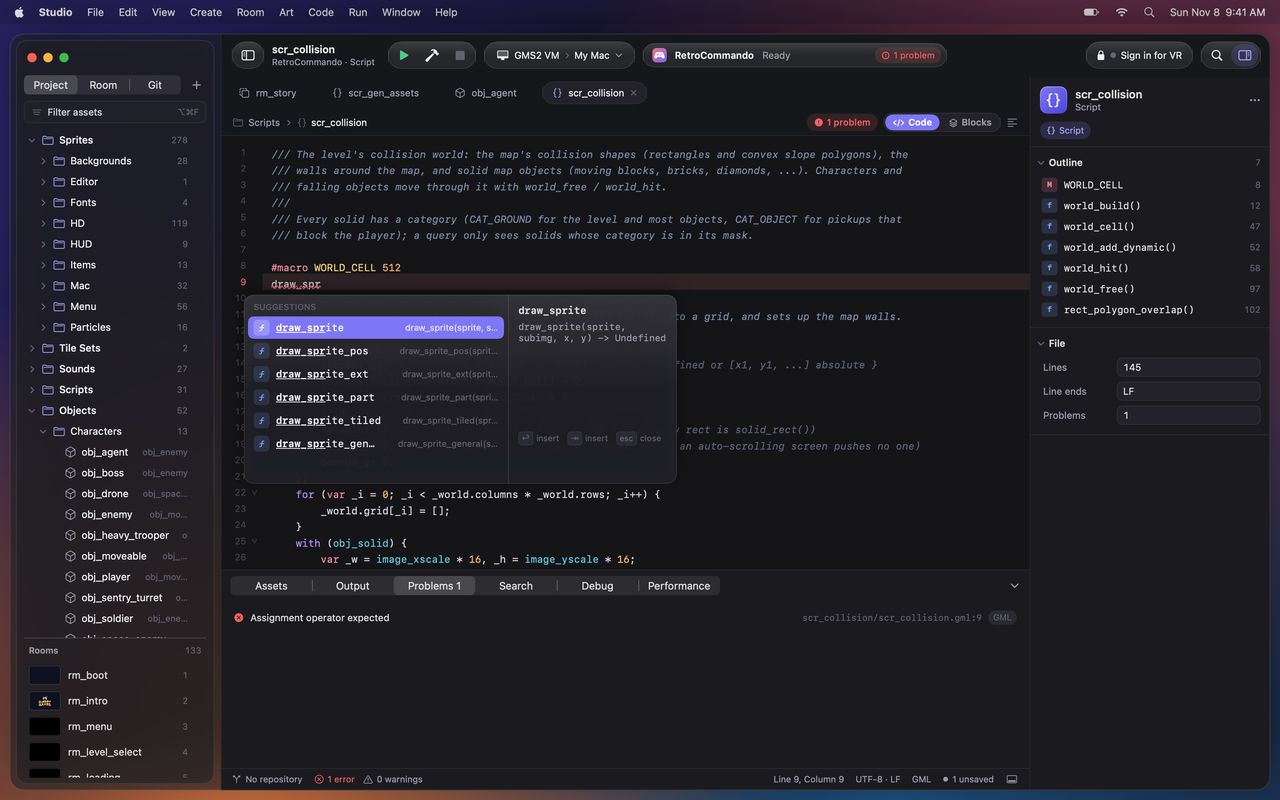
A real collision system for GameMaker games
Characters that walk up slopes and stand still on them, jump up through one-way platforms and ride moving ones. Studio brings a full body-based collision system into your project as plain GML.
// obj_player: Step
var _move = input_axis("move_x");
velocity_x = _move * run_speed;
if (!is_on_floor()) velocity_y += fall_gravity * studio_delta();
if (is_on_floor() && input_pressed("jump")) velocity_y = -jump_speed;
move_and_slide(); // slopes, walls, ceilings, platformsBodies, shapes and move_and_slide()
- Bodies: Character, Static and Area, set in the inspector's Body section per object, and per instance if you like.
- Shapes: rectangle, circle, capsule, polygon, or the sprite's own; per-tile shapes on tile maps (full, 45° and 22.5° slopes, half tiles, one-way).
- Layers and masks with names, in Game Options › Collision.
move_and_slide()with slopes (standing still on a slope drifts 0.00 px), floor snap, one-way and moving platforms, andis_on_floor(),is_on_wall(),is_on_ceiling().- Areas send
body_enteredandbody_exitedsignals;raycast()finds what a line hits. - See every shape while the game runs: press F3.
- GameMaker VM
- GMRT
- Plain GML in your project
Checked by a self-playing test game: walking, jumping, climbing a 45° slope, standing on it without drifting, landing on a one-way platform from below and an Area's signal, 27 of 27 checks passing.
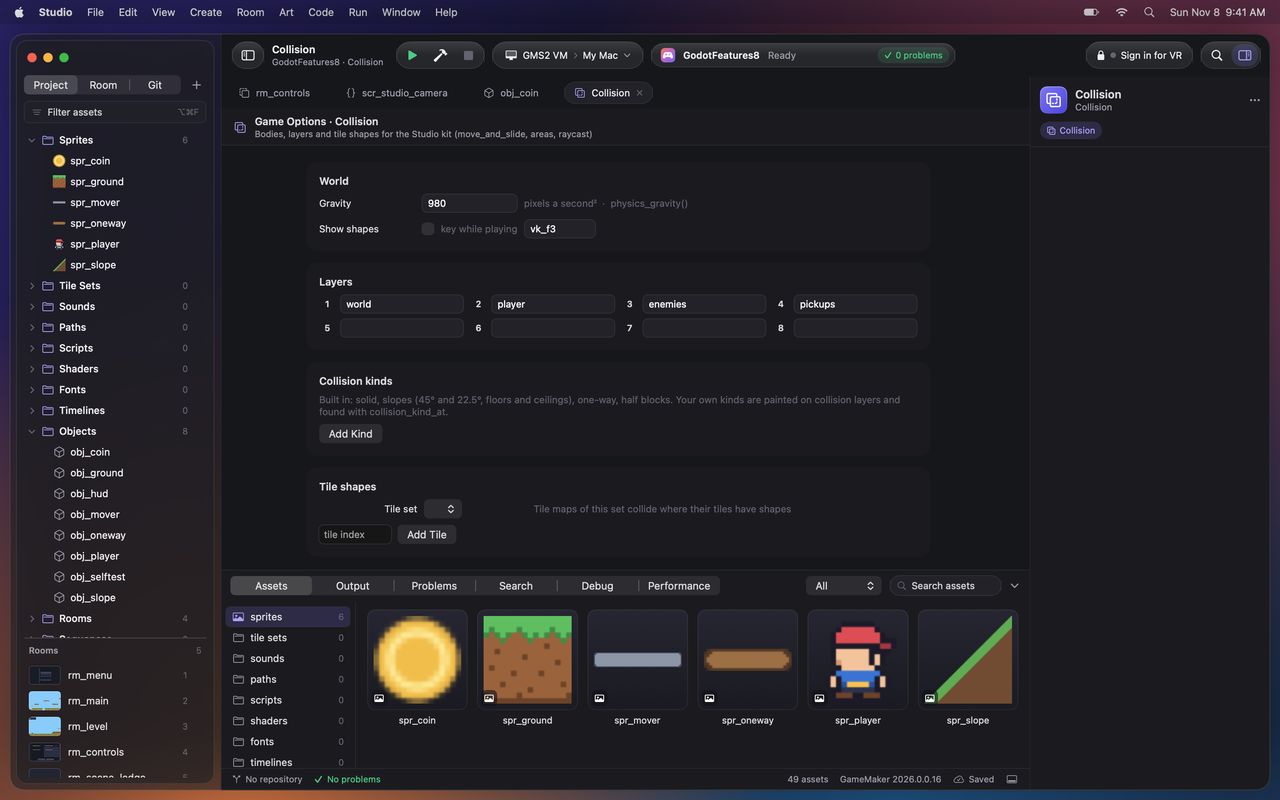

 In StudioIn the game
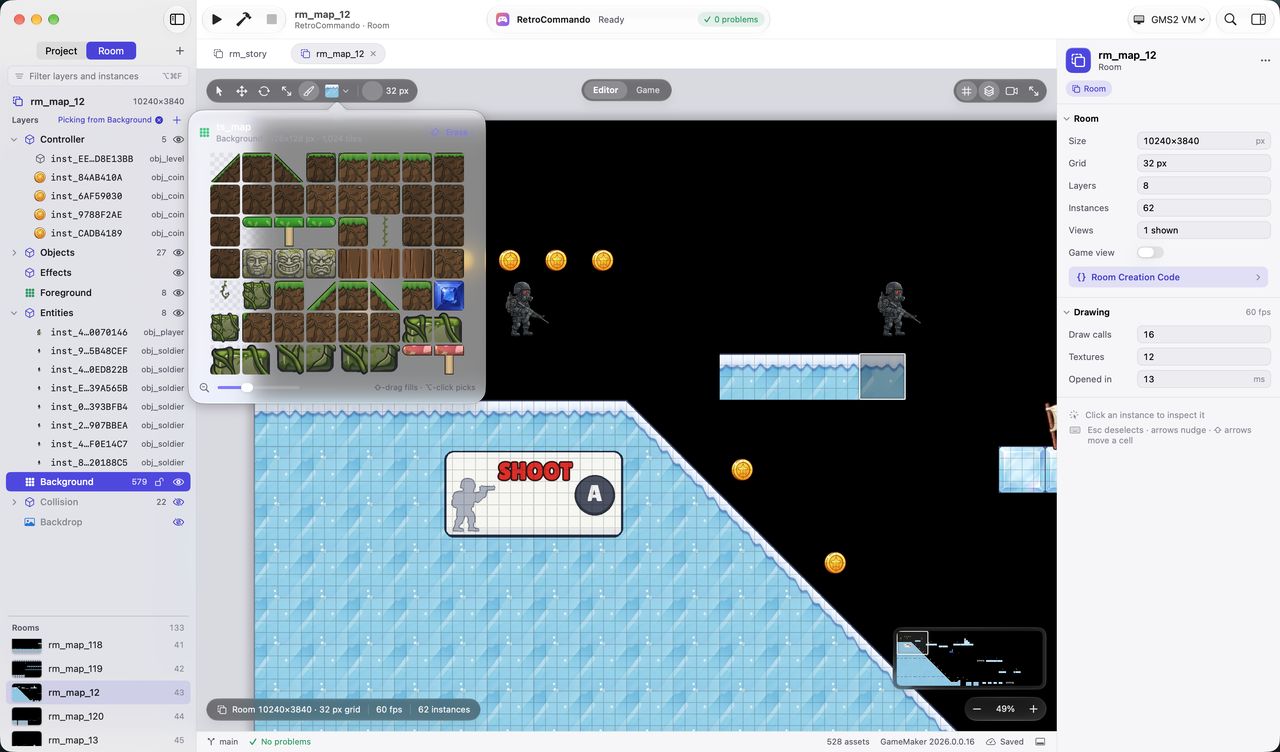
Room editing that feels quick
Layers, instances and tiles in a smooth room view, drawn the way the game draws them.
- Move, scale and rotate one instance or many at once, with snapping and a measure as you drag.
- Place from the sidebar: drag an object or sprite straight into the room.
- Tile brushes and auto-tiles, brush tiles you pick from the sheet, and asset layers.
- Editor and Game views, room thumbnails, and Undo for everything.
- Start in This Room: run the game straight into the room you're editing, even when it needs its boot room first.
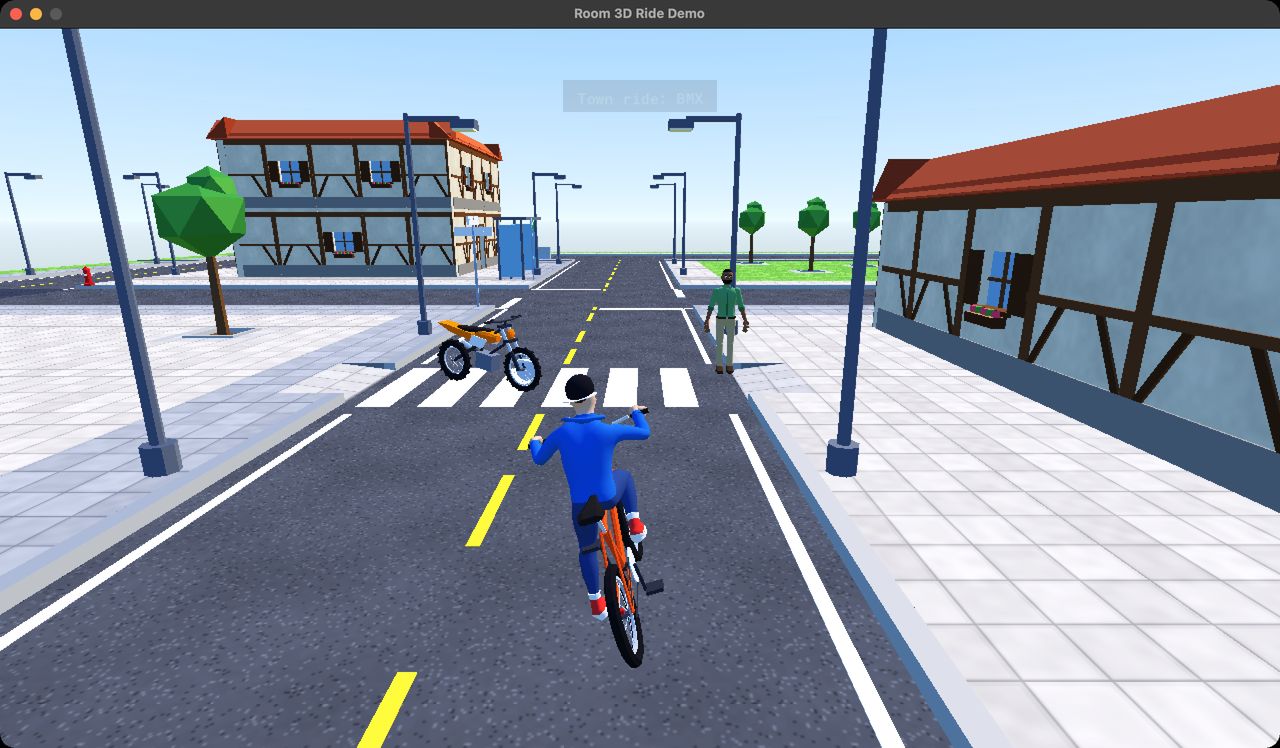
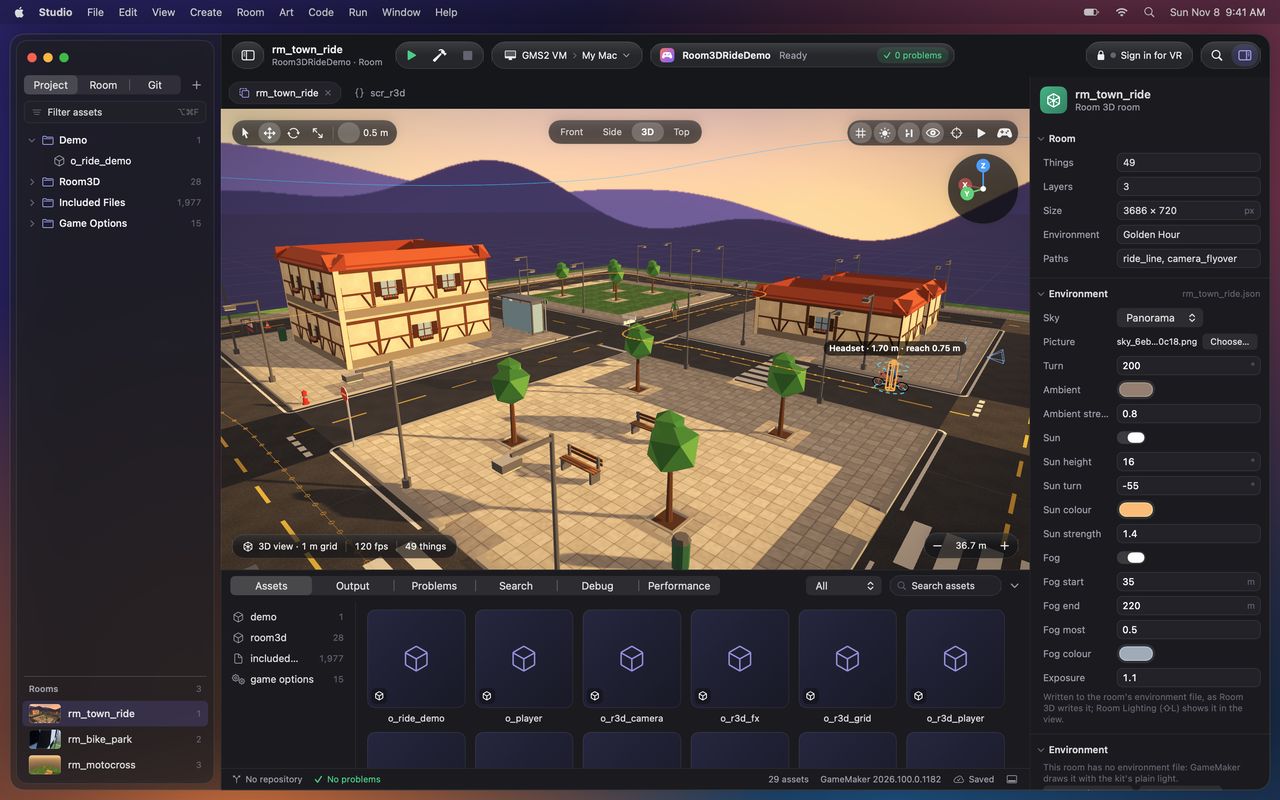
3D rooms in the same app
Studio opens the rooms you made with Room 3D, our 3D level editor, in a real 3D view, and saves them the way Room 3D does, so the game code stays the same.
- Move, rotate and scale with gizmos; fly through the room; top, side and 3D views.
- Paint grids, edit paths, cameras, lights, effects and sound areas.
- Sky, sun, fog and exposure in the inspector, with panorama skies and presets.
- Models with their animations, played and scrubbed in the view.
- Hundreds of Room 3D rooms checked to open and save byte for byte.
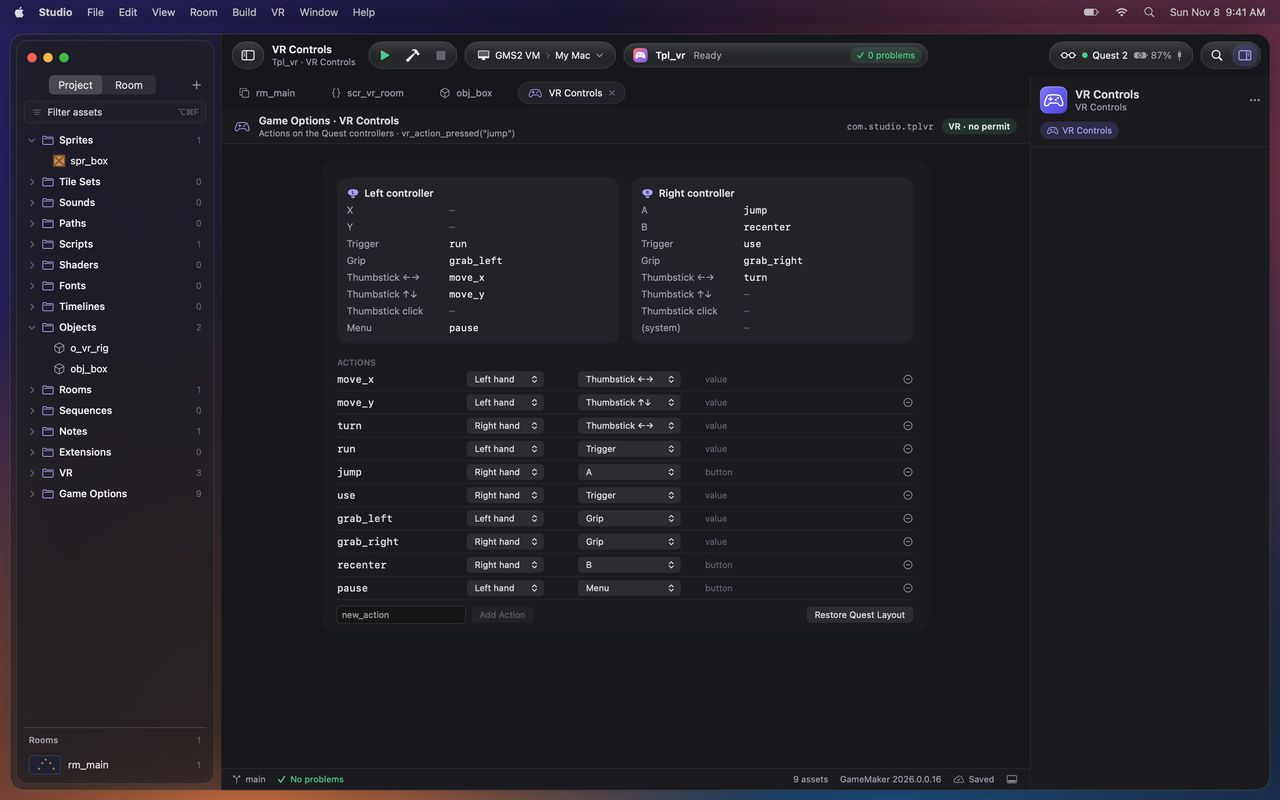
Step into your room
Add VR to a project, check the room at real size with the headset preview, then press F8 to run it on a Meta Quest. VR comes with Studio Pro: there's no VR add-on to buy.
- VR Settings: snap or smooth turning, comfort vignette, walk speed, seated play, foveation.
- VR Controls: each controller's buttons and sticks mapped to your game's actions.
- VR Room template to start from, and the headset in the toolbar.
- Included with Studio Pro: nothing else to buy, with a permit for each game.
Paint, animate and fix sprites in place
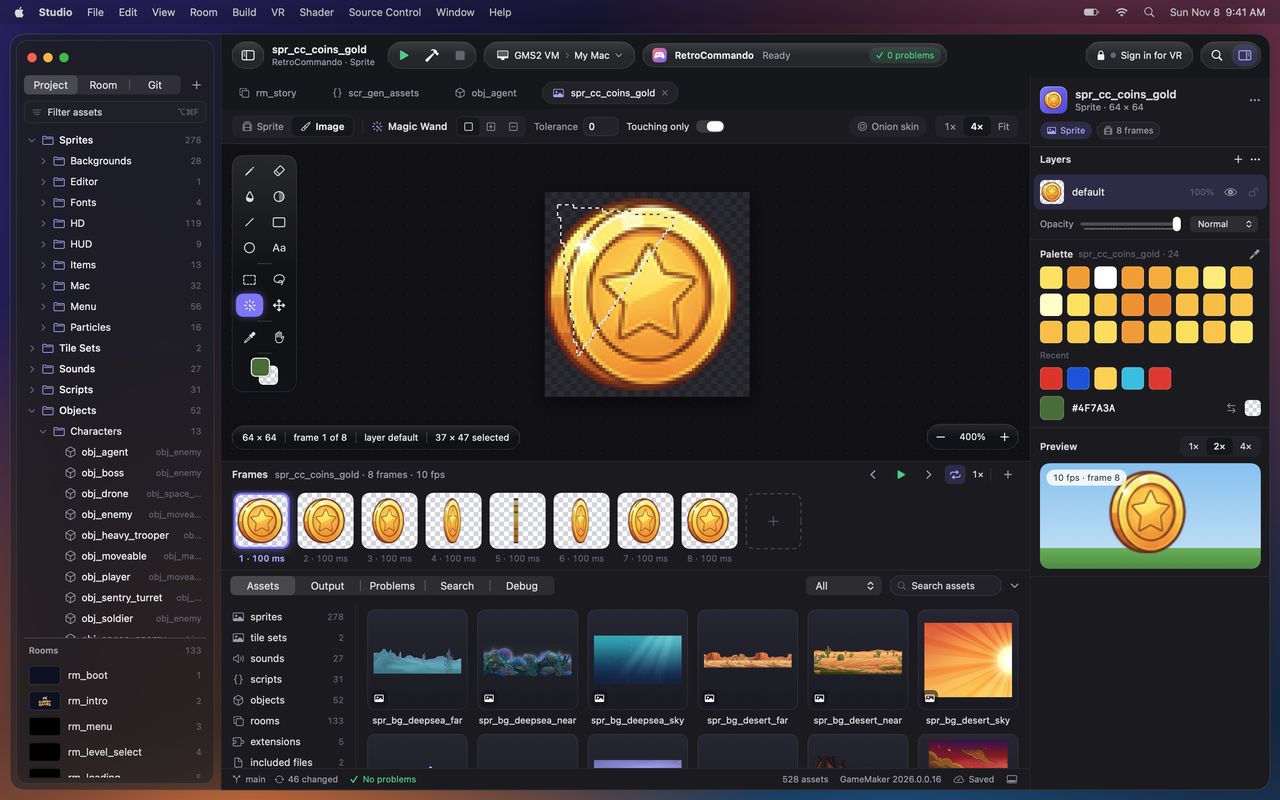
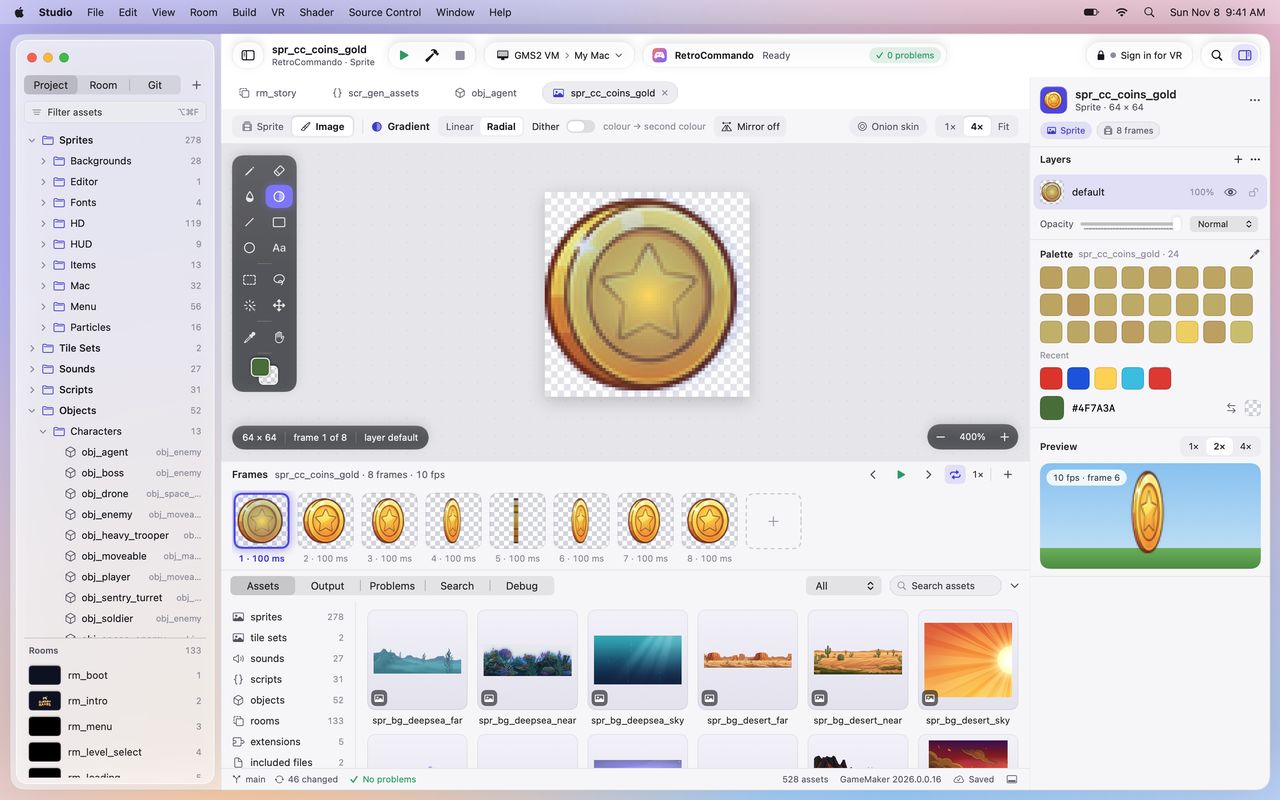
A full image editor for your sprites, with the frames, origin and collision mask beside it.
- Pencil, brushes (round, soft or your own), shapes, fill, text and gradients with dithering.
- Selections: box, lasso and magic wand; copy and paste, also from other apps.
- Layers, palette and onion skin; quick even on 4096 × 4096 pictures.
- Sounds (trim, fade, normalise), fonts (sharp SDF fonts too), tile sets with auto-tiles, and included files, all in the same window.
Smooth animation from a few pictures
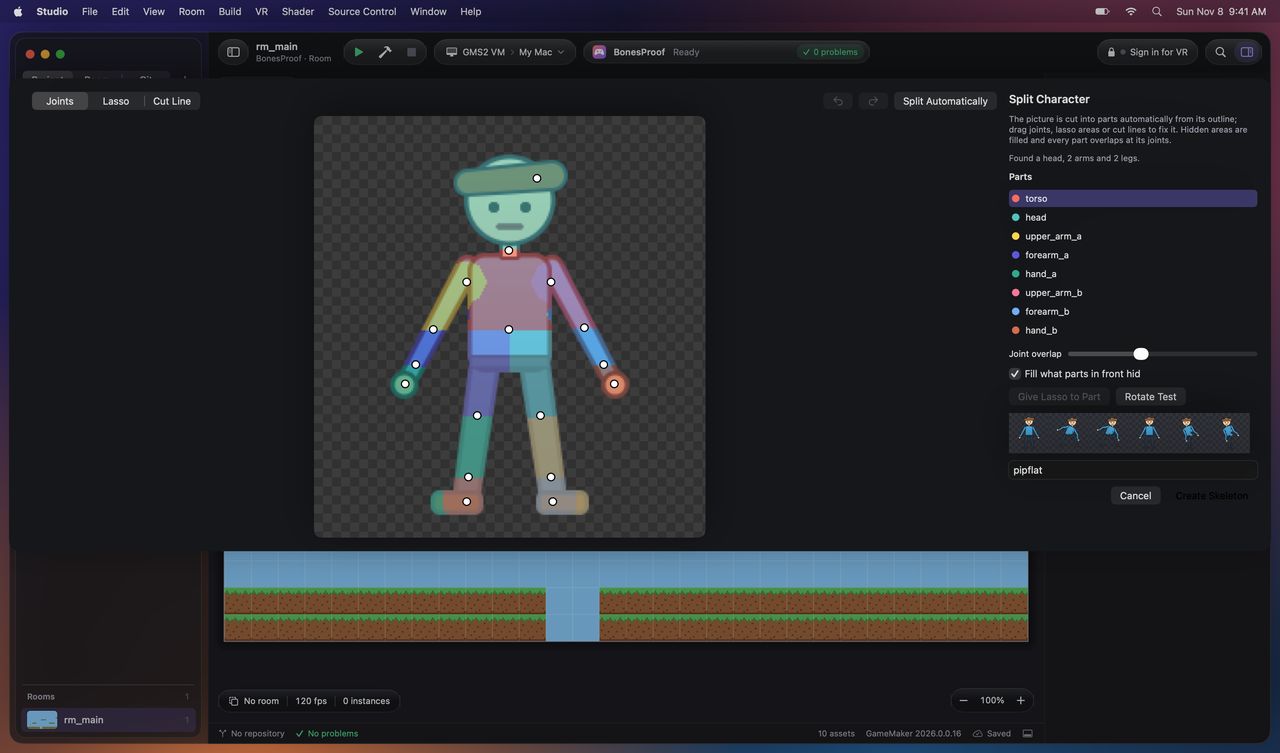
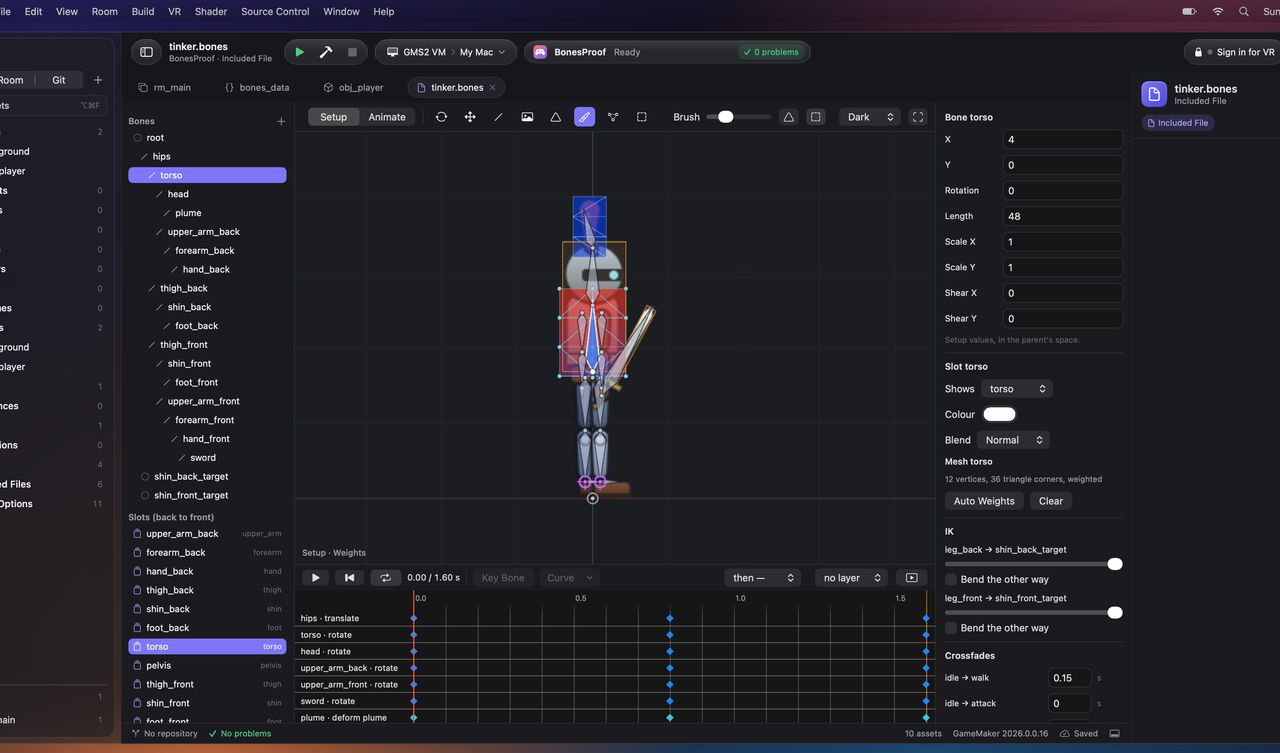
Build a skeleton, attach the parts, key the poses: Studio adds a small GML runtime to your game that draws it on the graphics card.
- Bones, slots and skins, meshes with weights, IK, events, curves, crossfades and layered animations.
- Split Character: start from one flat picture and Studio cuts it into parts and rigs it.
- Import a layered PSD, or skeletons from popular 2D animation tools' JSON and XML exports.
- Fast: up to 48 bones a skeleton, 59-60 fps on a Raspberry Pi 400; works on the web and GMRT too.
Motion and effects you can see
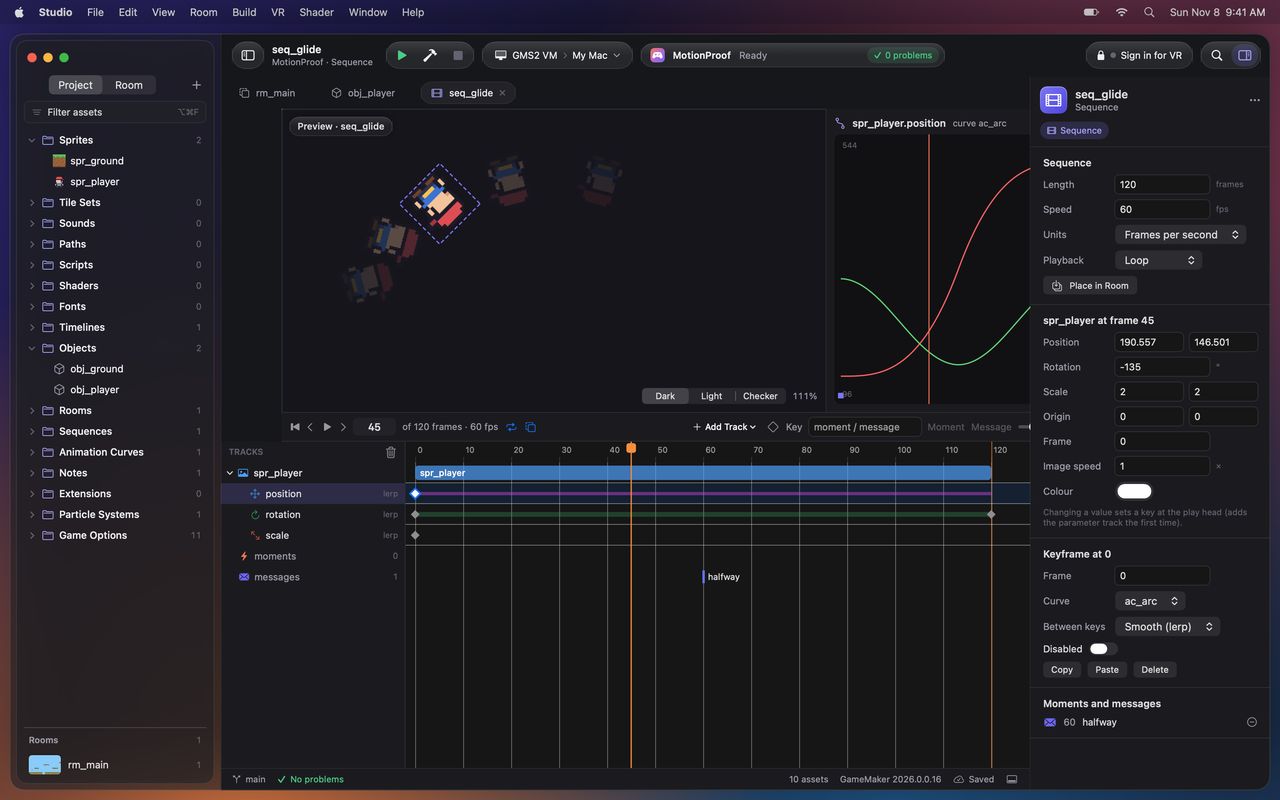
- Sequences with every track type, keys on a dope sheet, and text and particle tracks drawn on the canvas.
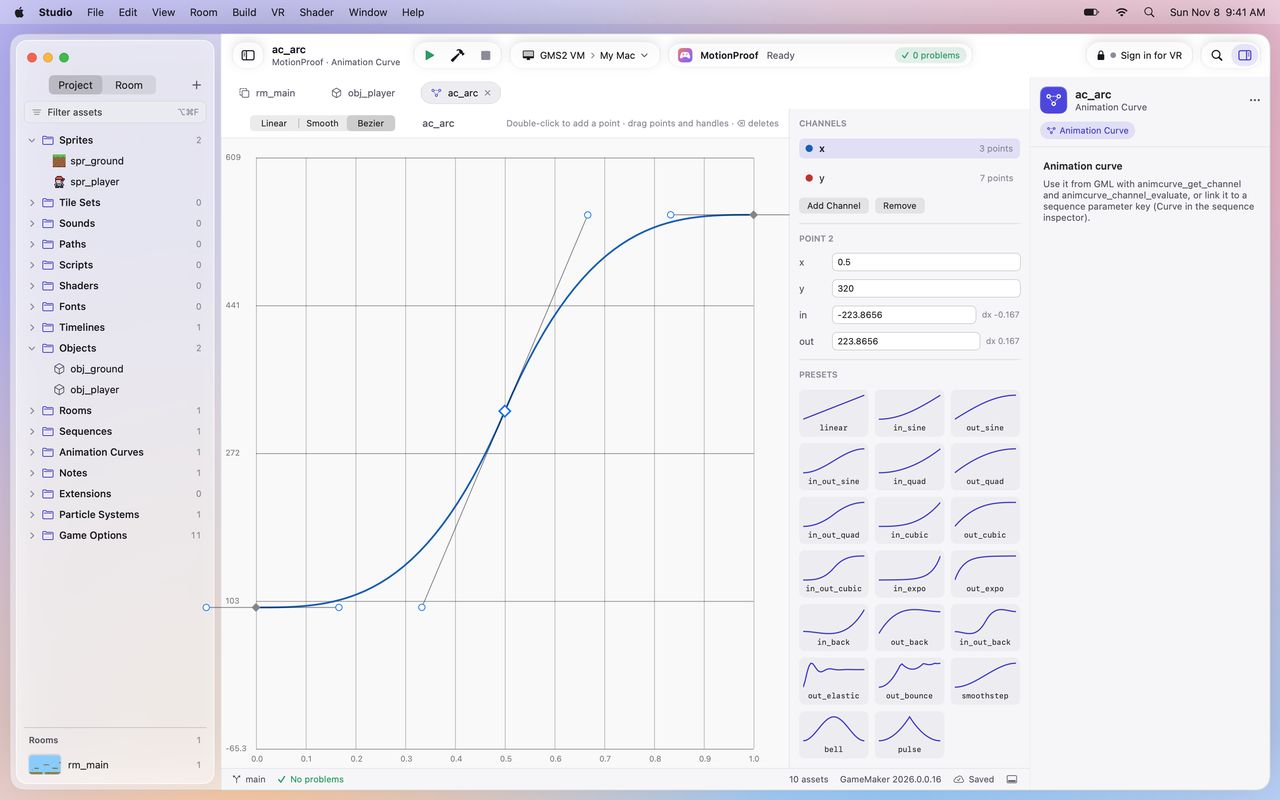
- Animation curves: linear, smooth and bezier, with presets.
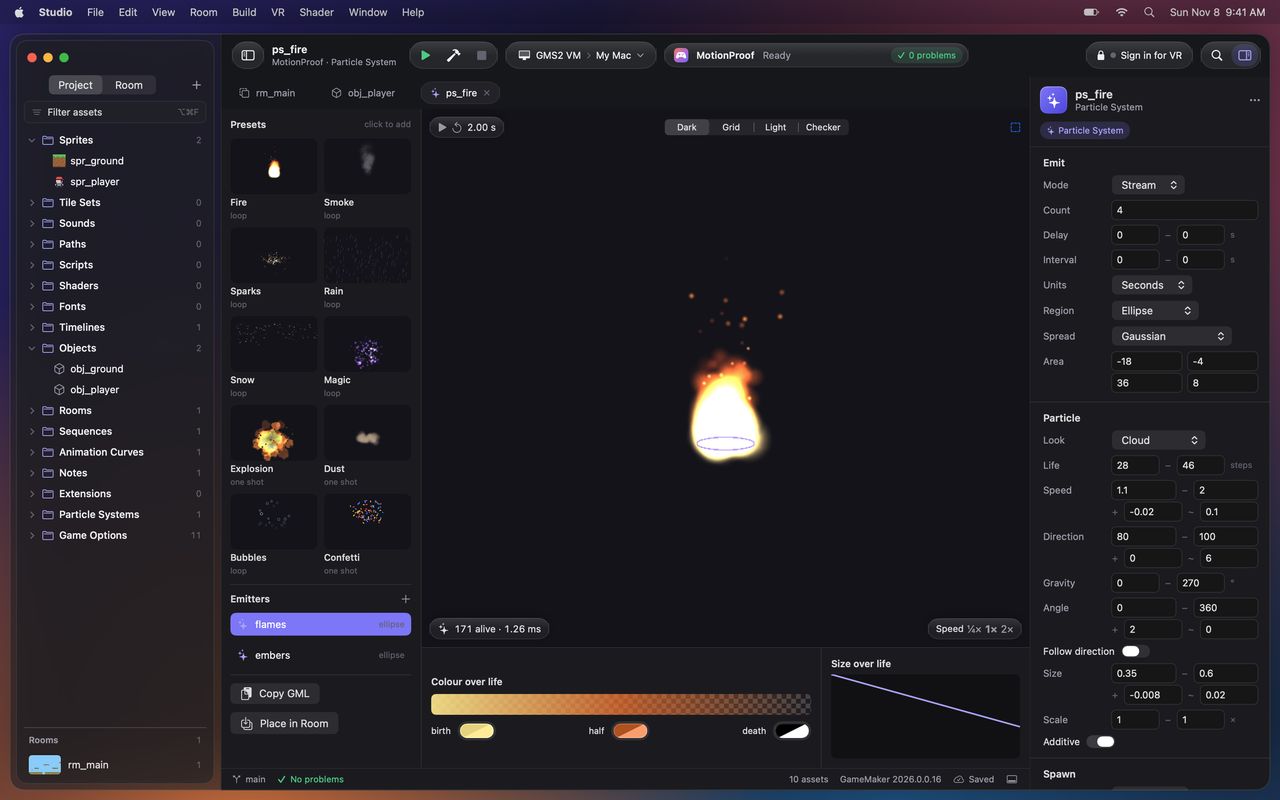
- Particle systems with a live preview, ten presets to start from (fire, smoke, sparks, rain, snow, magic…) and Copy GML.
- Timelines for step-by-step events.

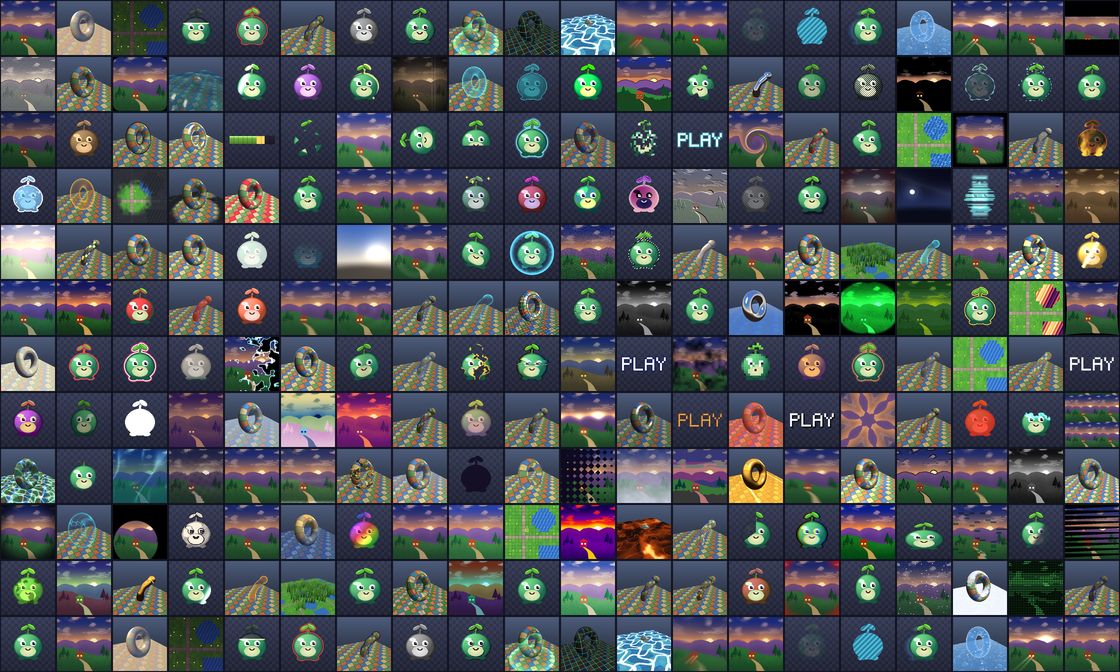
221 shaders, ready for your game
Outlines, dissolves, water, CRT, night vision, toon, chrome, holograms and more: each an ordinary shader asset with a GML helper and a preview, written for Studio and checked to compile on GameMaker's VM and GMRT. 2D sprites, full-screen effects, 3D (with versions for animated characters) and handy utilities.

Every one of the 221 previews above is a shader from the library. Add one with a click; the shader editor completes GLSL ES and GameMaker's names, and warns about words a runtime won't accept.
Ready-made game systems, in plain GML
A GML library Studio adds to your project when you first use it, with editors for it. GameMaker opens and builds the project as it is.
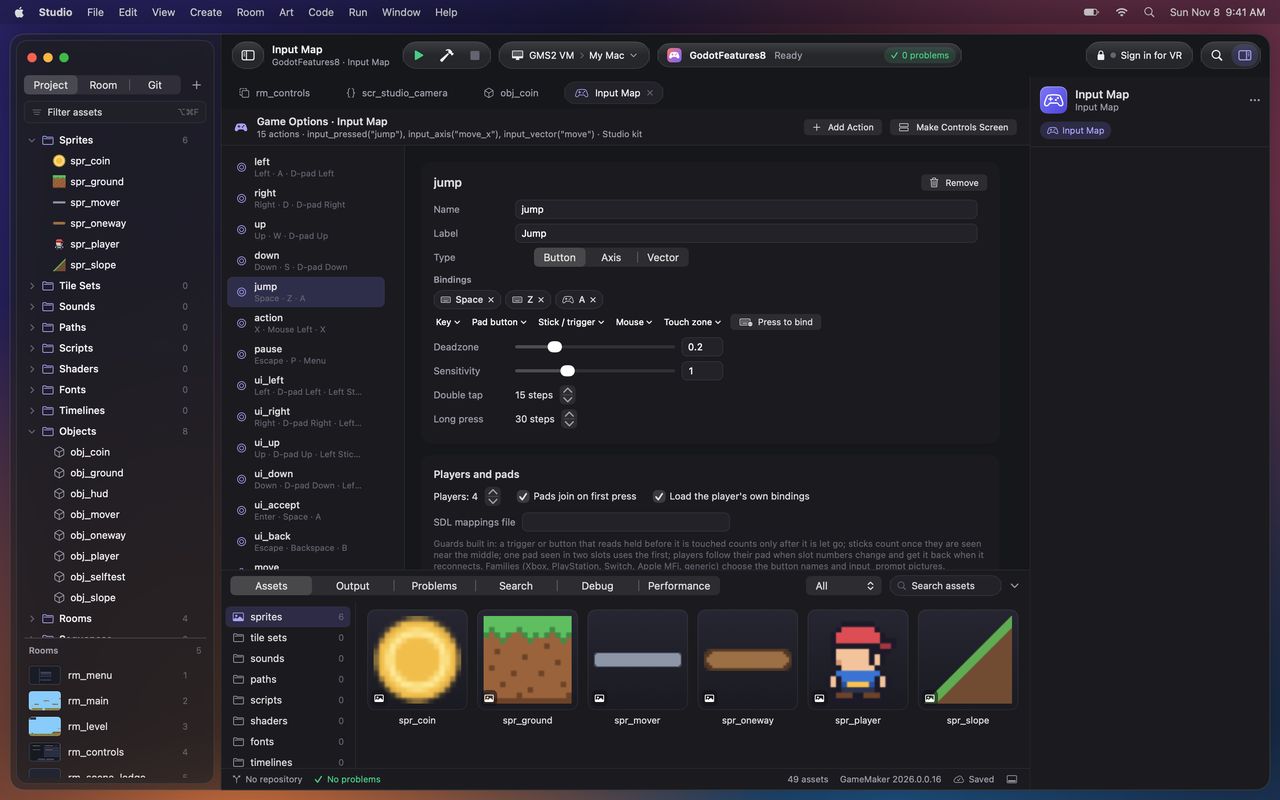
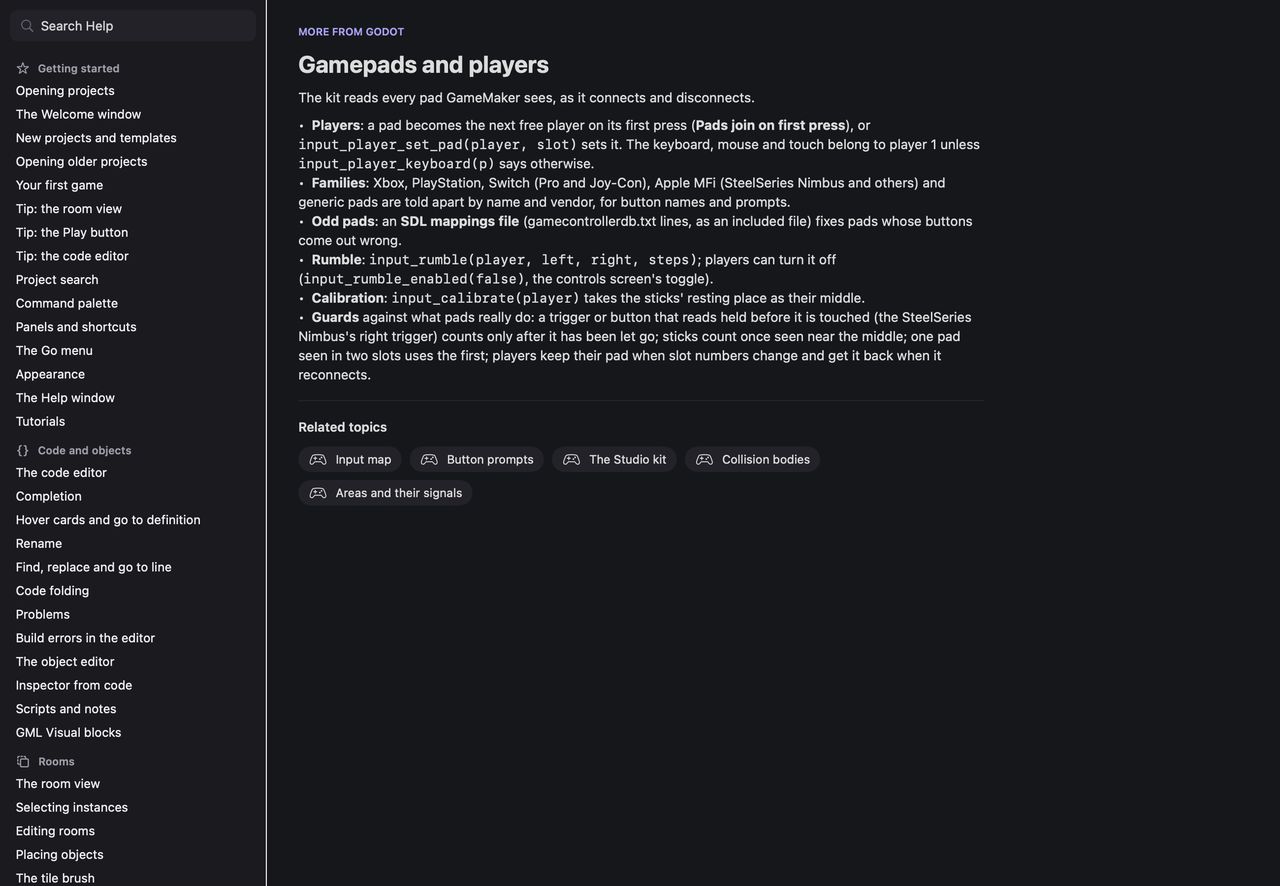
- Input map with full gamepad support: name your actions once and bind keys, mouse, gamepads and touch;
input_pressed("jump"). Xbox, PlayStation, Switch and Apple controllers by family, hot-plugging, players who keep their pad, rumble, and button prompts that match the controller. - A controls screen for rebinding, made as a real room you can restyle.
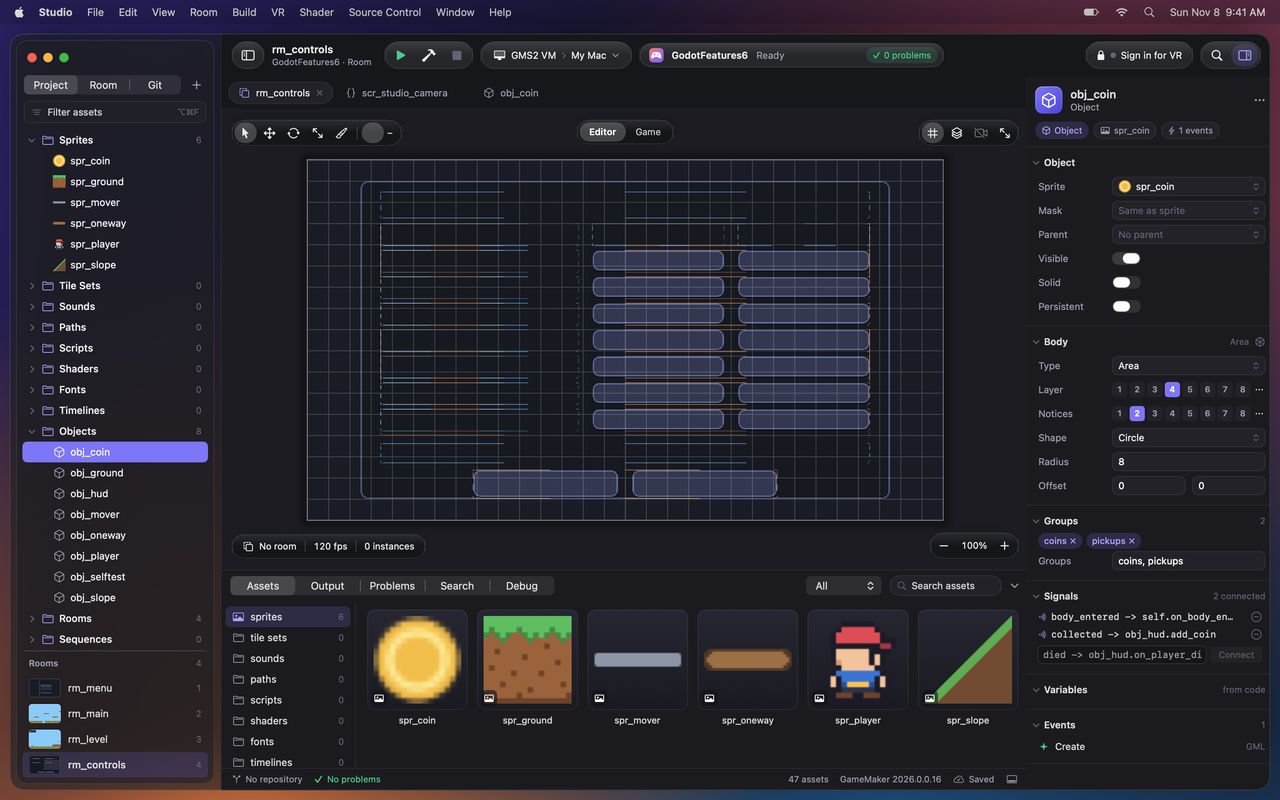
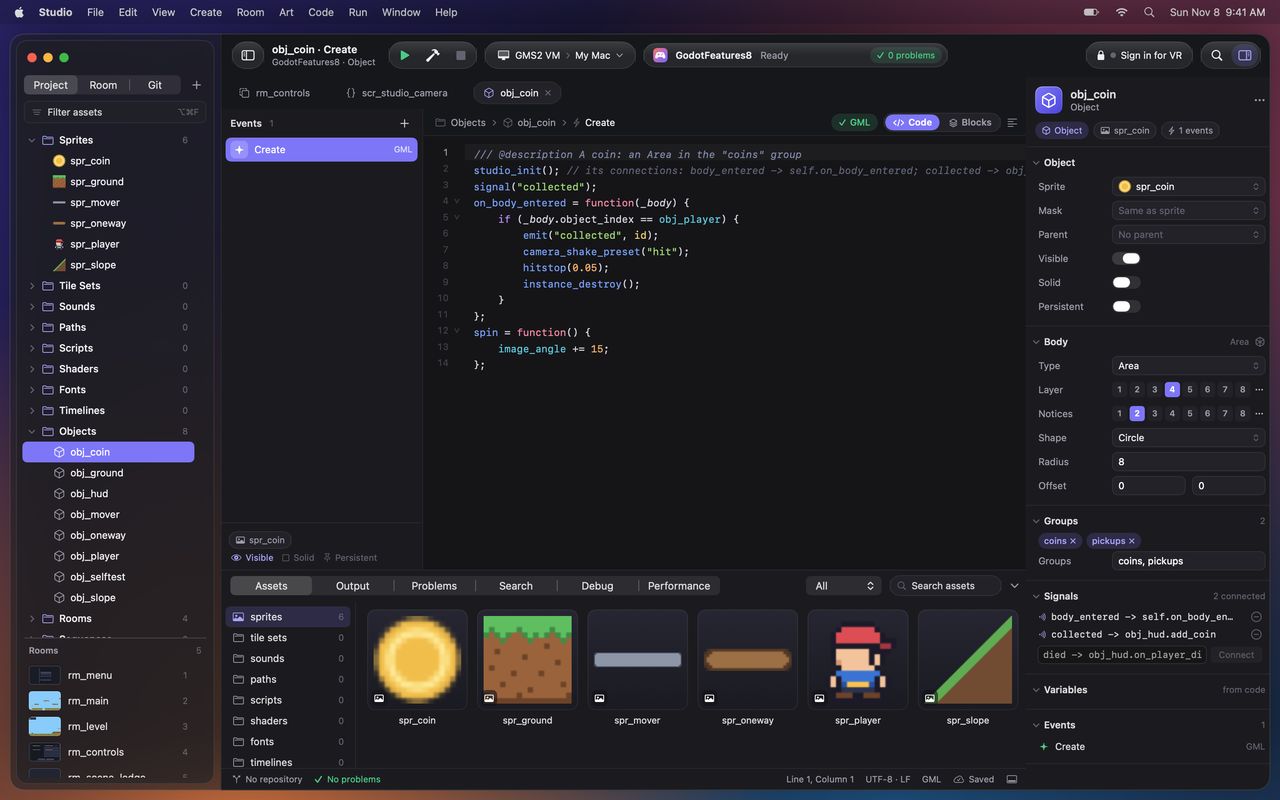
- Signals and groups:
emit("died"), connections set in the inspector,group_call("enemies", "alert"). - Camera2D with smoothing, limits, look-ahead and screen shake; hit-stop and slow motion.
- UI controls: buttons, labels, sliders and toggles that lay themselves out and move focus with a gamepad.
- Pathfinding in 2D, scenes built from parts, and
/// @exportto show a variable in the inspector.
Stop on a line and look around
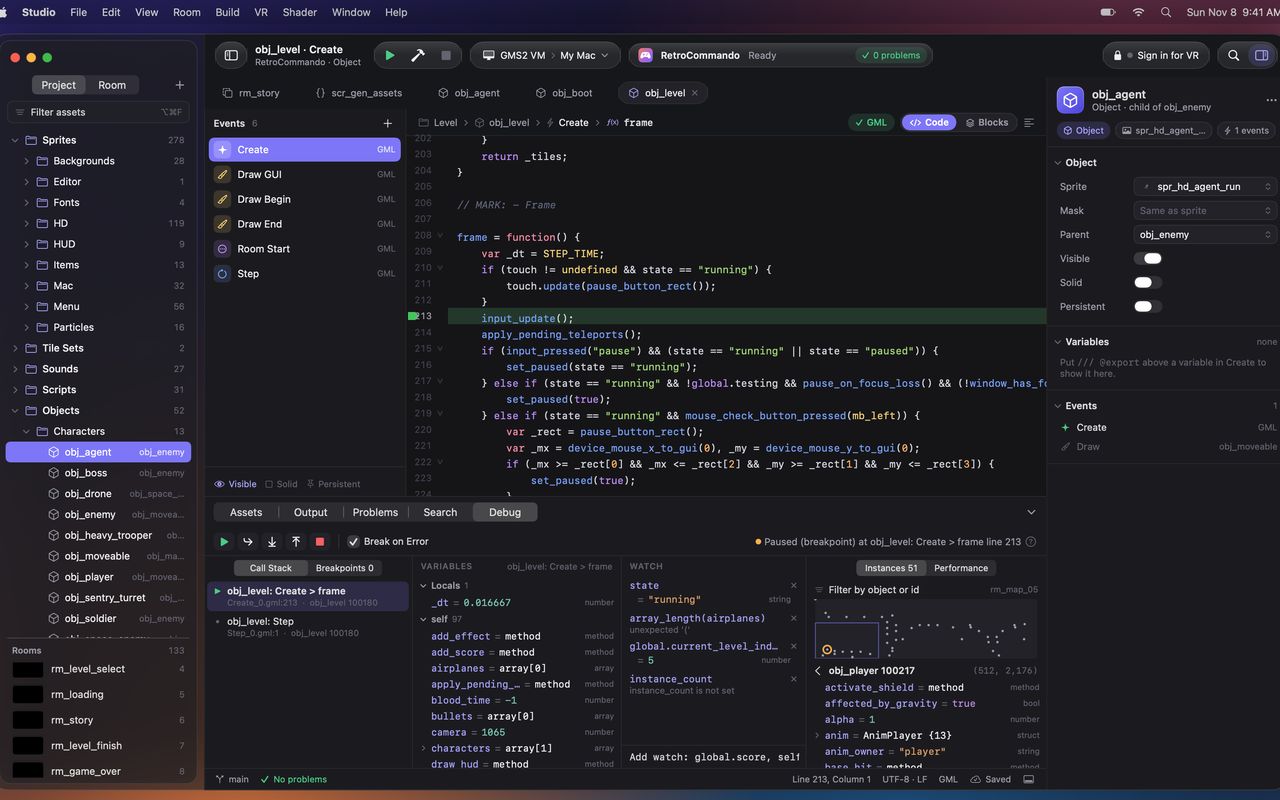
Studio's own GML debugger. It debugs a copy of your project, so the project itself never changes.
- Breakpoints, conditional breakpoints, hit counts and logpoints; break on errors.
- Step over, into and out (F10, F11, ⇧F11) with the call stack and each frame's locals.
- Variables and watches you can change while paused; instances on a room map, live.
- Debug on this Mac or on a Raspberry Pi over the network. More devices coming
Find out why a frame is slow, in plain words
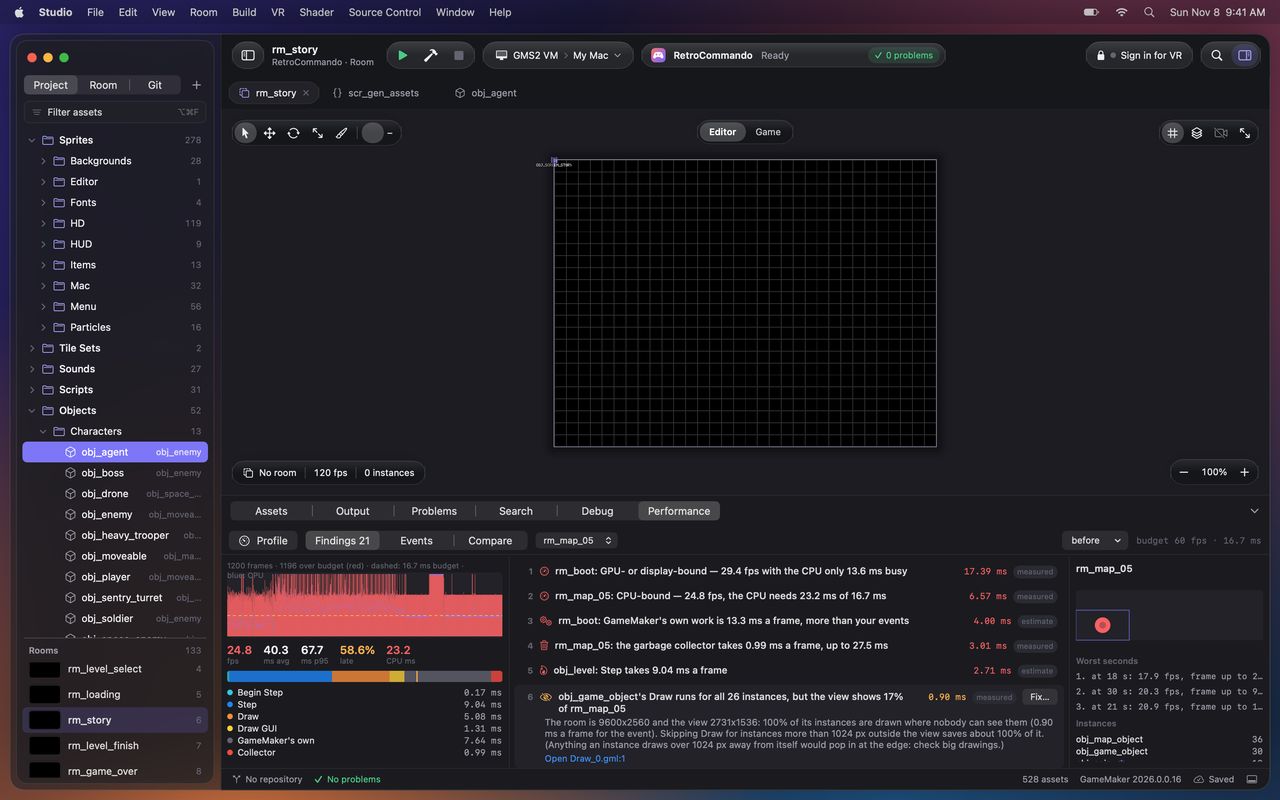
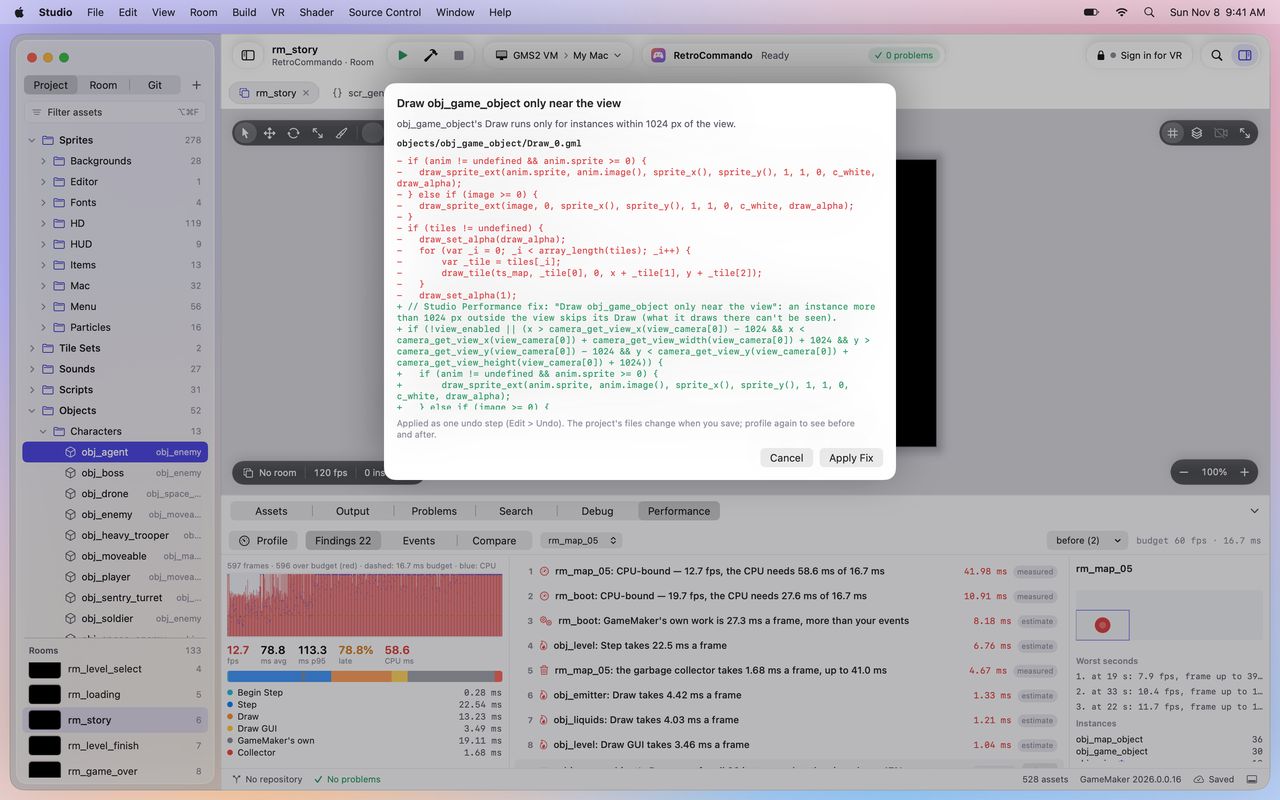
Profile the game on the device, see every frame against its budget (30, 60, 72, 90 or 120 fps), and get findings ranked by how much time they'd save.
- Where the time goes: per object and event, drawing, GameMaker's own work and the garbage collector.
- Findings in plain language, like instances that never move but run code every step, or memory made every frame.
- One-click fixes shown as a diff first, applied as one undo step; Compare runs before and after.
- Check Code for Slow Spots before you even run.
Git that shows you what changed
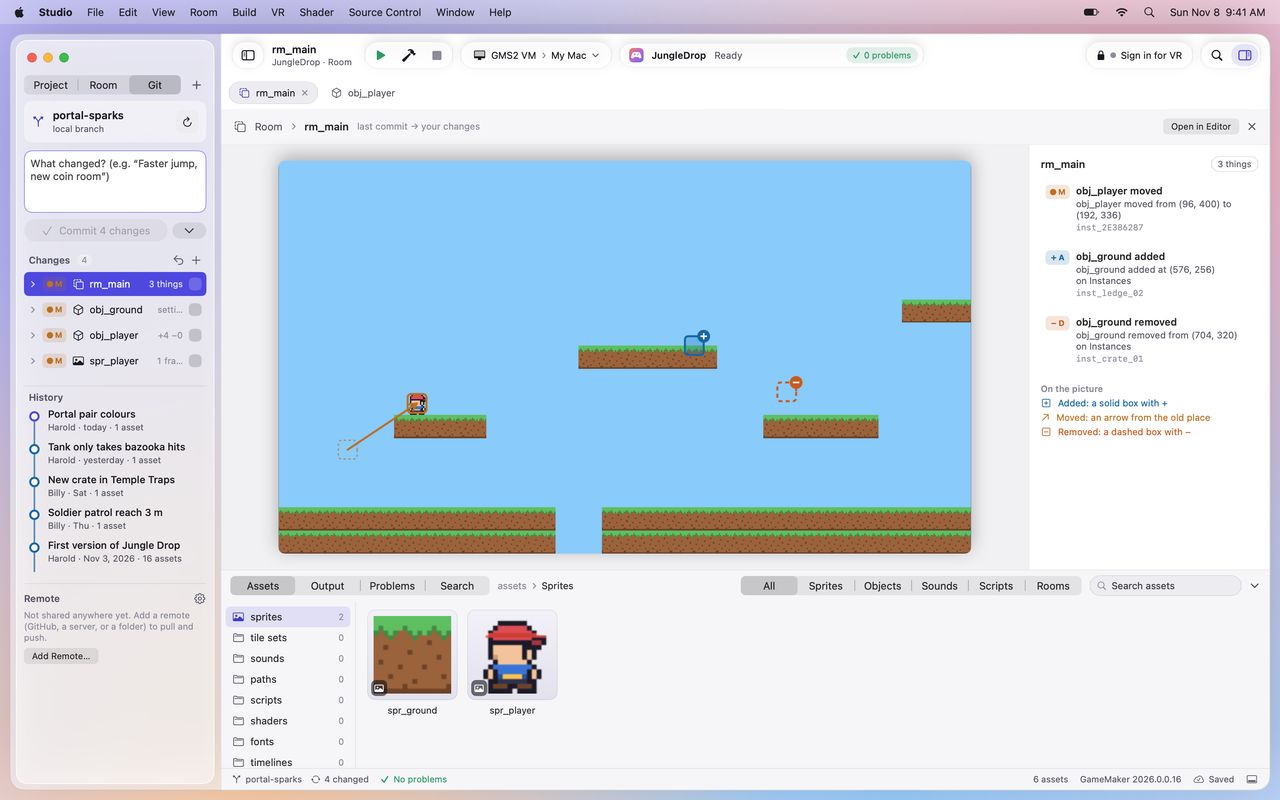
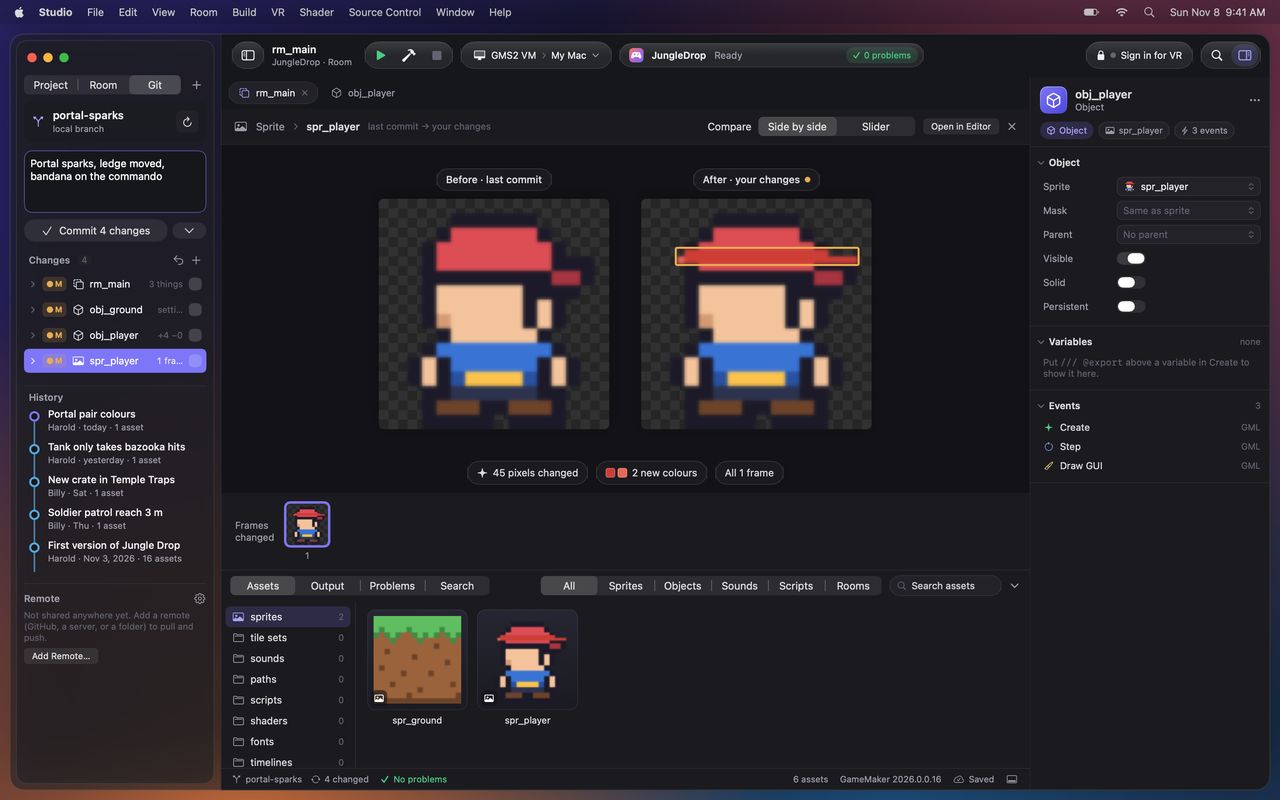
Changes listed by asset, not by file: a sprite, a room or an object, each with a picture of what changed.
- Visual diffs: sprites side by side or with a slider, rooms with moved, added and removed marks, code in colour, settings in words.
- Commit, branch, merge, stash, pull and push; line staging, blame, tags and rebase.
- Clone from Git from the welcome window.
Press Run on your Mac, your phone or your Pi
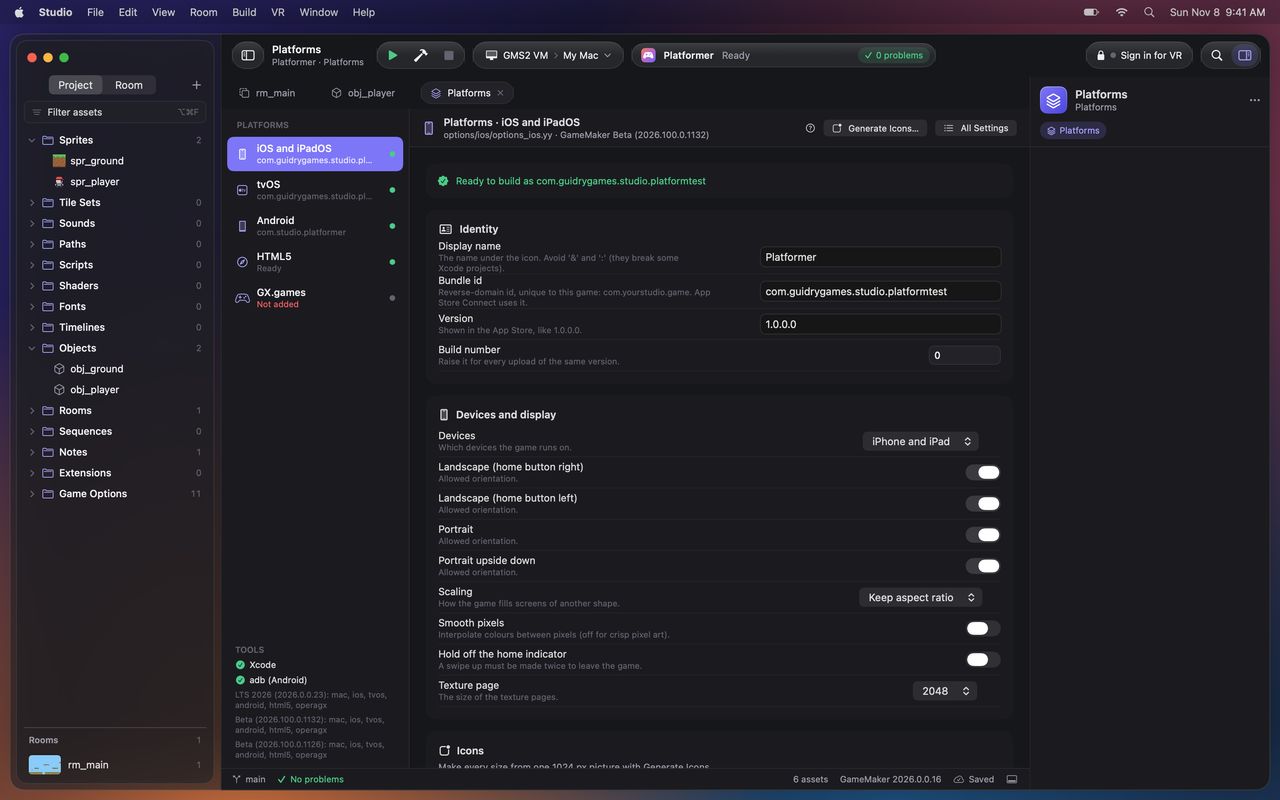
Pick a device in the toolbar and press F6 to build and run it there, or F7 to export. Studio makes the icons and splash screens for each platform from one picture.
- MacVM and native
- iPhoneand iPad
- Apple TVwith the remote
- Androidphones, tablets, Fire
- WebHTML5
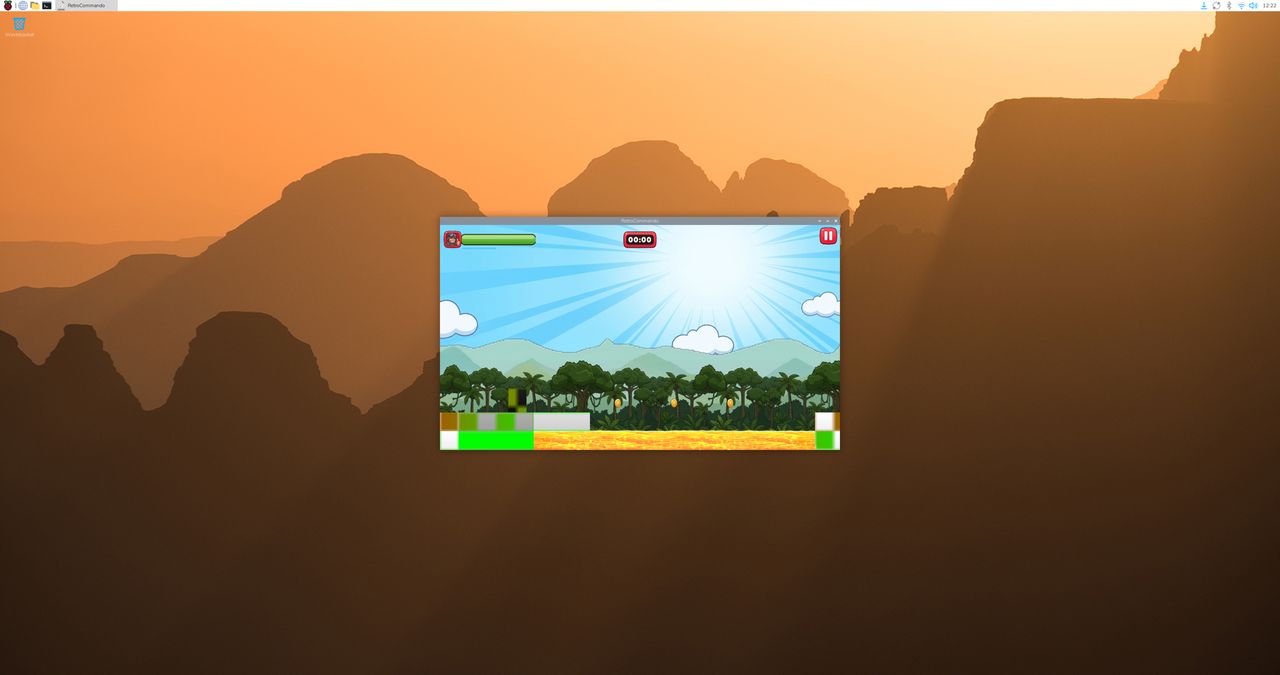
- Raspberry Piover the network
- Meta QuestVR
- Windowswith Studio for Windows
Bring your old games back
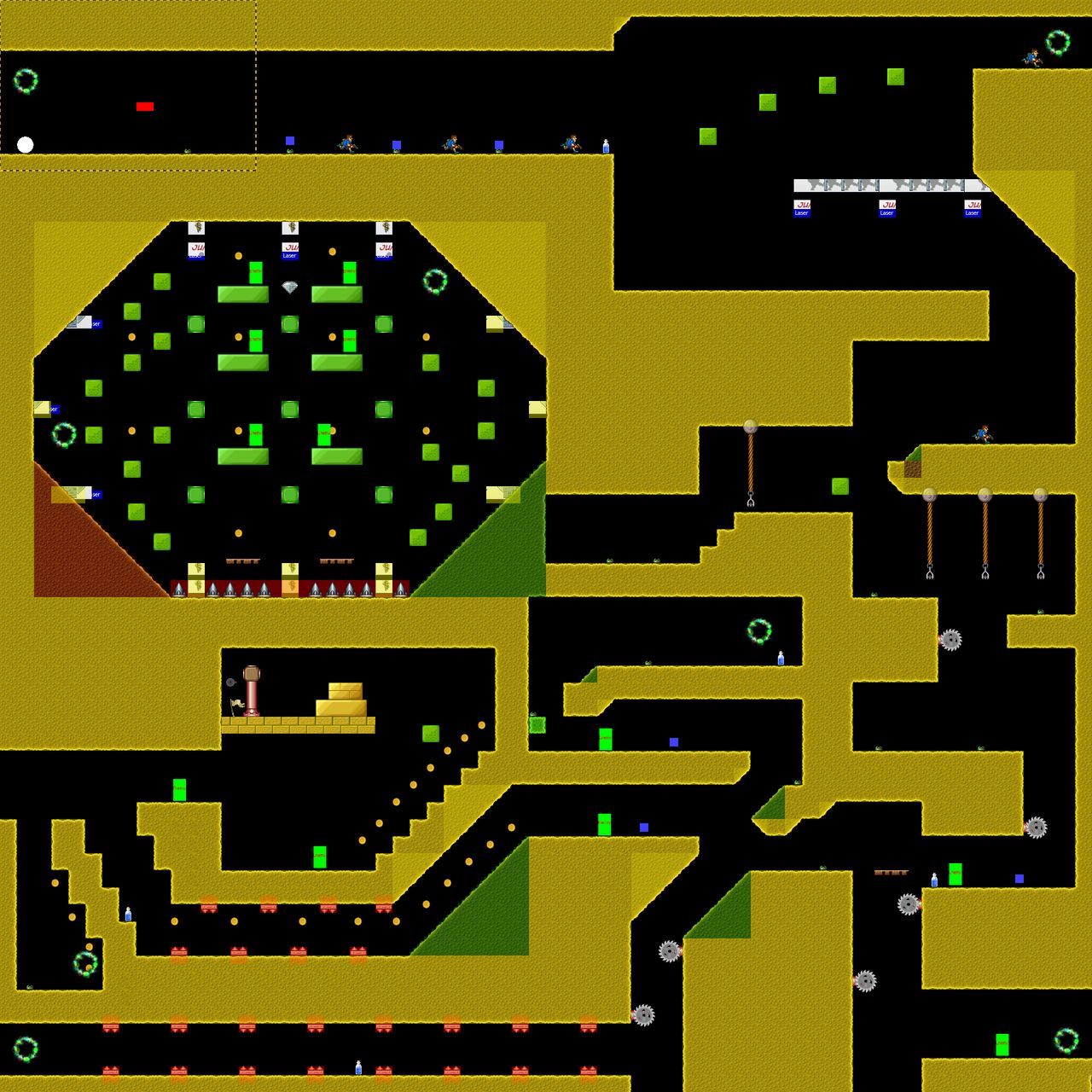
Drop an old project on the welcome window and Studio makes an up-to-date copy that GameMaker opens too.
- GameMaker Studio 2 projects from any version are upgraded to the latest format.
- GameMaker Studio 1.x (.gmx, .gmz) and GameMaker 8 (.gmk, .gm81) projects are imported: drag and drop becomes GML Visual, backgrounds become sprites and tile sets, views become cameras.
- Removed functions, like the old
d3d_*ones, get compatibility scripts so the code still runs. - Checked on hundreds of old projects, with GameMaker's own tools checking the results.

 DarkLight
Made for the Mac, with Liquid Glass
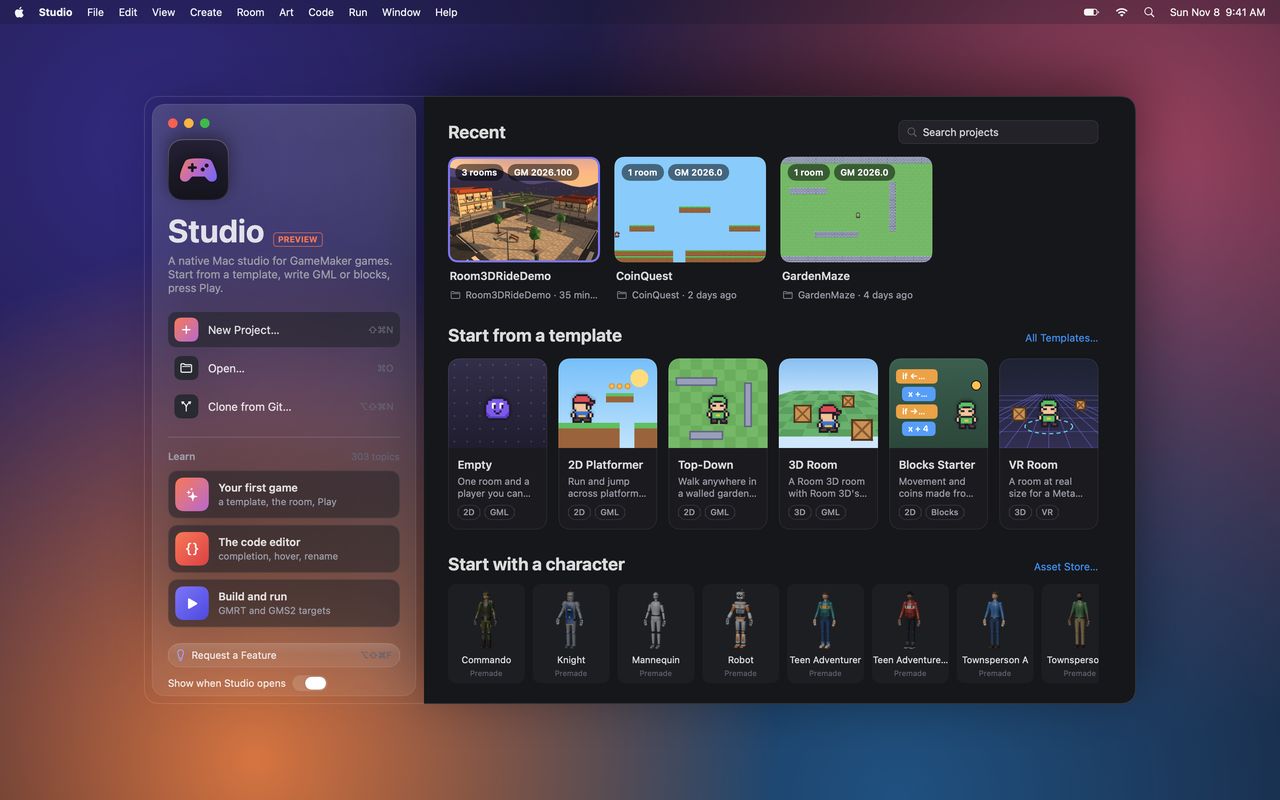
Studio is built with the Mac's own interface, not a web page in a window: real menus, sidebars, toolbars and text, Liquid Glass on macOS 26, and light and dark modes.
- Fast: a Rust core reads big projects quickly, and 2D and 3D views draw on the graphics card.
- Keyboard friendly: one key, one command, every shortcut shown in its menu and tooltip.
- Welcome window with your recent projects' rooms, templates (2D platformer, top-down, 3D room, blocks starter, VR room) and Clone from Git.
- Windows version: out now as an early version, for Windows 10 and 11.
What Studio adds to your GameMaker workflow
Everything it adds is saved as ordinary GameMaker project content, so you can open the same project in GameMaker whenever you like.
| Area | What Studio adds | Saved in your project as |
|---|---|---|
| Collision | Character, Static and Area bodies; named layers and masks; move_and_slide() with slopes, floor snap, one-way and moving platforms; area signals; F3 to see shapes | GML scripts and Variable Definitions |
| Code and blocks | Switch any event between GML and blocks; readable sentence blocks with a live GML preview | The same GML and GML Visual files |
| 3D and VR | 3D rooms with models, characters, lights, paths and fog; VR for Meta Quest, included | Room 3D's room data and its GML kit |
| Animation | Bones skeletal animation editor with IK, skins, meshes and Split Character | A skeleton file and a small GML runtime |
| Shaders | 221 ready shaders with previews and GML helpers | Ordinary shader assets |
| Input | An input map with gamepad families, rebinding, rumble and button prompts | Generated scripts and a controls room |
| Camera and feel | Camera2D with trauma screen shake, hit-stop and slow motion | An object with Variable Definitions |
| Debugging | Breakpoints, logpoints, watches and live instances | Nothing: it debugs a copy |
| Performance | Profiling on the device, plain-language findings and one-click fixes | Normal edits you can undo |
| Source control | Git with pictures of what changed in sprites and rooms | Your Git repository |
| Old projects | GameMaker 8 and Studio 1.x imports, older GMS2 projects upgraded | The latest project format |
Easy to learn, easy to use
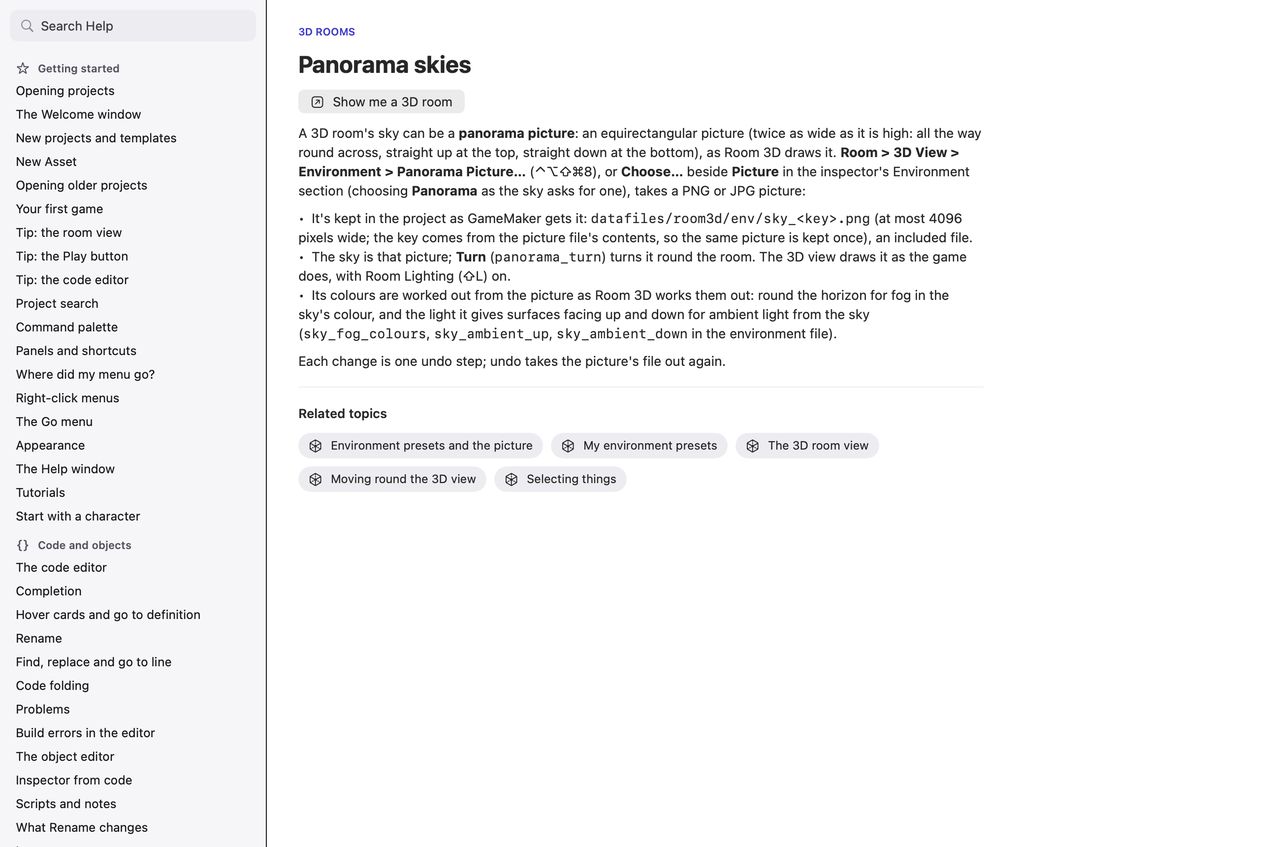
- Help for every feature: a searchable Help window (⌘?) with pictures, "Show me" buttons and related topics.
- Tutorials that walk you through your first game with the real buttons, and tips the first time you open a room, code or Play.
- Every control has a tooltip naming its shortcut.
- Accessibility: VoiceOver labels on every control, full keyboard focus, bigger text, more contrast and reduced motion.
Questions
Does it work with my existing GameMaker projects?
Yes. Studio opens GameMaker projects (.yyp) and writes back only what you change, byte for byte, so GameMaker keeps opening them. Projects from older GameMaker Studio 2 versions are upgraded; GameMaker Studio 1.x and GameMaker 8 projects are imported as a copy.
Does it build with GMS2 or GMRT?
Both. Studio builds with GameMaker's own build tools and runtimes: the GameMaker VM (the runtime that matches your project's version) and the new GMRT, VM or native. You choose per project. On the Mac, GameMaker doesn't need to be installed: Studio downloads GameMaker's build tools and runtime the first time you build (Settings > Build). On Windows, GameMaker needs to be installed for now.
Mac or Windows?
Both. Studio runs on the Mac (macOS 26 or later, Apple silicon), and an early Windows version is out for Windows 10 and 11 (64-bit). The Mac version has the most tools for now; Windows catches up in later updates. The Windows installer isn't code-signed yet: if Windows shows "Windows protected your PC", click More info, then Run anyway.
Is it really free?
Yes, to make with. A free Guidry Games account gets everything GameMaker's own IDE does, for good: code, rooms, sprites, objects and sounds, and run and debug on your Mac, with no credit card. Studio Pro is for shipping: publishing, VR and the extra tools. See Pricing.
How much is Studio Pro?
$29.99 during the beta, then $39.99, bought once, on two computers. Room 3D owners get $10 off ($19.99 during the beta). Buy it in Studio (the box that shows when you press a Pro action has Buy Studio Pro) or here, signed in; the licence arrives in the app by itself, with no restart.
What's in Studio Pro?
Publishing (Create Executable, release exports, store builds), VR (Add VR, Play in Headset, VR Simulator, the VR kit), the 3D view and Room 3D tools (3D rooms, Character Maker, Rig, Animation Library, Hold Item, Effects, grids, vehicles, Text 3D, Sound Maker, Font Library extras), Talk and voices, Motion from Video, the game level editor and Asset Store downloads. On a free account you can open these windows and look around; the action that makes, saves, exports or places something offers Studio Pro.
I was in the open beta. What changes?
From 0.9.3 Studio is free to make with, as above, and Studio Pro has the rest. Copies still on 0.9.2 or older keep the open beta's licence until they update. Nothing you make is locked in: your projects are GameMaker projects and your games don't need Studio to run.
I own Room 3D. Do I get Studio?
Room 3D and Studio are separate apps. Studio is free to make with for everyone with a free account, and Room 3D owners get $10 off Studio Pro: sign in with the same account and the checkout takes it off. Our first Room 3D buyer's Studio for life and the VR Founders have Studio Pro already.
Do I need an account?
Yes, a free Guidry Games account: you sign in once inside Studio. Create one here; it only takes an email address.
How do I report a bug?
In Studio, choose Help > Report a Bug: it sends us what we need (the app's version and your macOS version) with your note. If Studio ever quits unexpectedly, it offers to send the crash report next time it opens. You can also write to hello@guidrygames.com.
Do my games need Studio, or a licence from you, to run?
No. What Studio adds to a project (the collision and input kit, Bones' runtime, shaders) is GML and shader code inside your project. Your games build and run without Studio.
What's the beta like?
Studio updates itself as new beta builds come out (Help > Check for Updates). You send bugs and ideas from inside the app, and you help choose the final name: "Studio" is a working name, and the beta testers pick the real one.
How do I ask for a feature?
Send it on the Request a Feature page, or from inside Studio (Help > Request a Feature). The page also shows what's most requested and planned for Studio.
Is it made by the makers of GameMaker?
No. Studio is made by Guidry Games, the makers of Room 3D, and isn't affiliated with GameMaker or its owner. It works with the projects and runtimes GameMaker makes.
Try Studio free
Free to make with, no credit card. Create a free account, download Studio and sign in to it with that account. Studio Pro when you're ready to ship.
News about Studio
New beta builds, Windows updates and the name vote, by email. No spam; leave any time.
GameMaker is a trademark of its owner; Studio is an independent product by Guidry Games and is not affiliated with or endorsed by GameMaker's owner. Meta Quest, Apple TV, iPhone, iPad, Mac, Android and Raspberry Pi are trademarks of their owners. Screenshots are from beta builds and may change.